
Utilizing a password management tool is an effective technique to safeguard your personal or business data and accounts. Password management applications simplify the process of utilizing intricate and diverse passwords for all your accounts without the need to memorize them or store them in an insecure manner.
Dashlane and 1Password are among the premier password management utilities in the market. Even though both password managers provide fundamental and advanced functionalities to help you create, store, and supervise your passwords securely, Dashlane incorporates a VPN for Wifi protection.
Discover the individual features of each solution and how to make a decision between these two password managers from this comprehensive comparison guide.
Detailed Comparison of Dashlane and 1Password
Below, you will find a summary and comparison of the primary features offered by both password managers.
| Features | ||
|---|---|---|
| Password generator | ||
| Self-hosted authenticator app | ||
| Two-factor authentication | ||
| Password autofill | ||
| Single Sign-on (SSO) | ||
| Free plan available | ||
| VPN | ||
| Starting price | ||
| Free trial | ||
| Dark Web monitoring | ||
| Passkey support | ||
| Cost flexibility | ||
| Alerts and reporting | ||
Pricing of Dashlane and 1Password
Dashlane provides a range of pricing alternatives across its Personal and Business categories. It includes a modest but fully functional free version.
Dashlane Pricing
Personal plans
- Free: No cost. Allows storage of up to 25 passwords for one device.
- Premium: Billed at $4.99 per month annually. Features a trial period.
- Friends & Family: Billed at $7.49 per month annually for 10 users.
Business plans
- Standard: Suited for small teams at a price of $20 per month for up to 10 seats.
- Business: Priced at $8 per seat per month billed annually. Offers a trial period.
- Business Plus: $5 per employee per month billed annually. Commences at 100 employees. A demo is available for this plan upon request.
Enterprise
- This plan is designed for large organizations and includes all features from the business plan, along with specialized customer service support for introducing technical engineers and customer support specialists. Contact Dashlane for a custom quote.
To delve deeper, read our extensive Dashlane review.
1Password Pricing
In my opinion, 1Password offers more adaptable pricing compared to Dashlane. 1Password presents various price plans for individual, family, small team, business, and enterprise applications. Monthly payment options are available for each 1Password plan as well.
Their plan prices are as follows:
Personal
- Individual: Starting at $2.99 per month billed annually. Monthly option at $3.99 per month.
- Families: Billed annually at $4.99 per month for five family members. Monthly option at $6.95 per month.
Business
- Teams StarterPackage: Priced at $19.95 per month, accommodating a team of ten users, with annual billing. The monthly option is available at the same rate.
- Corporate: For business users, the cost is $7.99 per user per month, billed annually. The monthly subscription is available at $9.99 per month.
Corporate Solutions
- You can request a custom quote for this plan. It includes all features from the Corporate subscription along with enterprise-specific features like a dedicated account manager and personalized onboarding.
A 14-day trial is offered for all plans, except for the Corporate Solutions plan.
To find out more, please check out our comprehensive review of 1Password.
Dashlane vs 1Password: Feature Comparison
Both tools offer comparable features, including centralized password management, security, encryption, password health reporting, and 2FA. Let’s delve into their differences.
Management and Sharing of Passwords
Preferred Choice: 1Password
When it comes to managing passwords and sharing credentials, I believe 1Password has the edge.
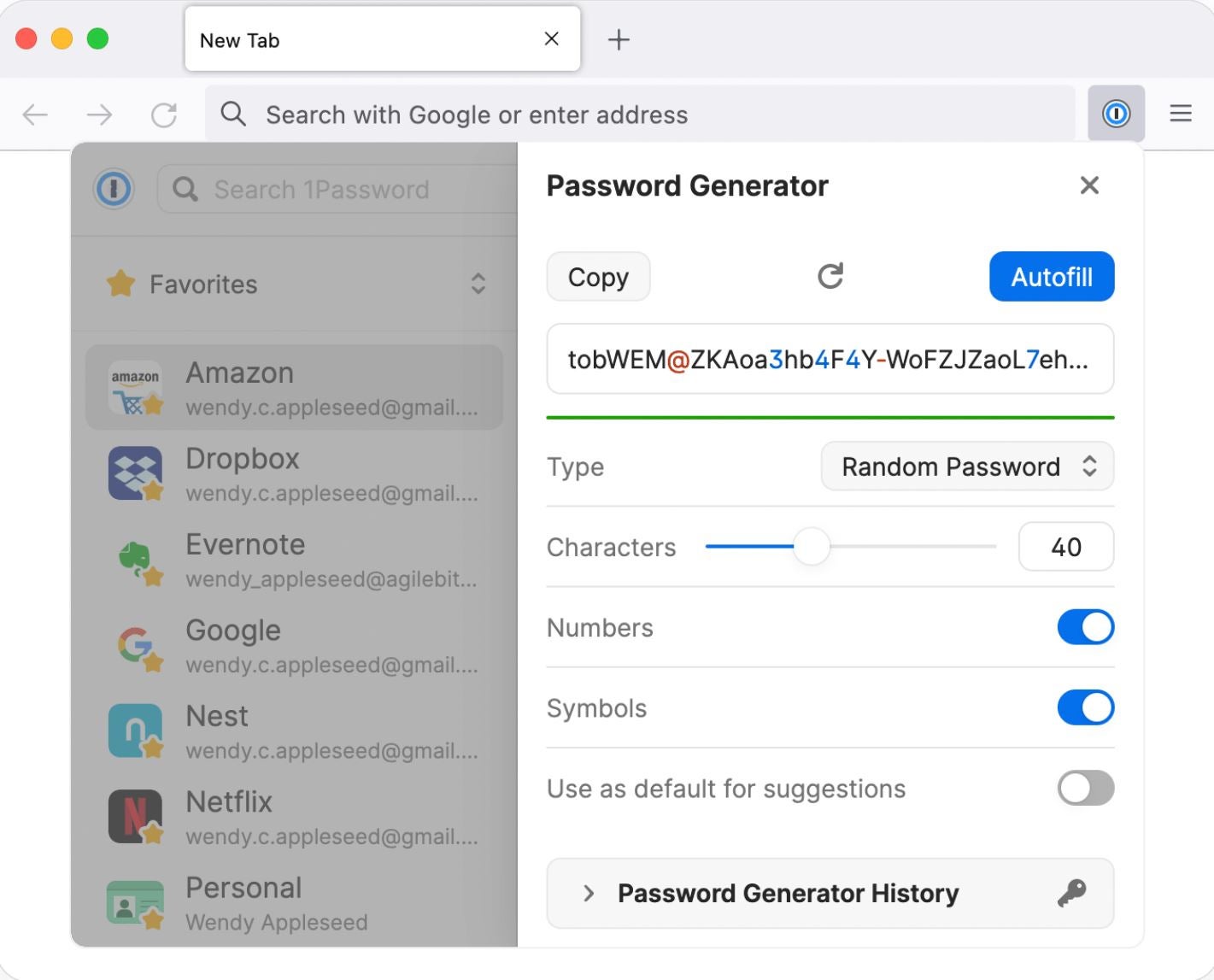
1Password provides password and username generators to create secure login details that are not reused across various platforms. It utilizes a secure vault system for sharing passwords efficiently, which particularly benefits larger businesses. Organizations can establish dedicated vaults to organize passwords and securely share them within the company.
Under this setup, I can envision enterprises easily setting up specific vaults for different departments or teams in their organization.
Contrastingly, Dashlane offers a secure sharing feature enabling users to share passwords and secure notes. Users have the ability to share passwords with individuals or groups and adjust sharing permissions to grant either full or restricted access. Dashlane also presents a group sharing feature in the Starter, Team, and Corporate plans. This functionality allows administrators to group team members and distribute passwords based on each group’s specific requirements.
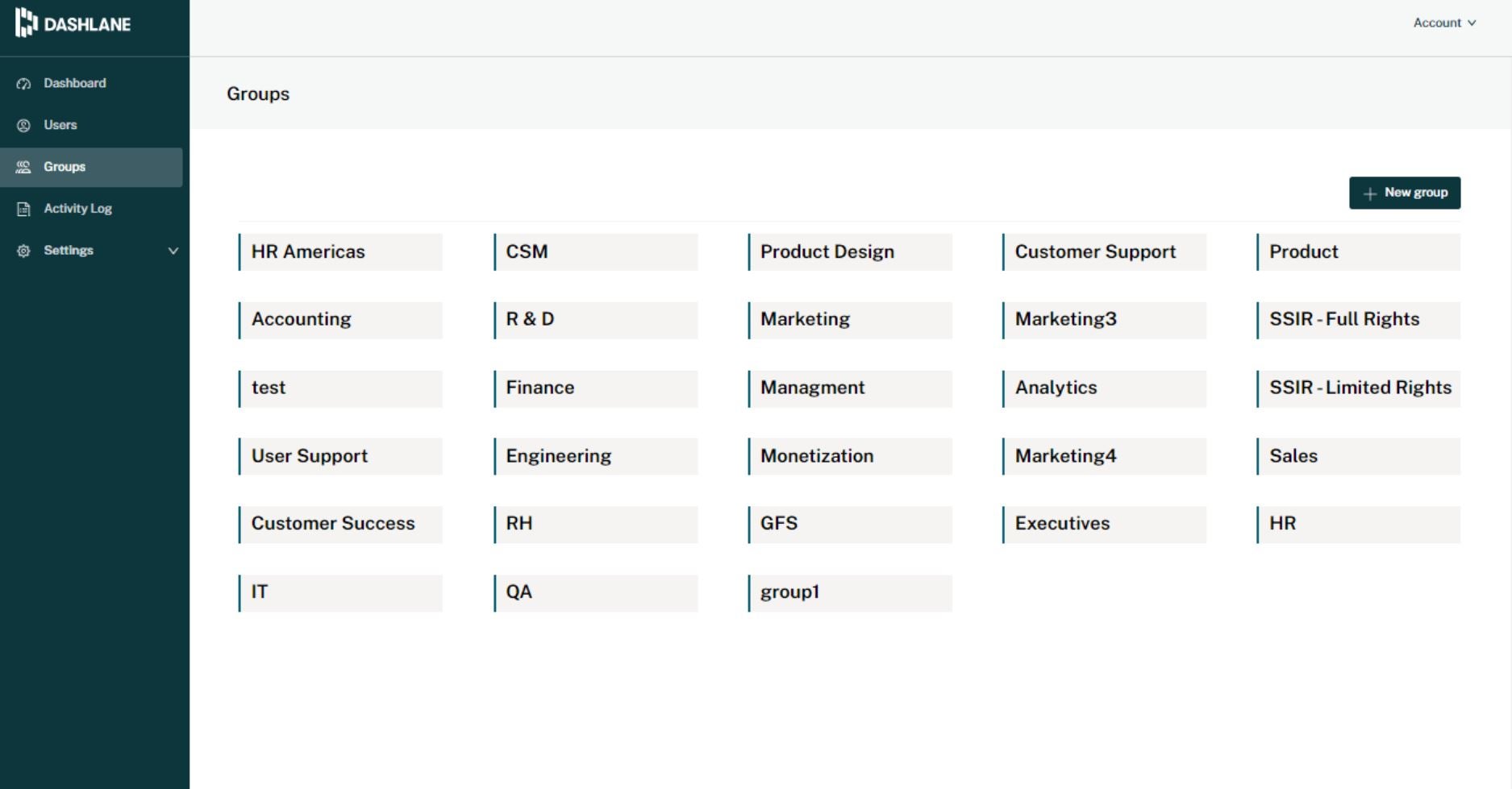
Regarding the control administrators have over user access to particular credentials on Dashlane, I find it commendable. However, speaking strictly about the storage and password sharing features that are more beneficial for teams and businesses, I consider 1Password to be the superior choice due to its adaptable vault system.
Security and Oversight
Dead Heat
Both services employ 256-bit AES encryption and two-factor authentication to ensure the security of your login details. While Dashlane utilizes PBKDF2 encryption for password protection, 1Password follows its Secret Key encryption protocol.
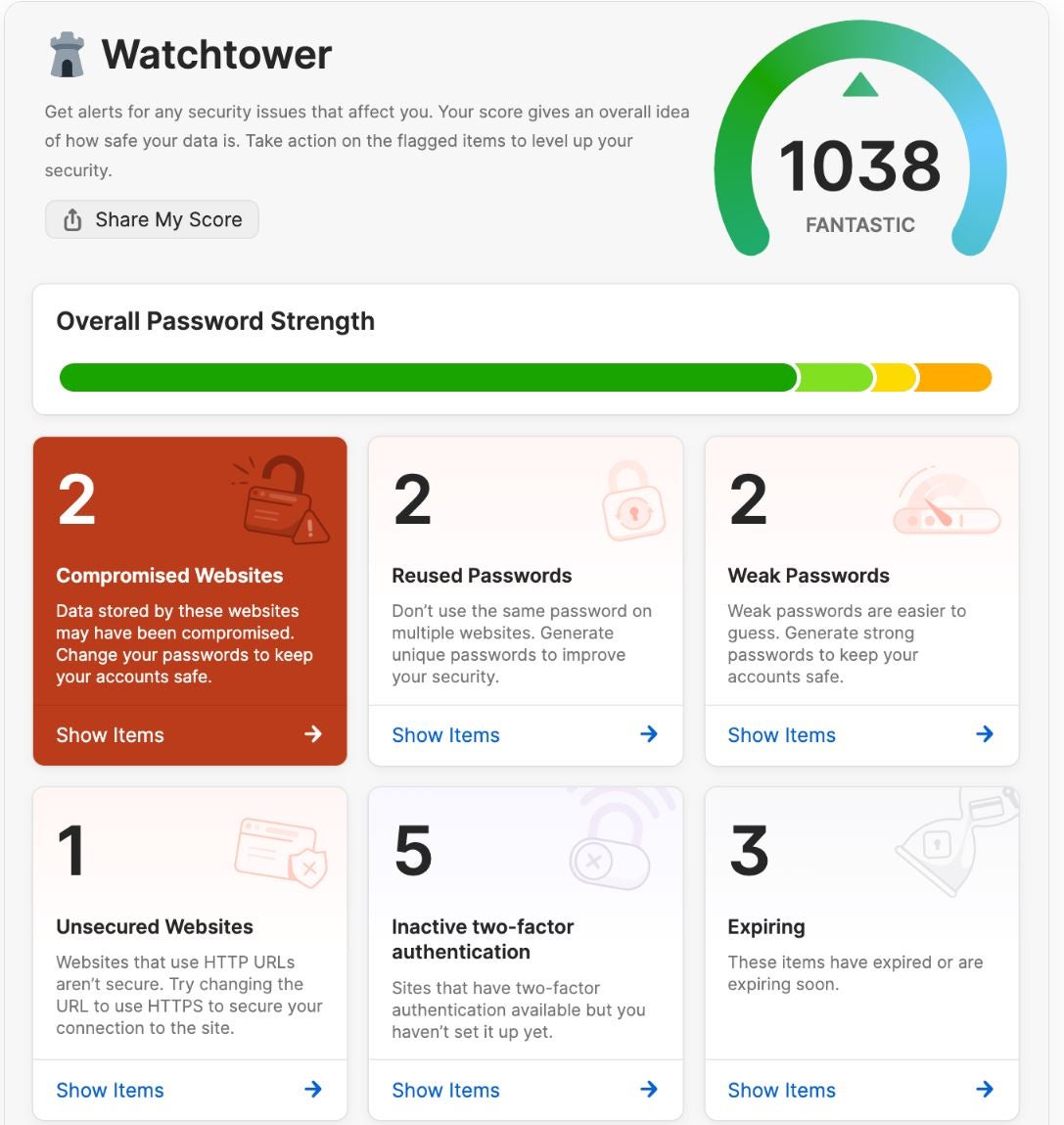
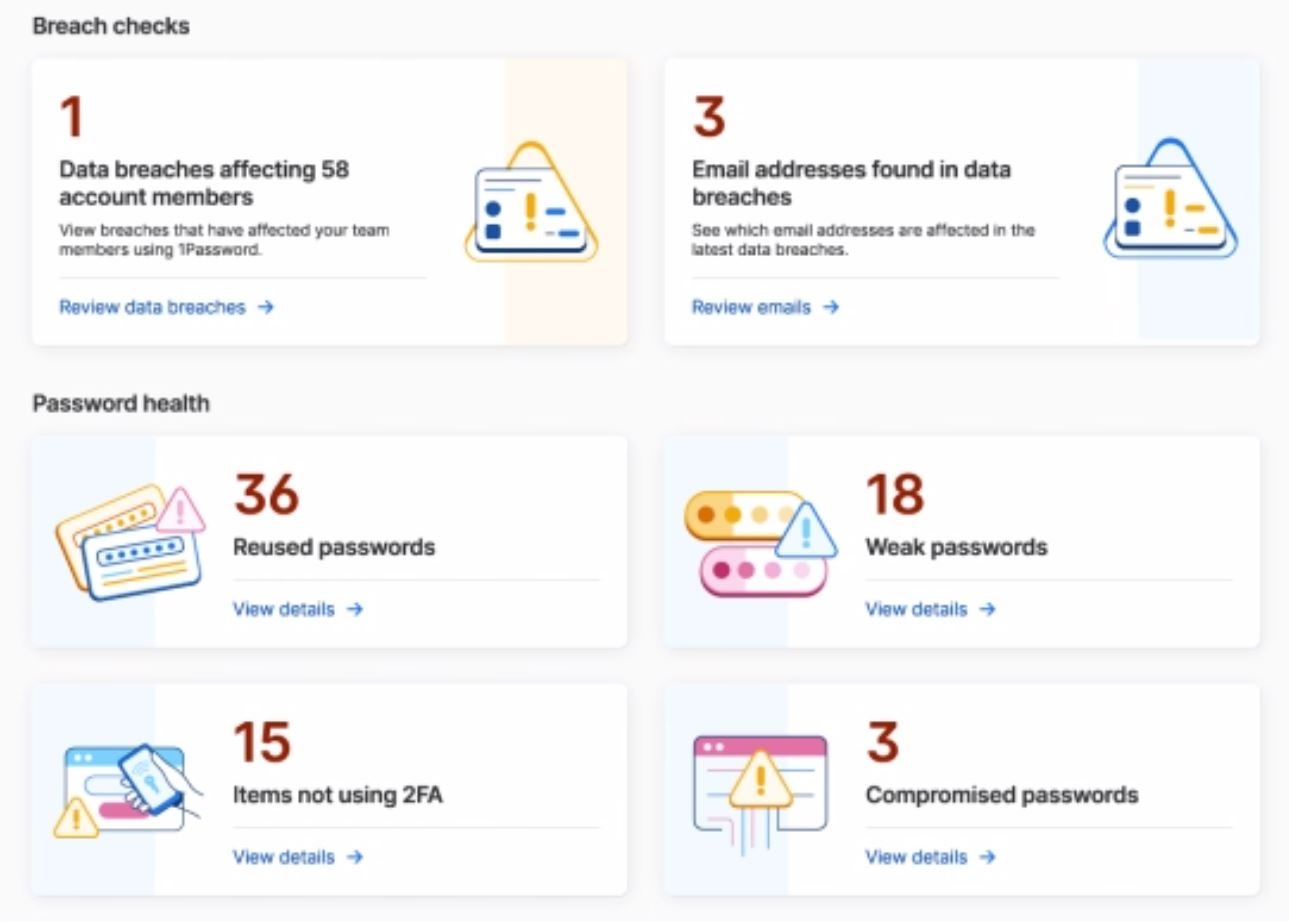
In terms of monitoring, 1Password offers the Watchtower monitoring feature, which integrates with Have I Been Pwned to send alerts if any of your passwords have been compromised. This feature serves as an effective method to detect compromised passwords early on. Additionally, Watchtower identifies and warns against weak or duplicate passwords and suggests enabling two-factor authentication on specific websites.
The integrated Dark Web monitoring and password health data within Watchtower is a feature that resonates with me.
While Dashlane provides Deep Web monitoring, ensuring you receive notifications in case any of your private details or login credentials get breached and distributed on the Deep Web. This surveillance tool examines records linked to security breaches and data leaks, with nearly a million new records included and reviewed daily.
Besides overseeing user’s credentials on the Deep Web, I appreciate that Dashlane delivers real-time scam warnings through web browser alerts, enabling users to evade dubious websites with ease.
User-Friendliness
Champion: Dashlane
Regarding the overall user interface, my preference leans slightly towards Dashlane instead of 1Password. During my usage, navigating Dashlane’s web application felt slightly smoother. It incorporates an instinctive and user-centric layout that I believe suits well for minor teams with restricted IT resources.
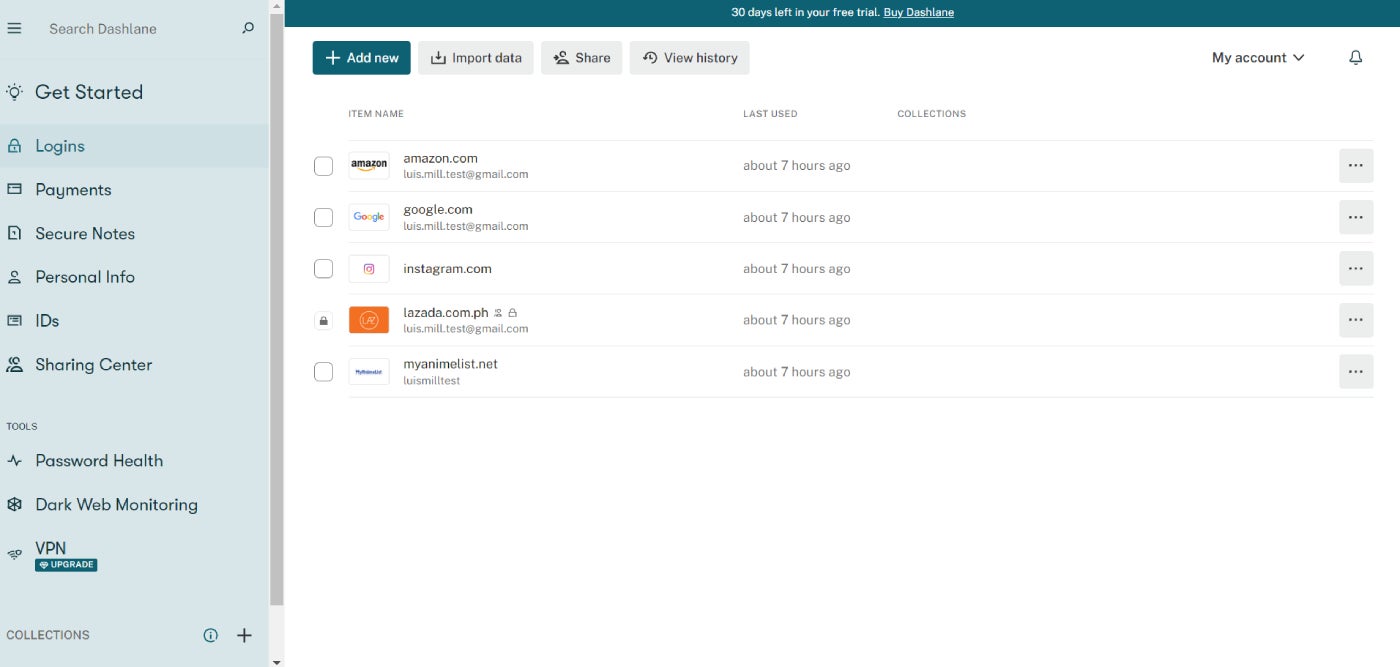
Furthermore, the absence of bugs with Dashlane at the time of evaluation worked in its favor. Setting it up and running is also quite straightforward.
If you wish to obtain more insights on the initial setup, feel free to explore our detailed guide titled How to Use Dashlane.
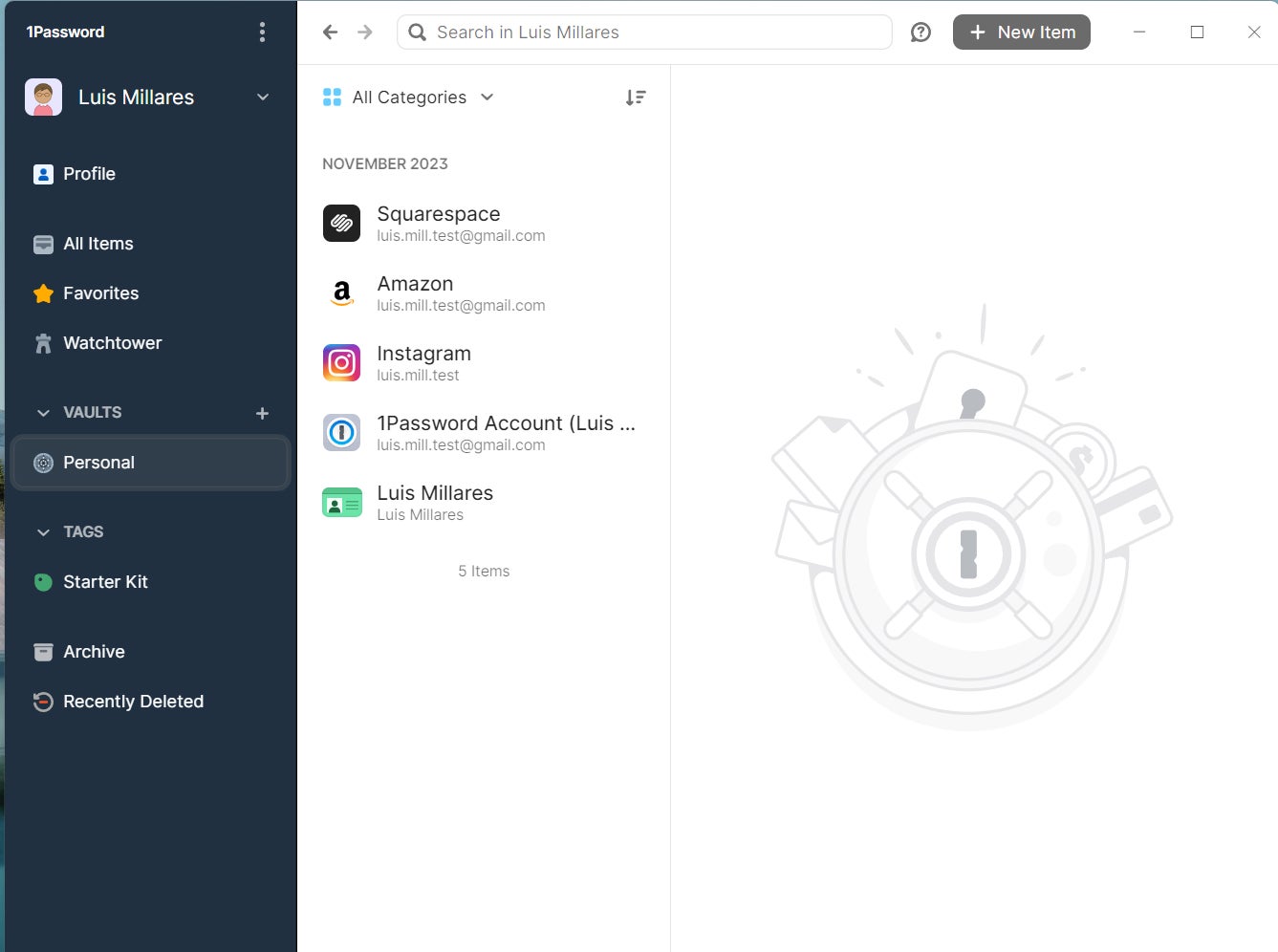
Contrastingly, my impression was that 1Password operated smoothly but showed inconsistency in performance. While using the 1Password Chrome extension, I observed multiple instances of being logged out, impacting my overall user experience. Apart from this, the application excelled in generating usernames and passwords and recommending stronger password options.
For those curious, we also offer a beginner’s guide on How to Utilize 1Password.
Report Analysis
Champion: 1Password
Although both Dashlane and 1Password provide reporting dashboards for IT staff to access comprehensive company-wide activity data, I found 1Password’s reporting features to be more extensive.
1Password presents intricate reporting choices. Administrators have the ability to generate reports for individual employees, individual vaults, teams, and the entire business. Subscribers of the business plan can monitor the access to company resources, the devices used for access, and the actions performed with those credentials.
DISCOVER: How to Establish an Effective Cybersecurity Awareness Program (TechRepublic Premium)
I specifically appreciate how 1Password users can establish regulations to allow or disallow sign-in attempts from specific locations. This functionality is beneficial in heavily regulated industries where access to certain company programs or data is restricted outside the company premises or public Wi-Fi networks.
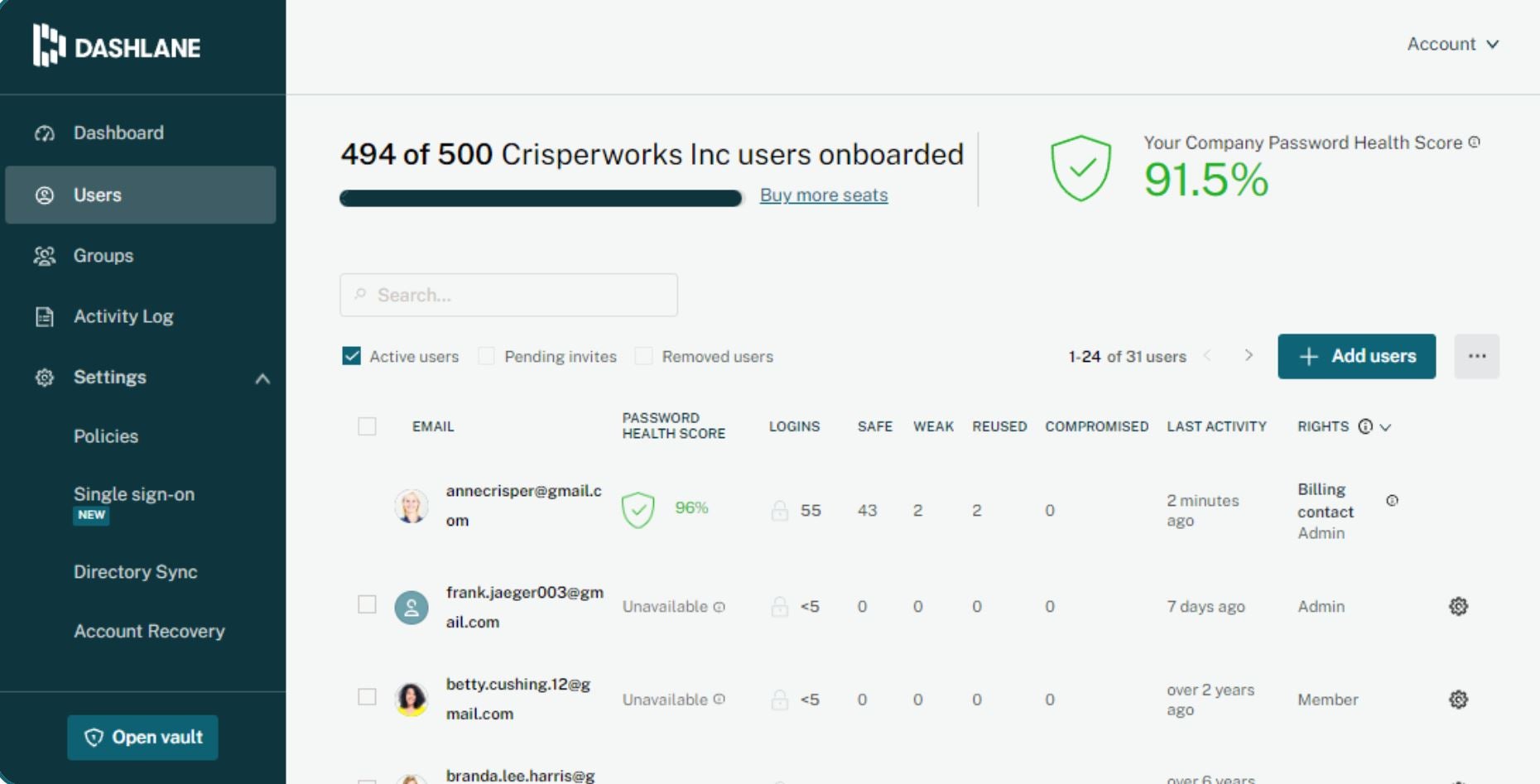
To Dashlane’s credit, it offers an advanced reporting dashboard that provides an overview of your company’s password health, compromised passwords, and password quality. Administrators can also view user information and login activity logs from these dashboards.
Platforms and integrations
Champion: 1Password
In relation to platform support, both Dashlane and 1Password exhibit remarkable compatibility across various devices and operating systems, including Windows, macOS, iOS, and Android. Additionally, they provide browser extensions for Chrome, Firefox, Safari, and Edge, ensuring seamless password management on different web browsing platforms.
Both tools also share similar integration features, allowing seamless integration with various identity providers (IdPs), such as Okta, Active Directory, Azure AD, G Suite, and Duo. This integration streamlines the single sign-on experience, enhancing security and eliminating repetitive login requirements across multiple applications.
One distinguishing factor between the two password managers is that users can operate 1Password locally on their desktop, while Dashlane lacks a dedicated desktop application and can only be utilized via a web app.
This gives 1Password a slight advantage over Dashlane, particularly for users who prefer managing their password manager using a standalone desktop application as opposed to a web-based platform.
Dashlane advantages and disadvantages
Here are the primary pros and cons to take into account when evaluating Dashlane:
Advantages
- Straightforward interface.
- Dark Web monitoring.
- VPN for Wi-Fi security.
- Self-hosted authenticator solution.
- On-demand phone support for business and enterprise users.
Disadvantages
- Improvement needed for the browser add-on.
- Cannot run locally on the desktop.
- Less flexible security features and interface customization.
- Slightly higher cost for individual users.
1Password advantages and disadvantages
Below are some key pros and cons to consider in the evaluation of 1Password.
Advantages
- Exceptional security features, including a travel mode for cloud-free Wi-Fi synchronization.
- Guest accounts with restricted access.
- Support for Intune and GPO Deployment.
- Offers a 14-day free trial on most pricing plans.
- Provides a desktop application.
Disadvantages
- The interface can be complex for new users.
- Lacks online chat customer service.
- No VPN support.
- Single Sign-On is restricted to Business and Enterprise tiers.
Should your organization opt for Dashlane or 1Password?
Both Dashlane and 1Password are robust options for password management software. However, if I had to suggest one provider for overall business use, my preference would be 1Password.
1Password proves to be an excellent choice for organizations intending to extensively utilize password-sharing functionalities, given the platform’s vault system, which facilitates secure password sharing among employees. Various vault types can be created, like social media, travel booking, and others designed for sharing among employees within specific departments or project teams. It offers an organized system for updating and managing shared accounts.
The comprehensive security features and scalable enterprise support of 1Password make it an attractive option for large enterprises with complex security needs. Extensive third-party integrations, support for desktop applications, and capabilities for Intune and GPO deployment provide better administrative controls for enterprises.
Conversely, Dashlane, being more user-friendly than 1Password, is better suited for small businesses and teams with limited IT resources. Its intuitive interface and straightforward setup make it easy to implement and manage across a user team. Additionally, Dashlane’s self-hosted SSO solution and VPN feature enhance password management infrastructure control and network security.
Approach
In evaluating Dashlane and 1Password, I conducted an extensive analysis drawing from multiple information sources. I reviewed the official product websites of both solutions to gather detailed specifications and pricing details. To gain practical experience, I tested the Chrome extension versions of both solutions, enabling an assessment of their usability, security features, and customer support.
About Author




