Rogue Agent Flaw Could Have Let Attackers Hijack Google Dialogflow CX Chatbots
A critical flaw in Google’s Dialogflow CX could have let an attacker with edit rights on one Code Block-enabled agent compromise other Code Block-enabled agents in the same Google Cloud project.
From there, they could read live conversations, steal the data users shared, and make the bots send attacker-written messages, including requests to re-enter a password.
Security firm Varonis found it and named it Rogue Agent. The flaw affected only organizations that built agents with Dialogflow’s Playbooks and custom Code Blocks, which let developers add their own Python. And it was not a remote, unauthenticated attack.
Pulling it off needed the dialogflow.playbooks.update permission on one such agent, which limits the realistic attacker to a malicious insider or a compromised developer account, not a stranger on the internet. From that one foothold, though, the reach extended to every agent in the project.
Google has fixed it, and both Varonis and Google say there is no sign the flaw was ever used in a real attack.
One writable file ran every agent’s Code Blocks
Dialogflow’s Code Blocks let developers add custom Python to a chatbot’s conversation flow to check input, control behavior, and invoke defined tools. That code runs in a Google-managed Cloud Run environment, and every agent that uses Code Blocks in the same Google Cloud project shares one instance of it.
Google runs that environment, the customer cannot see or control it, and Varonis found no real isolation between the agents inside it.
When an agent runs a Code Block, the developer’s code is appended to internal setup code and passed to Python’s exec() function. That setup code defines the variables and functions the block can touch. Variables include history for the full conversation and state for session details like the session ID. Functions include respond(), which makes the bot reply with a given string.
Varonis found the file that does this wrapping, code_execution_env.py, sitting in the shared environment with write access.
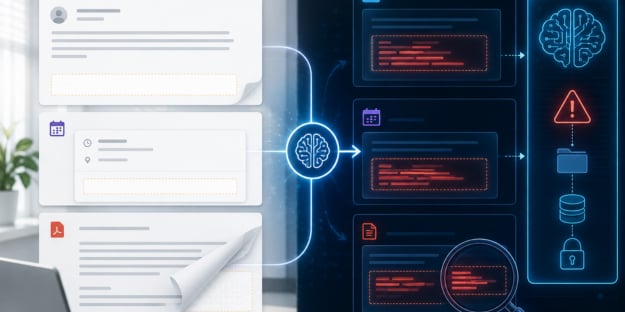
Because that file was writable, a single Code Block could replace it. That block downloads a modified code_execution_env.py from an attacker-controlled server and overwrites the original inside the running container.
From then on, the attacker’s version runs for every Code Block execution across every agent sharing that environment. It sits in the same scope as legitimate code, with the same access to history, state, and respond().

That lets it read each conversation, quietly send it to the attacker’s server, and make the bot post attacker-written messages. One example is phishing: the bot asks the user to re-verify a login, and the attacker collects whatever they type.
To cover the tracks, the attacker restores the original Code Block in the Dialogflow console. That changes only what the console displays; the overwritten file is already running in the container and keeps executing underneath.
The sandbox leaked two more ways
Varonis reported two related issues, and neither needed the file overwrite. First, the Code Block environment had unrestricted outbound internet access. Using the built-in urllib library, the researchers sent data straight to an external server and could receive commands back.
Varonis says this bypasses VPC Service Controls, the Google Cloud perimeter meant to stop data from leaving protected services. The environment sits outside that perimeter and can reach the open internet, which turns it into a channel for both data theft and remote control.
Second, and less serious, the environment exposed the Instance Metadata Service (IMDS), a normally internal endpoint that hands out cloud credentials. Querying it returned a token for a Google-managed service account.
That account was low-privilege, so the direct risk was limited; the real point is that a code-execution sandbox should not be able to reach IMDS at all.
Almost nothing reached the logs
The overwrite happened inside Google’s environment, where customers have no visibility, and Cloud Logging did not record the file change or the injected code.
That makes it hard, though not impossible, to catch from the customer side. The setup actions still leave traces, which the checks below rely on.
Varonis disclosed the flaw through Google’s Vulnerability Reward Program in November 2025. Google shipped an initial fix in April 2026 and fully resolved it in June 2026, about seven months from report to resolution. No CVE was assigned.
What to check if you used Code Blocks
If you ran Dialogflow CX agents with Code Block Playbooks before the fix and want to confirm you were not targeted, start with access.
The dialogflow.playbooks.update permission is the whole entry point, so audit which roles and accounts hold it.
Then:
- Review your DATA_WRITE audit logs for the Dialogflow API for unexpected playbook updates, and correlate them with unusual users, IP addresses, or access times.
- Run a Cloud Logging query for failed user requests, where the error messages can reveal exceptions thrown by malicious Code Blocks.
- In the Dialogflow console, open Playbooks for each agent and confirm every Code Block is one you approved.
A different kind of AI flaw
Many recent AI security flaws have worked by fooling the model.
Varonis’s own Reprompt and SearchLeak turned a single click into data theft in Microsoft’s Copilot. Noma Security’s ForcedLeak hid instructions in a Salesforce web form to pull out CRM data.
Microsoft’s researchers showed prompt injection turning into code execution in the Semantic Kernel framework. Rogue Agent did not touch the model at all. It abused a normal developer feature and a shared, invisible runtime, reachable with one ordinary edit permission.
In a setup like this, a permission that looks like a content-edit right is actually a code-execution right. Anyone who can add a Code Block can run arbitrary Python inside a shared environment that the customer cannot inspect.
Treat agent-edit permissions as the runtime controls they are. Even when the provider says nothing needs fixing, customers still have no way to look inside that runtime themselves.
About Author