Mac Users Face New Malware Threat Spoofing Apple, Google, and Microsoft
The latest malware targeting Mac users isn’t built to crack security protections, but to exploit users’ trust in familiar brands.
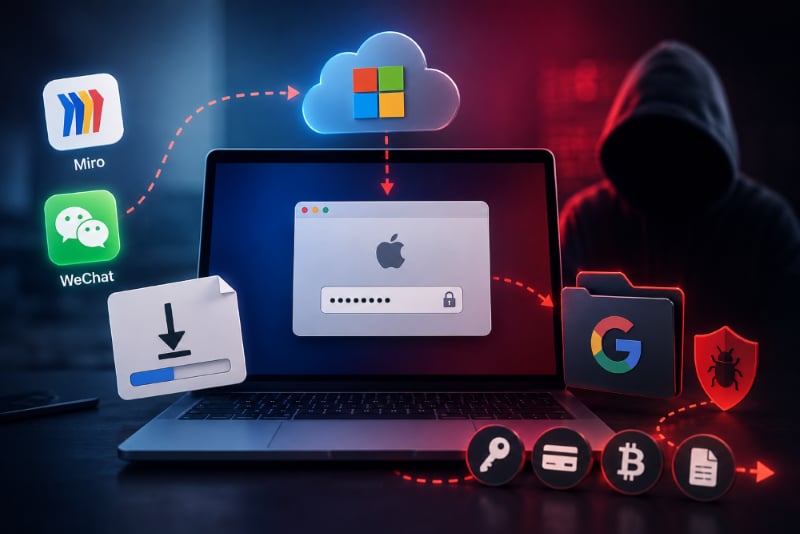
Researchers at SentinelOne are warning of a new SHub infostealer malware variant, dubbed Reaper. The malware targets macOS users and disguises itself as trusted platforms like WeChat and Miro, while spoofing interactions that mimic those from Microsoft, Apple, and Google to lure them into lowering their guard.
The variant relies on trust and familiarity rather than exploiting any technical vulnerability, turning recognizable platforms into social-engineering bait.
Beyond the disguise, the malware is designed to steal passwords, browser data, cryptocurrency-related data, and business files from infected systems. The researchers also warn that its behavior includes stealth persistence, meaning it retains access after the initial compromise.
Observed chain of infection
Unlike many malware campaigns that exploit a vulnerability on the user’s device, Reaper’s initial access and execution are driven by social engineering.
According to the researchers, the variant has been observed tricking users attempting to download popular tools such as Miro and WeChat, prompting them to download what appears to be legitimate installers or helper files that will enable them to download the apps.
After the initial lure, the malware campaign shifts to a series of carefully tailored platform-impersonation layers that leverage familiar technology brands.
The report notes that a typo-squatted URL from Microsoft infrastructure is used to make download sources appear legitimate, reducing suspicion where it matters most.
Upon malware delivery, Apple-branded system prompts are reportedly used to persuade users to approve permissions. The user-granted permissions allow the malware to circumvent Apple’s security patch against Terminal-based ClickFix attacks.
To do this, it uses the applescript:// URL scheme, which allows code to be preloaded into the macOS Script Editor.
With code preloaded into the editor, the victim is prompted to run it, which requests the victim’s login password. The password is, however, scraped and used system-wide to decrypt various credentials requiring the victim’s password.
To establish persistence and install a backdoor in its later stages, it used Google-related naming patterns that disguise as a Google Software Update path. Within that path is a Base64 script file masquerading as GoogleUpdate. Every 60 seconds, the script connects to the attacker’s command-and-control (C2) server, allowing the attacker to send additional payloads and exfiltrate data.
How the Reaper malware achieves its objective
The SHub campaign primarily focuses on credential theft, and, like previous variants, Reaper follows suit.
Upon execution, it begins harvesting sensitive data from its victim’s system, building on previous variants that targeted browser credentials, crypto wallets, developer configuration files, Telegram session data, and Apple-related data such as macOS Keychain and iCloud.
It broadens its browser scope to include Chrome, Firefox, Brave, Edge, Opera, Vivaldi, Arc, and Orion. It further hunts for Desktop and extension-based crypto tools such as Exodus, Atomic, Ledger Live, Electrum, and Trezor Suite. These extensions become targets for ongoing fund theft using a script sent from its C2 server.
It doesn’t stop there.
It uses a Filegrabber handler with a 150MB cap to scan its victim’s computer for business-related files. The handler targets files with .docx, .doc, .wallet, .key, .keys, .txt, .rtf, .csv, .xls, .xlsx, .json, and .rdp extensions. It also filters for lightweight files under 2 MB and .png images under 6 MB. The scanned files are stored in /tmp/shub_<random>/.
To exfiltrate the stolen data to its C2 server, it first runs a folder-size scan that zips the folder into a 70MB file if the folder exceeds 85MB.
Advertisement
How do Mac users stay safe
Since this variant was recently discovered and documented, there is currently no patch for it. While waiting for a patch, users can, however, stay out of trouble by being extra cautious with downloads and script execution.
Always download an application from your App Store, and if you must install one outside the App Store, verify that the website you are downloading from is official.
Despite Apple fixing ClickFix-style attacks, code execution should only be performed when you fully understand what you are trying to run, even if it appears in a dialog on your screen or is preloaded.
The researchers didn’t specify how users can tell if they’ve been compromised, or what to do when they are. Still, there are telltale signs:
The following can give you a clue if you are compromised:
- You notice odd crypto transactions
- You have recently downloaded Miro or WeChat outside the App Store
- You notice any of the files and folders mentioned above
If you suspect you are compromised:
- Delete those files
- Change your passwords
- Backup your data
- Take your computer to a professional forensic examiner, or to your IT team if it’s your work laptop
Also read: 2026’s breach list includes major cyberattacks and security failures, from mobile exploits to large-scale data exposures.
About Author