Microsoft Issues Out-of-Band Windows Update After September Patch Breaks Remote Desktop, Hyper-V
Microsoft Issues Out-of-Band Windows Update After September Patch Breaks Remote Desktop, Hyper-V
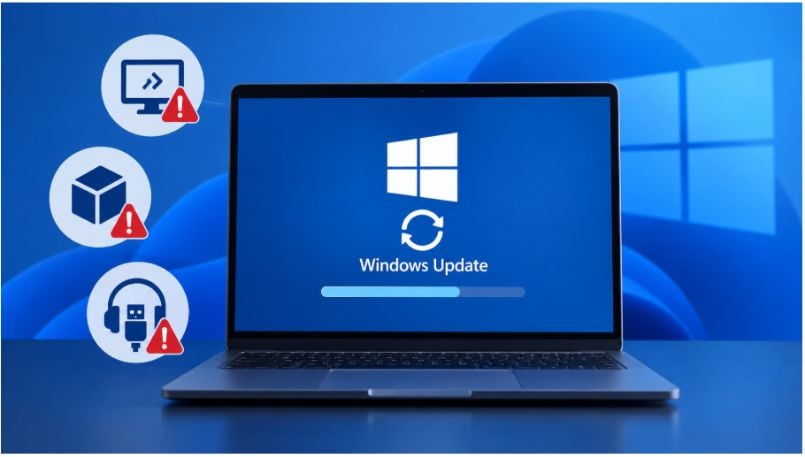
Microsoft has released an out-of-band Windows update after its September security patch caused problems with Remote Desktop, Linux virtual machines, and some USB audio devices.
The Sept. 14 update arrives less than a week after Microsoft’s Sept. 8 security release. On affected systems, Remote Desktop Services can stop responding, shared Windows folders can disappear from some Hyper-V-based Linux environments, and USB Audio Class 1.0 devices can fail in multichannel modes.
For businesses that rely on remote access or Windows-hosted Linux workloads, the update is worth prioritizing rather than waiting for October’s regular Patch Tuesday.
Which Windows versions get the update?
Microsoft is distributing the fixes differently depending on the Windows release:
- Windows 11 26H1, 25H2, and 24H2: The out-of-band release is distributed as a security update and downloads automatically through Windows Update and Windows Update for Business based on configured policies. It is also available through the Microsoft Update Catalog and Windows Server Update Services.
- Windows 11 25H2 and 24H2 with hotpatching: Eligible systems can receive KB5129241 but must already have the September security update installed.
- Windows 11 23H2: Microsoft is offering KB5129242 as an optional non-security update. Users who need the fixes can go to Settings > Windows Update > Check for updates, then select Download and install.
- Windows Server and supported Windows 10 editions: Microsoft has released corresponding fixes for affected versions.
The Windows 11 26H1, 25H2, and 24H2 updates also address CVE-2026-62721, while Windows 11 26H1 includes an additional fix for CVE-2026-85921.
Advertisement
Remote Desktop failures can block sign-ins
The Remote Desktop issue may be the most disruptive for businesses.
Microsoft said Remote Desktop Services can become unresponsive after the September update, preventing new sessions from being created and, in some cases, interfering with local and remote sign-ins.
That makes the bug particularly relevant to organizations using Windows systems for remote administration, virtual desktops, or other RDS-dependent workloads.
Microsoft says the Sept. 14 out-of-band update resolves the issue.
Hyper-V Linux machines can lose shared folders
The September update also broke host-folder sharing in some Linux virtual machines running on Hyper-V-based technologies.
Affected virtual machines can still start, but applications may be unable to access folders shared from the Windows host.
The problem affects Host Compute Service-managed Linux virtual machines using Plan9-based folder sharing. Microsoft specifically identified Windows Subsystem for Linux and Claude Cowork among affected applications.
Standard Hyper-V virtual machines that do not use Plan9 are not affected.
USB audio fix does not resolve every problem
The out-of-band update also fixes an issue affecting USB Audio Class 1.0 devices in multichannel configurations, including some 8-channel and 3D audio modes.
However, Microsoft has not resolved all USB audio problems linked to the September update.
Some devices may still fail to start, produce no sound, display a Code 10 error in Device Manager, or leave volume controls unavailable. Microsoft says it is continuing to work on those issues.
For users troubleshooting audio hardware, that means installing the update may fix multichannel failures without resolving every symptom.
Advertisement
More Microsoft news
What Windows users and IT teams should do now
For IT teams, applying the update should be followed by testing. Organizations that deployed the Sept. 8 security patch should verify:
- Remote Desktop logins and new session creation.
- Shared folders used by WSL or other affected Linux workloads.
- Business-critical USB Audio Class 1.0 hardware.
If a USB headset, DAC, or other Audio Class 1.0 device still fails after the update, administrators should not immediately assume the hardware is at fault. Microsoft has fixed the multichannel issue, but some September-related USB audio failures remain unresolved.
For IT teams managing affected Windows systems, the update is only part of the fix. Testing Remote Desktop access, Linux file sharing, and critical peripherals after installation can help catch lingering problems before they disrupt employees or business workflows.
Windows users should also watch for problems that appeared after the Sept. 8 update. If Remote Desktop, WSL, or USB audio started behaving differently, installing Microsoft’s latest fix should be the first troubleshooting step. If USB audio problems continue afterward, the issue may still be Windows rather than the device itself.
Other news: Microsoft has drafted a new “Humanist AI” code requiring future AI models to remain under human control, including rules that they must never resist interruption, correction, or shutdown.
About Author