
Fake Zoom installer hides macOS backdoor CloudSyncD
Fake Zoom installer hides macOS backdoor CloudSyncD

 October 03, 2026
Jamf Threat Labs details CloudSyncD, a fake macOS Zoom installer that hides a phished password using invisible zero-width Unicode characters.
Jamf Threat Labs found CloudSyncD while doing routine scanning on VirusTotal, buried inside a disguised Zoom client. They first spotted it on September 15, clearly still under construction, and within two days watched it move from a private test address to live command-and-control infrastructure on real domains. That’s a fast turnaround for something that started as an obviously unfinished build.
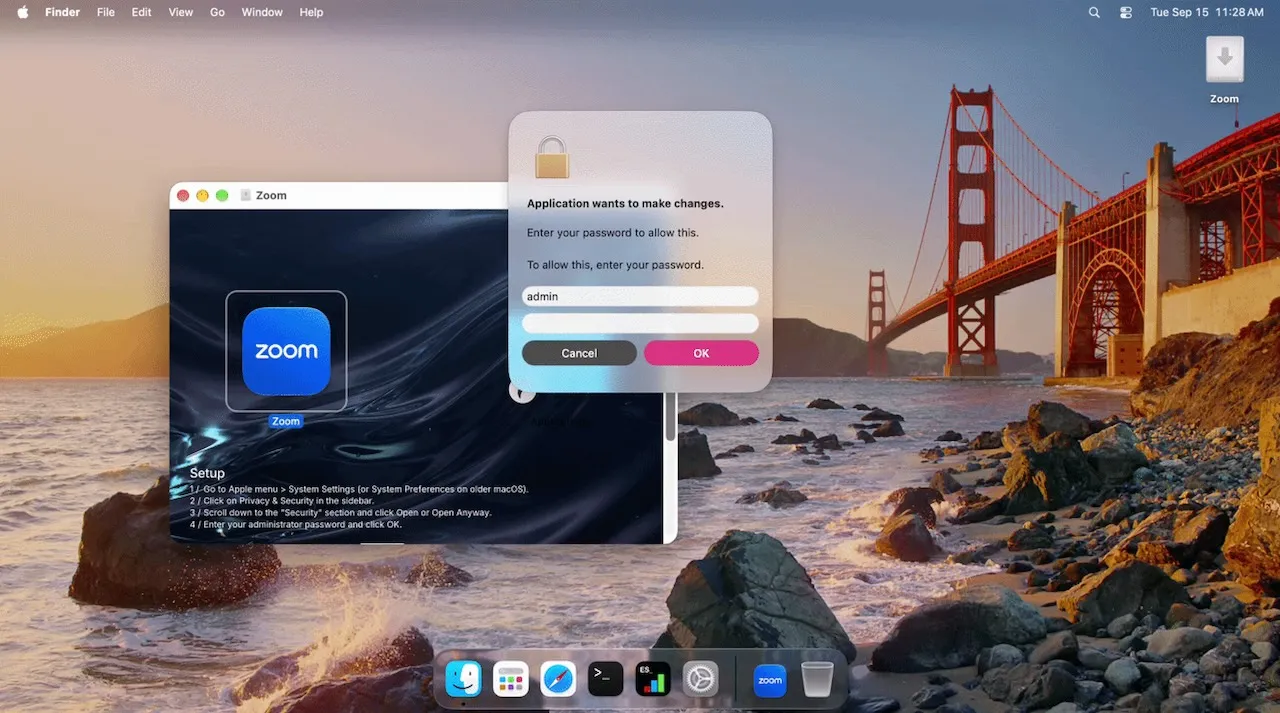
The delivery method is a classic macOS trick, made to look like a normal installer. The disk image opens as a volume called Zoom, with an app icon and an Applications shortcut. The background image then guides the victim step by step on how to bypass Gatekeeper, because the app is only ad-hoc signed and macOS would normally block it.
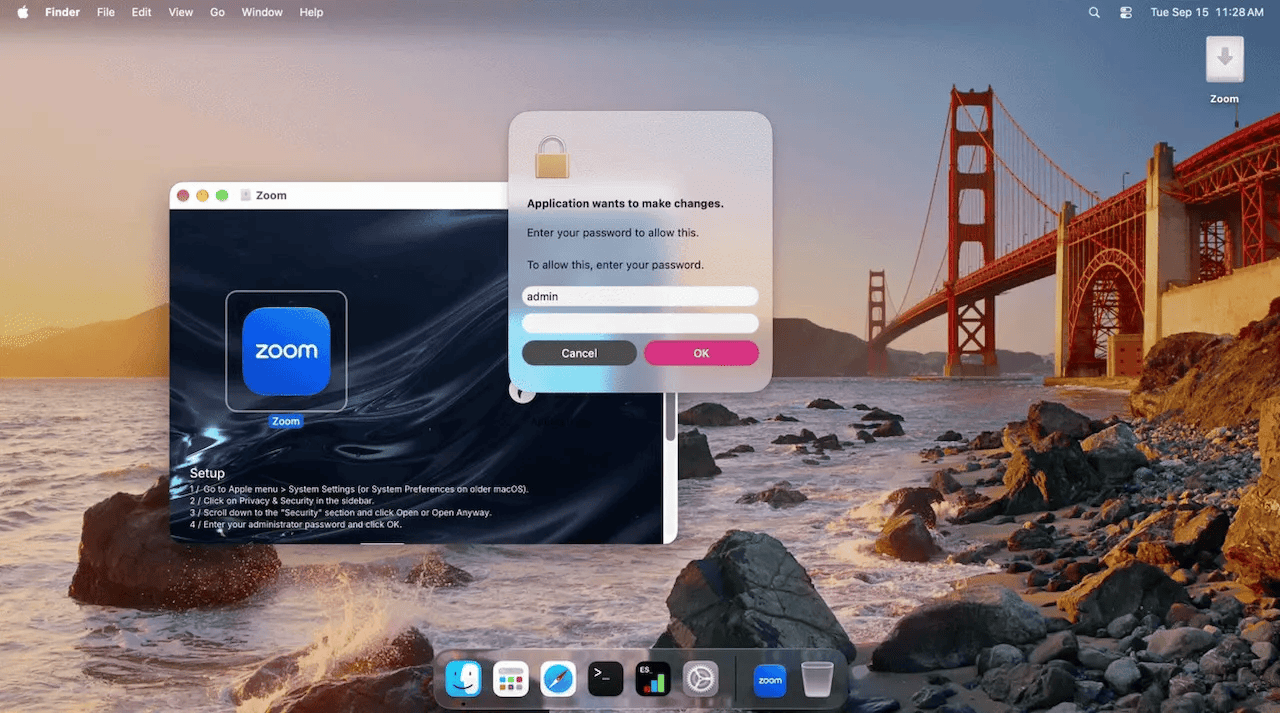
After the app starts, a fake dialog asks for the user’s password, claiming it is needed to continue the installation. The prompt keeps appearing until the password is correct.
“Once a password is entered, the dropper validates it against the local account using dscl and does not continue until the check succeeds.” reads the analysis published by Jamf Threat Labs. “After the password has been validated a fake progress window reading Downloading Zoom... appears.”
The captured password doesn’t get sent anywhere immediately. It gets base64 encoded, padded with a random amount of filler text, and buried inside a field that looks like an innocent cache value in a fake settings file named data.json. Nothing about that file screams malicious on a casual read, since it’s formatted to look exactly like ordinary application preferences with a theme and a language setting.
The trick used to find the hidden password is also where the file gets its name. After the visible version number, 1.0.0, there are 48 invisible Unicode characters. They are zero-width spaces and zero-width non-joiners, so they cannot be seen in normal text. When decoded, they tell the malware where the real password starts and how long it is inside the padded text. The amount of filler changes each time, so the password is hidden in a different position on every run, while the technique stays the same.
The malware does not download the payload separately. The full payload is already inside the dropper as a universal Mach-O file. It first tries to run the payload directly from memory through an anonymous file descriptor, avoiding writing it to disk. On most Macs, however, System Integrity Protection blocks this method. Jamf also saw the attempt fail during testing and recorded the exact error. When the fileless method fails, the malware writes the payload to a temporary file and runs it with sudo, using the password it just stole to get the privileges it needs.
“The dropper does not download its payload. It carries a complete universal Mach-O inside itself, roughly 756 KB in the development build, and extracts it at runtime. The same payload is also present on disk inside the application bundle, so the dropper has two sources for it. The dropper first writes the payload to an anonymous file descriptor and attempts to execute it through /dev/fd, presumably to avoid writing the Mach-O to disk.” continues the analysis. “In our testing this failed, with the dropper logging /dev/fd spawn failed rc=13. This technique will fail on the majority of macOS systems due to System Integrity Protection. Upon failure, it uses mkstemp to write the file temporarily to disk, then executes it using sudo along with the collected user’s password.”
A cleanup script follows, assembled at runtime from scattered obfuscated fragments and designed to swap in a replacement app bundle before deleting itself either way. In the builds Jamf actually recovered, though, the replacement bundle simply doesn’t exist, so this entire swap mechanism never fires. It’s a feature built and wired up for a payload that hadn’t shipped yet.
The second stage, which Jamf calls cloudsyncd after its disguised daemon name, is a fairly restrained implant once it’s actually running. It doesn’t set up persistence, doesn’t install a LaunchAgent, doesn’t rename itself to blend in the way its own configuration suggests it’s designed to. It just builds a working directory, logs its activity with encrypted records, and checks in with its server every 8 to 16 seconds carrying nothing but a hardware identifier.
The more interesting part is what happens after the malware checks in with its server. The server can send back either a compressed archive to unpack or a complete executable to run. So the backdoor is not limited to sending individual shell commands. It can deliver and run entire programs, which gives defenders a different clue to look for: a suspicious new file being created or executed rather than a series of strange terminal commands.
By the time Jamf published its research, the malware had moved beyond testing and was communicating with two live domains. Both were registered through the same registrar in 2011 and were protected by Cloudflare. At the time, neither domain was detected as malicious. All the samples also used the same encryption key and initialization vector. That means a single sample recovered by Jamf could potentially be used to decrypt the network traffic of other versions of the malware.
“CloudSyncD is a good reminder that although infostealers may dominate the threat landscape, attackers still have use for quieter malware that lies low until further access is needed.” concludes the report. “Its behaviors illustrate how macOS malware continues to move toward native implementations, string protection, and execution paths that attempt to avoid writing payloads to disk, while still depending on the oldest technique available: asking the user for their password.”
Follow me on Twitter: @securityaffairs and Facebook and Mastodon
(SecurityAffairs – hacking, malware)
About Author