
Your Older Android Phone Is Getting a New Scam Defense — Here’s What Google Changed
Your Older Android Phone Is Getting a New Scam Defense — Here’s What Google Changed
Your Android phone could be getting another defense against scammers, even without a major operating system upgrade.
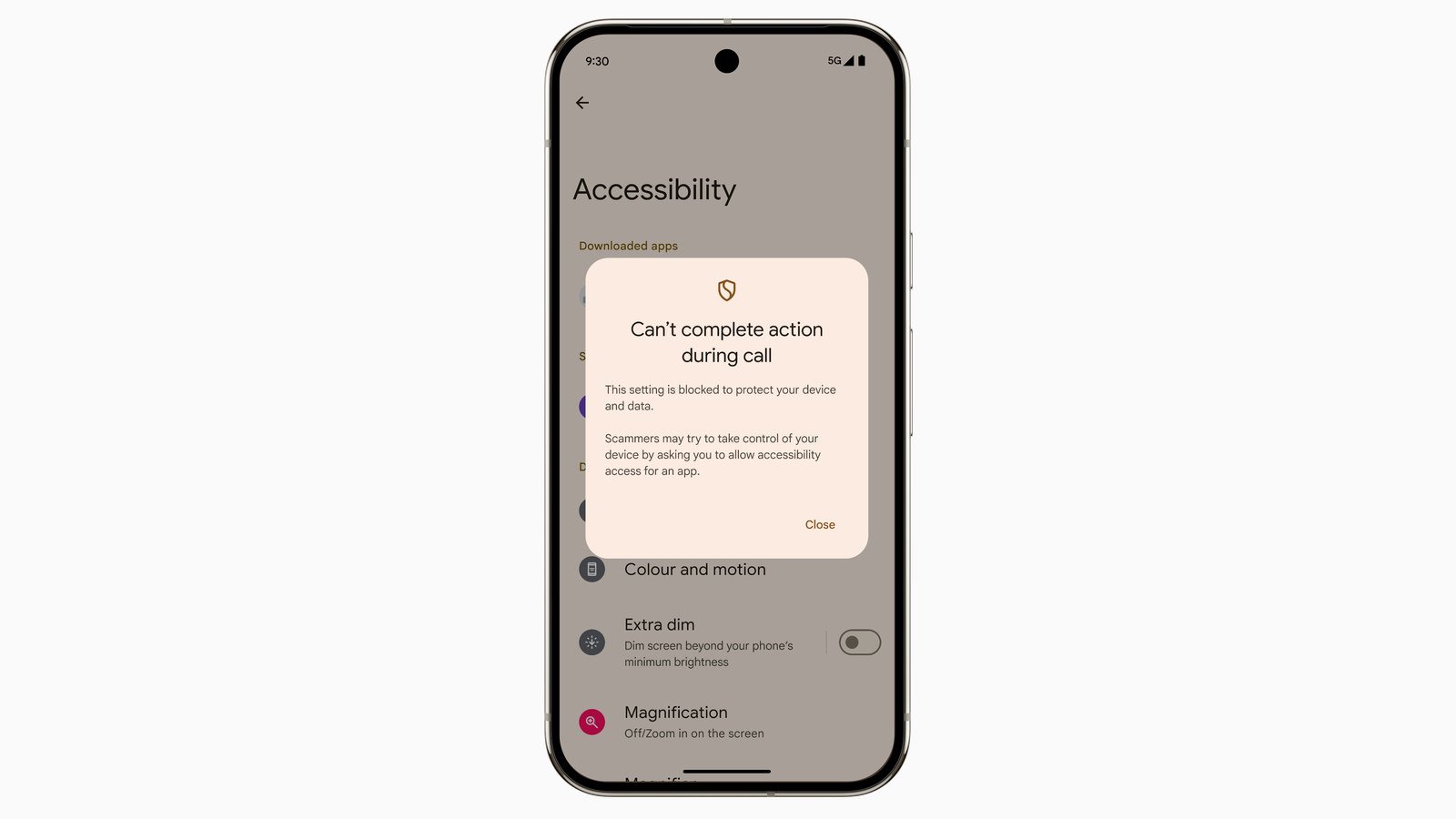
Google is extending its in-call scam protections to devices running Android 15 and earlier through Google Play services version 26.41, according to release notes dated October 19, 2026. The update addresses apps requesting accessibility permissions during phone calls, a tactic scammers can exploit to access sensitive information or take control of a device.
The protection could benefit people keeping older smartphones, provided their devices remain eligible for the relevant Google Play services updates. Google has not published a complete list of compatible phones or explained exactly how the safeguard intervenes when an app requests permission.
How the new scam-call protection works
Google’s October 19 release notes describe an additional safeguard against apps seeking accessibility permissions during calls. The company has not specified whether it blocks requests, displays warnings or intervenes another way.
Accessibility services are designed to help people with disabilities use their phones. But these permissions can also let apps read screen content, interact with other applications and perform actions on a user’s behalf.
Scammers can exploit those capabilities by posing as bank employees or technical support agents. During a call, they might convince someone to install an unfamiliar app and enable accessibility access, potentially exposing banking details, messages or other sensitive information.
In July 2026, researchers identified Android banking malware targeting Southeast Asia. Known as RedHook, it used fake banking and government apps to obtain accessibility permissions, allowing attackers to monitor screens and control infected phones.
Google introduced related in-call restrictions in May 2025. On Android 16, the protections restrict users from granting accessibility permissions or installing apps from untrusted sources during certain calls with non-contacts.
The October 2026 update extends accessibility-related defenses to older Android versions, although Google has not confirmed whether they work exactly like the Android 16 protections. The safeguard targets risky permission requests rather than scam calls themselves.
Advertisement
Which older Android phones can get it?
Google lists Android 15 and earlier as the software versions targeted by the protection but has not identified eligible phone models or manufacturers.
Its Play services documentation confirms support for Android 7.0 and newer. However, that does not mean every phone running those versions will receive the new safeguard.
To check for updates, open Settings, tap your Google profile picture and select All services. Under Privacy & security, open System services, choose Google Play services and tap Update or Install if available. Menu names may vary depending on the phone.
Some security improvements can arrive through Google Play services without a major Android upgrade. Google’s component-level Android security checks also show how different parts of a device’s security status can be assessed separately.
Play services updates cannot replace regular Android security patches. Google’s September 2026 Android security update addressed 180 vulnerabilities, with the availability of fixes depending on manufacturers and supported devices.
Google has not confirmed whether users must manually activate the new protection or when it will reach every compatible phone. Installing Play services version 26.41 does not guarantee the safeguard is already active.
The new protection offers another safeguard for people keeping their phones longer, but caution remains essential. Never install an unfamiliar app or grant accessibility access simply because someone on a call tells you to. Verify suspicious requests directly with the bank or company involved.
Read more: Google’s Android 17 scam protections also target call-forwarding fraud, addressing another tactic criminals use to redirect calls without a victim’s knowledge.
About Author