The emerging challenge: The rise of the “quishing” menace
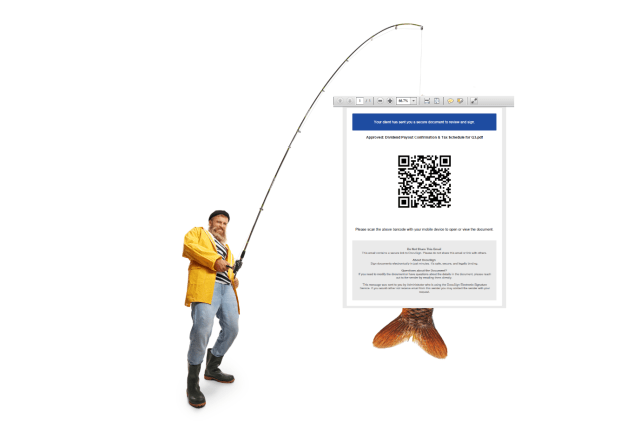
Constantly, security experts are vigilant for evolving threat methodologies. A recent investigation by the Sophos X-Ops unit delved into phishing assaults aimed at various employees, leading to one individual unknowingly surrendering their details.
The attackers employed a tactic known as quishing (a blend of “QR code” and “phishing”). QR codes are a machine-readable encoding format capable of encapsulating a broad spectrum of data, ranging from text strings to binary information. However, the general populace mostly associates them with being a convenient method for sharing URLs.
In the realm of security, individuals are typically educated on being vigilant against phishing attempts by advising them to examine URLs with caution before clicking on them. Yet, QR codes inherently lack the same level of scrutiny as plain text URLs.
Furthermore, most individuals utilize their smartphone cameras to interpret QR codes rather than traditional computers. This makes it challenging to thoroughly review the URL displayed within the phone’s camera application. The URL may only be visible momentarily before disappearing, and threat actors often leverage URL redirection techniques or services to mask or obscure the final link destination visible in the camera app.
Operational mechanics of the quishing assault
Perpetrators dispatched several Sophos employees a PDF file containing a QR code attached to an email in June 2024. These spearphishing emails were meticulously designed to mimic authentic communications and were sent from compromised non-Sophos email accounts.
(It’s worth noting that these were not the initial instances of quishing emails encountered; Employees had been subjected to similar attacks in February and May. Customers have also been victims of analogous campaigns dating back approximately a year. The X-Ops team opted to concentrate on the assaults aimed at Sophos personnel due to the clearance granted for investigation and disclosure.)
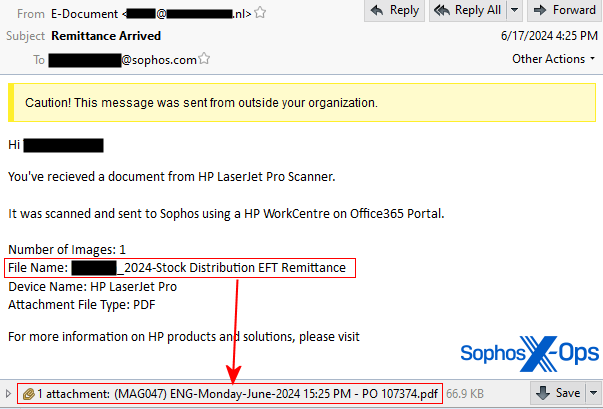
The email subjects were crafted to give the impression of internal origins, appearing as documents sent directly from an office scanner within the company.
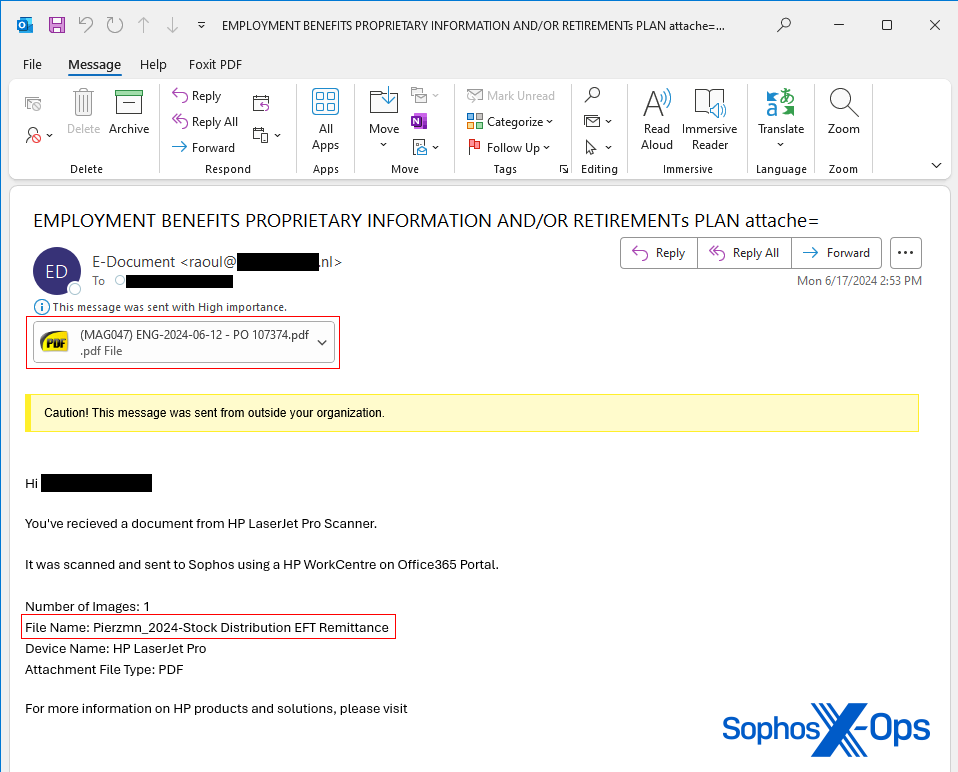
One conspicuous anomaly was that the filename mentioned in the email message supposedly sent from a scanner did not correspond to the actual document attached to the email.
Moreover, one email had the subject line “Remittance Arrived,” a phrase inconsistent with what an automated office scanner would typically generate, as it presents a generalized interpretation of the scanned document’s content. Another email had a subject line containing the text “Employment benefits proprietary information and/or retirements plan attache=,” which seemed to be truncated towards the end.
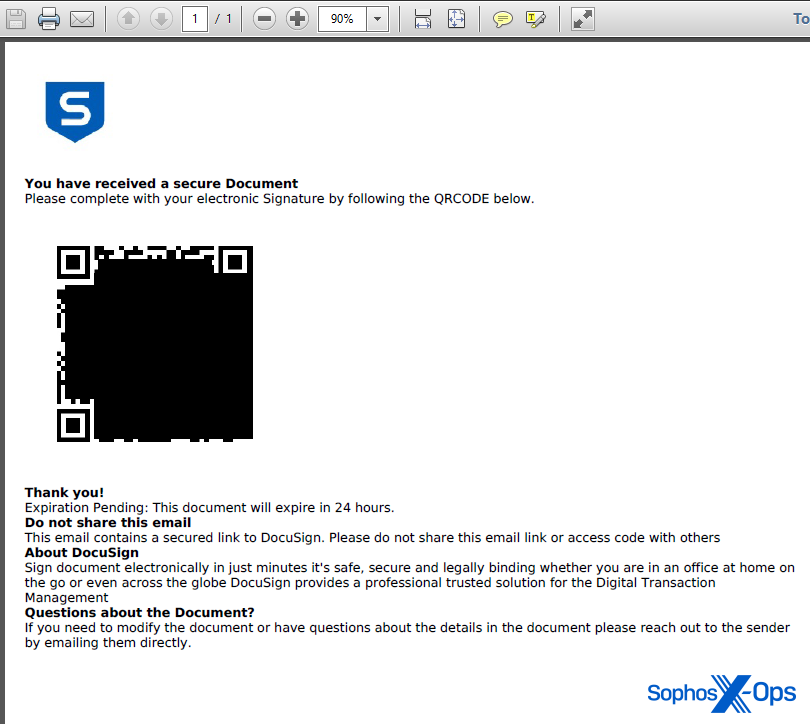
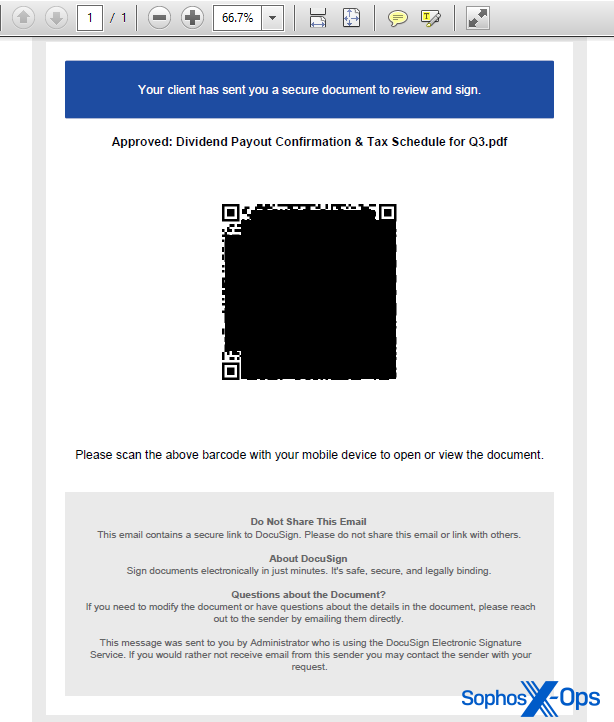
The PDF document featured a Sophos logo but was otherwise quite simplistic. Below the QR code, a message stated, “This document will expire in 24 hours.” It also indicated that the QR code directed to Docusign, an electronic signature platform, creating a false sense of urgency.
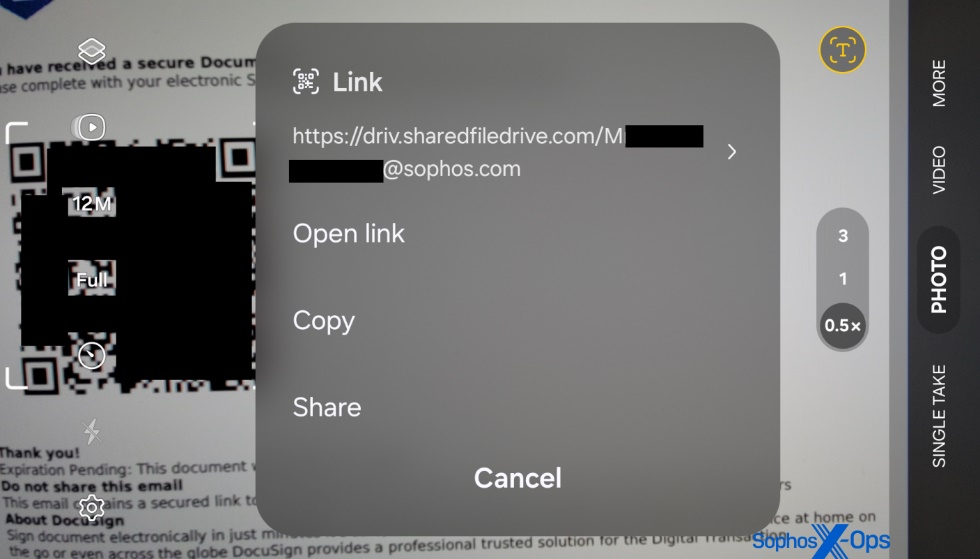
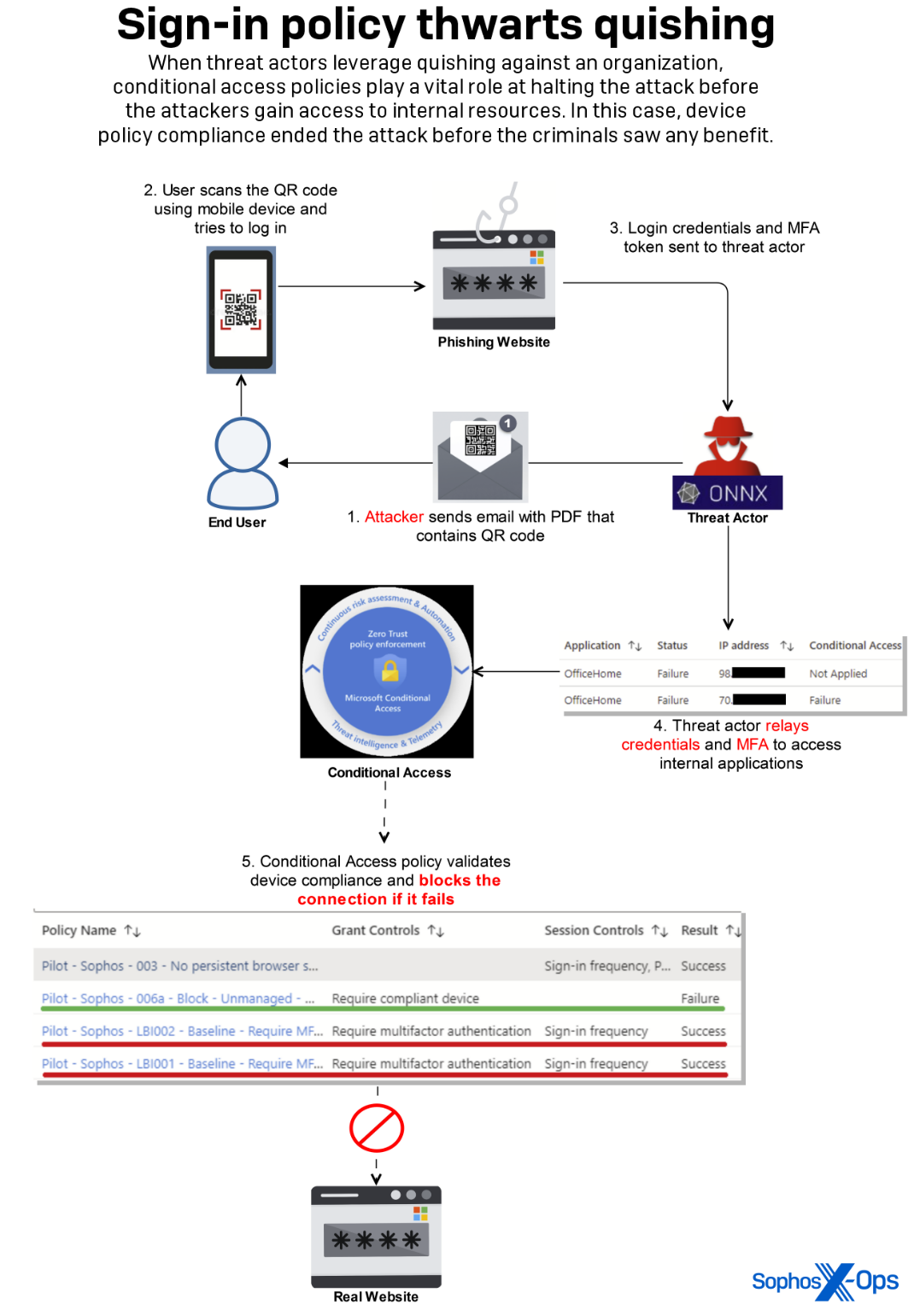
Upon scanning the QR code with their smartphones, the targets were led to a fraudulent page resembling a Microsoft365 login dialog, under the control of the attacker. The URL appended a query string at the end containing the target’s complete email address; however, curiously, an apparently random capital letter was inserted at the beginning of the address.
This deceptive page aimed to extract login credentials and multi-factor authentication responses utilizing the Adversary-in-The-Middle method (AiTM).

Upon the arrival of the email, Sophos was unaware of the URL used in the assault. Furthermore, the targeted individual’s cell phone did not contain any software capable of detecting a visit to a known malicious site, especially one with no prior reputation.
By executing this technique, the attack managed to compromise an employee’s access credentials and MFA token. The assailant then tried to exploit this data to gain entry to an internal platform by effectively transmitting the stolen MFA token almost instantly, bypassing the MFA requirement we have in place.
The attacker’s attempts to access internal data or resources were thwarted by existing controls within the network login process.
As previously mentioned, our customers are increasingly facing these types of attacks. Each day brings a rise in the number of innovative PDFs used in targeted quishing campaigns against specific employees in various organizations.
Phishing in Action
Recipients received emails from malicious actors that closely resembled messages sent using the ONNX Store phishing platform, which researchers suggest is a revamped version of the Caffeine phishing kit. ONNX Store offers tools and infrastructure for conducting phishing operations, accessible through Telegram bots.
By utilizing Cloudflare’s anti-bot CAPTCHA features and IP address proxies, ONNX Store makes it harder for researchers to detect malicious websites, complicating the effectiveness of automated scanning tools and concealing the hosting provider.
Additionally, ONNX Store incorporates encrypted JavaScript code that decrypts itself during webpage loading, providing an added layer of complexity to evade anti-phishing solutions.
Quishing on the Rise
Threat actors conducting QR code-based phishing attacks aim to evade network protection systems running on computers. The intended victims may receive the phishing communication on a computer but are more likely to access the fraudulent page on their less-secure mobile device.
Due to the nature of QR codes being predominantly scanned by mobile devices, the URLs visited can bypass conventional defenses like URL blocking on desktops or laptops with endpoint security, or connections through firewalls blocking known malicious sites.
Extensive research on our spam sample collection revealed an escalating volume of attacks utilizing this specific vector, with both the quantity and sophistication of the fraudulent PDFs increasing.
The initial quishing attachments in June were basic, featuring only a logo, a QR code, and minimal text urging urgent visits to the encoded URL.
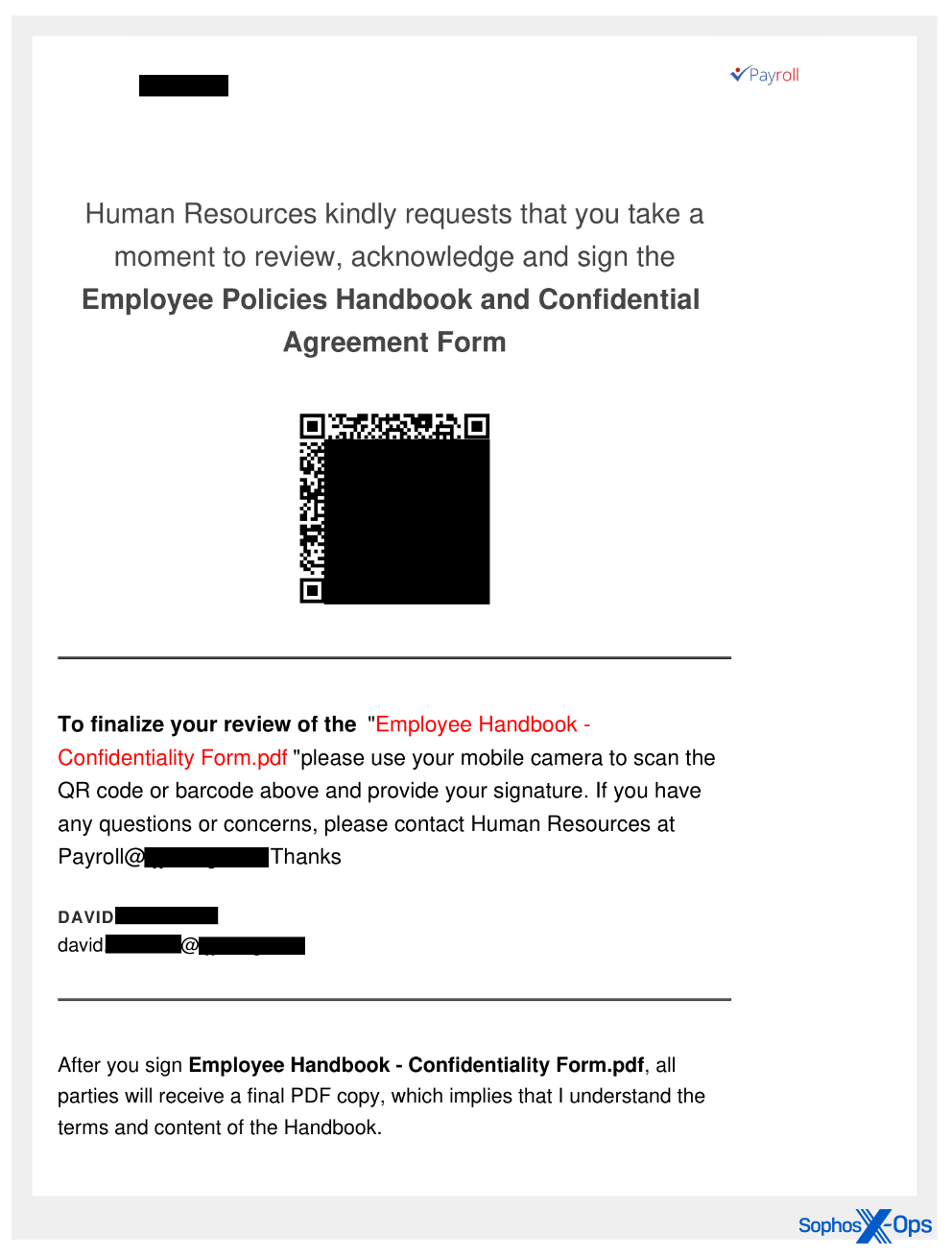
Over the summer, subsequent samples showcased improved design elements, focusing on the visual appearance of the PDF content. These documents now exhibit a polished look, with customized header and footer text incorporating the targeted individual’s name (or email username) and/or the organization they belong to.
QR codes offer immense flexibility, allowing for the embedding of graphics within the QR code block, as explained in this tech article.
Recent quishing documents feature QR codes that misuse Docusign’s branding within the block, leveraging the company’s reputation for social engineering purposes.
It’s worth noting that Docusign does not send QR code links to customers for signing documents. According to DocuSign’s Phishing Prevention white paper (PDF), the misuse of the company’s branding is prevalent, prompting the implementation of security measures in their notification emails.
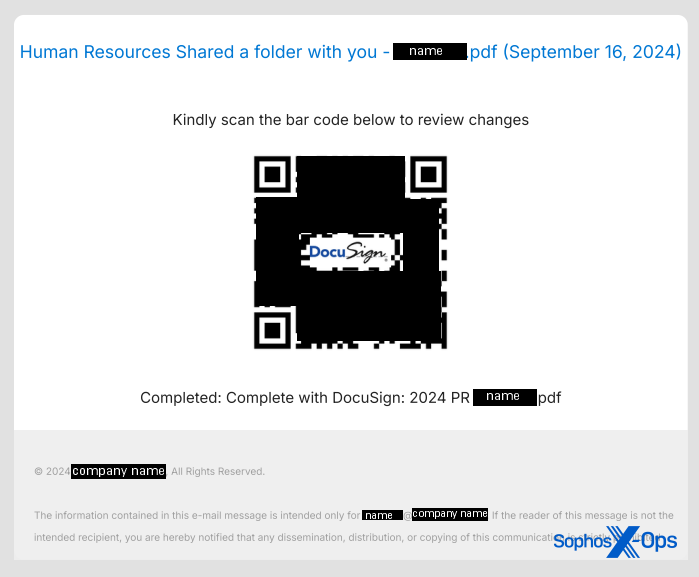
The inclusion of this emblem inside the QR code does not imply any authority to the destination it leads to, and should not grant it any trustworthiness. It is just a graphical aspect of the QR code specification that allows graphics to be displayed at the center of them.
The structure of the link to which the QR code directs has also progressed. While many URLs seem to target traditional domains utilized for malicious intentions, attackers are also exploiting a broad array of redirection methods that obscure the final URL destination.
For example, a recent deceptive email sent to another Sophos employee in the previous month linked to a cleverly formatted Google URL that, upon clicking, redirects the user to the phishing site. Checking the URL in this instance would have led to the site directly linked from the QR code (google.com) being marked as safe. We have also identified links pointing to URL shortening services utilized by various other legitimate websites.
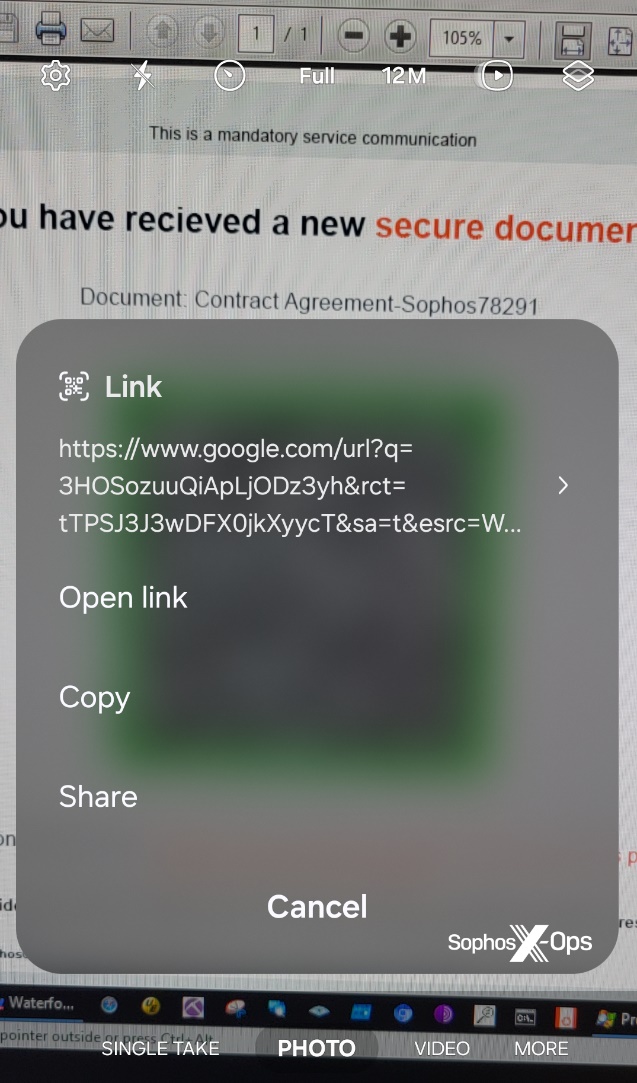
Any solution claiming to intercept and stop the loading of deceptive websites must tackle the challenge of tracking a chain of redirections to the final destination, followed by evaluating the reputation of that site, while also dealing with the additional complexity of phishers and deceivers concealing their sites behind platforms like CloudFlare.
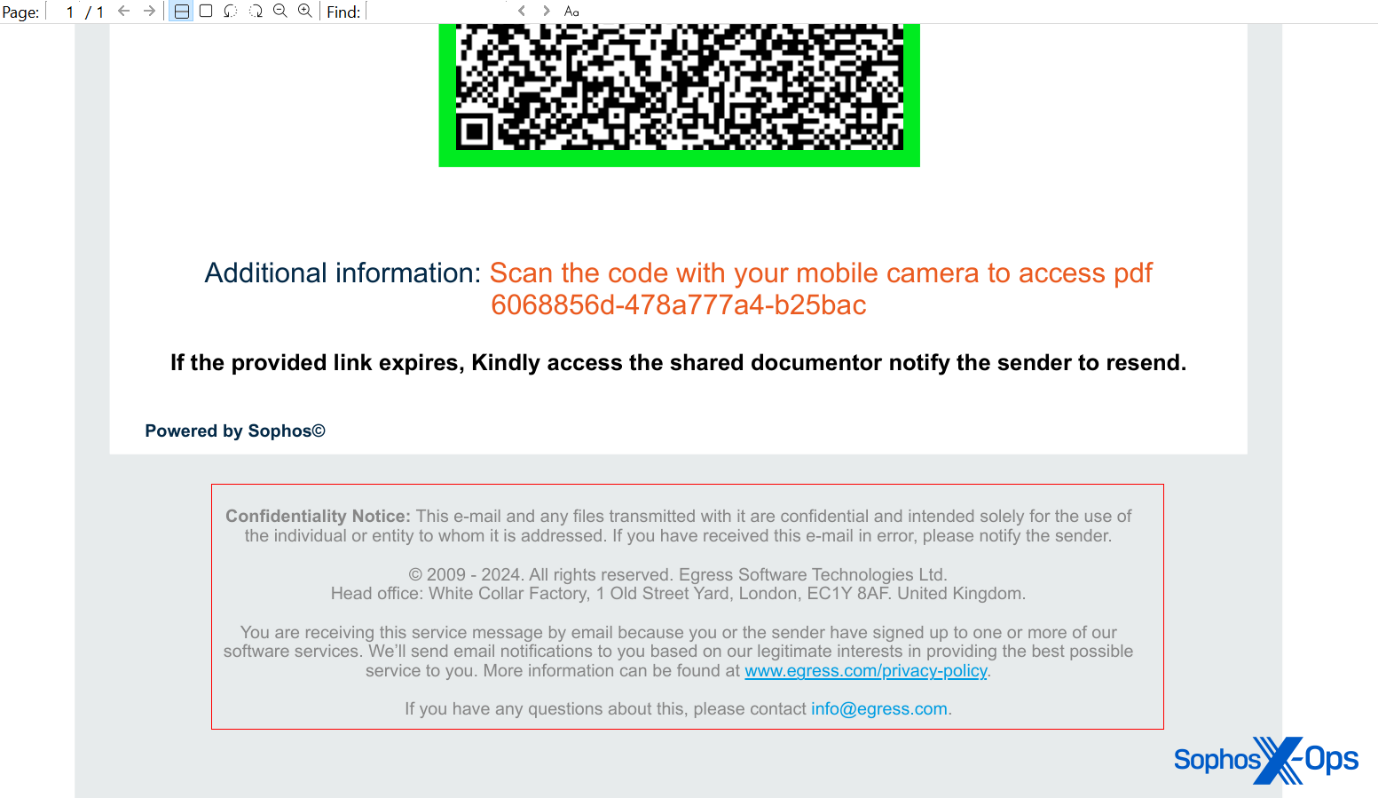
The more recent deceptive email targeted at a Sophos employee contained a PDF attachment with an ironic element – it seemed to be sent by a company specializing in anti-phishing training and services.
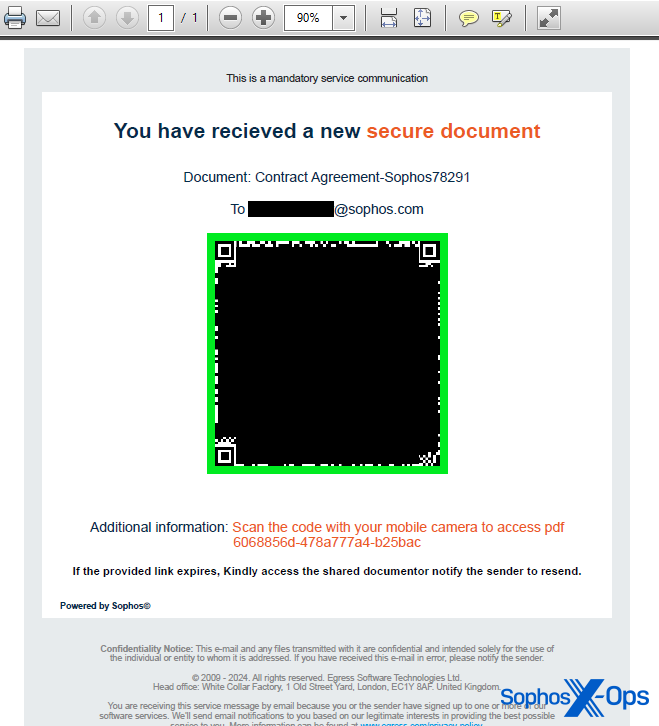
The attached PDF in the most recent Sophos-targeted deceptive email featured footer details that simulate legal notifications from a firm named Egress, a subsidiary of the anti-phishing training organization KnowBe4. However, the domain linked from the QR code belonged to a Brazilian consultancy firm with no affiliation with KnowBe4. It appears that the consultants’ website was compromised and utilized for hosting a phishing page.
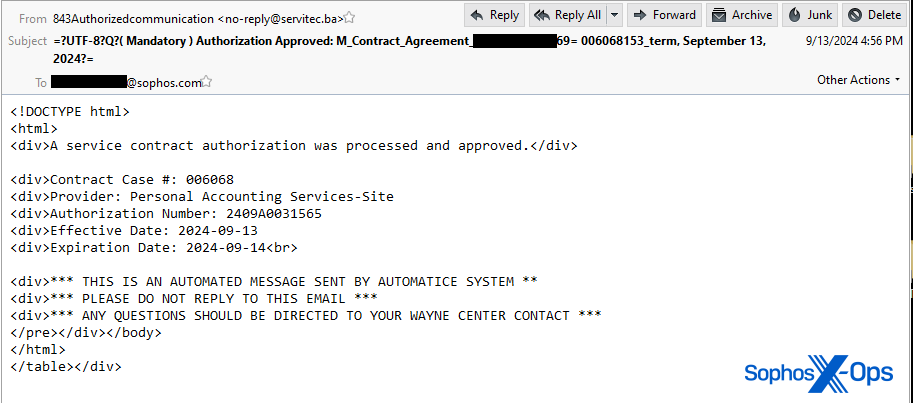
This email also included content that gave the impression of being an automated message, albeit with some notably peculiar misspellings and mistakes. Similar to previous messages, the body text specified a filename for the attachment that did not match the actual attached file in the email.
MITRE ATT&CK Tactics Identified
Recommendation and advice for IT administrators
If you encounter a similar QR-code-enabled phishing scheme in a corporate environment, we offer some recommendations on handling such attacks.
- Focus on topics related to HR, payroll, or benefits: Many of the deceptive emails aimed at Sophos involve using employee documentation as a social engineering ploy. Subjects of these messages often feature phrases like “2024 financial strategies,” “benefits”
- Make sure that messages related to “open enrollment,” “dividend payout,” “tax notification,” or “contract agreement” are only accepted from internal email addresses of your organization, not from external sources.
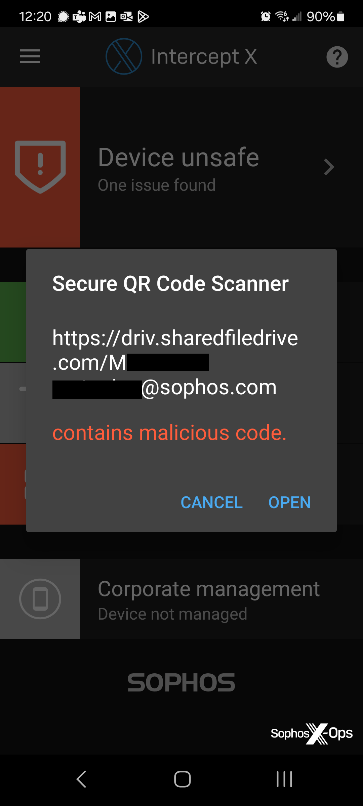
- Mobile Intercept X: Access Intercept X for Mobile (Android/iOS), containing a Secure QR Code Scanner accessible via the hamburger menu in the app’s top-left corner. The Secure QR Code Scanner safeguards users by validating QR code links against a database of known threats and notifying if a website is flagged as malicious by Sophos’ URL reputation service. Although, it has a limitation where it does not track links across a redirection chain.
- Monitor high-risk sign-in alerts: Utilize Microsoft’s Entra ID Protection, or equivalent enterprise-level identity management solutions, to identify and respond to identity-linked risks. These functionalities aid in detecting unusual sign-in activity that could signify phishing attempts or other malicious behavior.
- Implementing Conditional Access: Conditional Access in Microsoft Entra ID empowers organizations to enforce specific access controls depending on conditions like user location, device status, and risk level, bolstering security by limiting resource access to authorized users only. It is recommended to consider similar defense mechanisms as additional protection for potentially compromised MFA tokens.
- Activate efficient access logging: While we recommend enabling all the logging outlined by Microsoft, we particularly recommend enabling audit, sign-ins, identity protections, and graph activity logs, all of which were crucial during the recent incident.
- Implement advanced email filtering: Sophos has introduced phase 1 of Central Email QR phish protection, which identifies QR codes directly integrated into emails. However, in the recent incident, the QR code was embedded within a PDF attachment, making detection challenging. Phase 2 of Central Email QR code protection, incorporating attachment scanning for QR codes, is scheduled for launch in the first quarter of 2025.
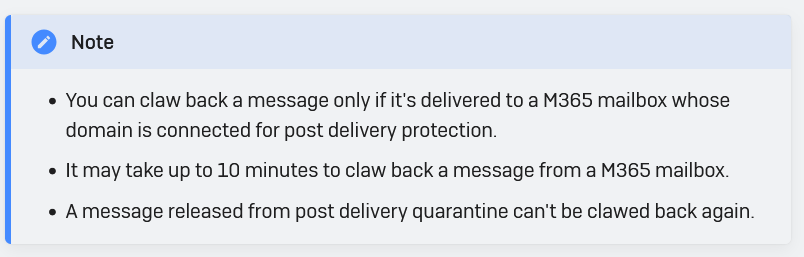
- On-demand clawback: Customers using Sophos Central Email with Microsoft365 as their mail service can utilize the “on-demand clawback” feature to identify (and delete) spam or phishing emails from other mailboxes within their organization resembling previously identified malicious messages.
- Employee awareness and reporting: Enhancing employee awareness and encouraging prompt reporting are vital for dealing with phishing incidents. We recommend conducting regular training sessions to identify phishing attacks and urging employees to report any suspicious emails promptly to your incident response team.
- Revoking questionable active user sessions: Establish clear procedures for revoking user sessions showing signs of compromise when necessary. For O365 applications, refer to this guidance from Microsoft.
Supporting your employees
Even with a well-prepared workforce like the one at Sophos, phishing attacks in various forms persist as a growing and dangerous threat. Thankfully, with adequate layered protection, it is now feasible to mitigate severe threats like successful phishing attacks.
However, as crucial as the technical measures mentioned previously are, the human aspect during an attack holds equal importance. Creating a culture and workspace where employees feel empowered to report suspicious activities promptly, and where information security personnel can swiftly investigate, can be the deciding factor between just a phishing attempt and a breach.
Enhancing Security Measures
Sophos X-Ops provides indicators of compromise for these and other studies on the SophosLabs Github.
About Author