MXtoolbox Review: Features, User Experiences, Pros & Cons (2026)
Key Takeaways:
MXToolbox excels at quick diagnostics: It’s a reliable, no-frills tool for instant DNS lookups, blacklist checks, SMTP diagnostics, and email header analysis.
Key Takeaways:
MXToolbox excels at quick diagnostics: It’s a reliable, no-frills tool for instant DNS lookups, blacklist checks, SMTP diagnostics, and email header analysis.
Best suited for individuals and small teams: Ideal for IT admins or small businesses managing a single domain or performing ad-hoc troubleshooting.
Email authentication capabilities are basic: While it supports lookup and validation, it lacks forensic insights, automation features, and advanced protocols like MTA-STS and TLS-RPT hosting.
Not built for MSPs or enterprises: Missing features like multi-tenancy, white-labeling, and advanced threat intelligence limit its use in larger environments.
PowerDMARC offers a more complete solution: For organizations seeking automation, AI-driven insights, and full email authentication management, PowerDMARC provides a more scalable alternative.
Email fraud has been on the rise. The FBI’s 2025 Internet Crime Report reveals that almost $21 billion was lost to cybercrime in the US, and most companies still rely on manual checks. Platforms like MXtoolbox and PowerDMARC automate email authentication to close that gap.
Here’s an honest look at what MXtoolbox offers, where it falls short, and how it compares with PowerDMARC.
What is MXtoolbox?
MXToolbox Features Overview
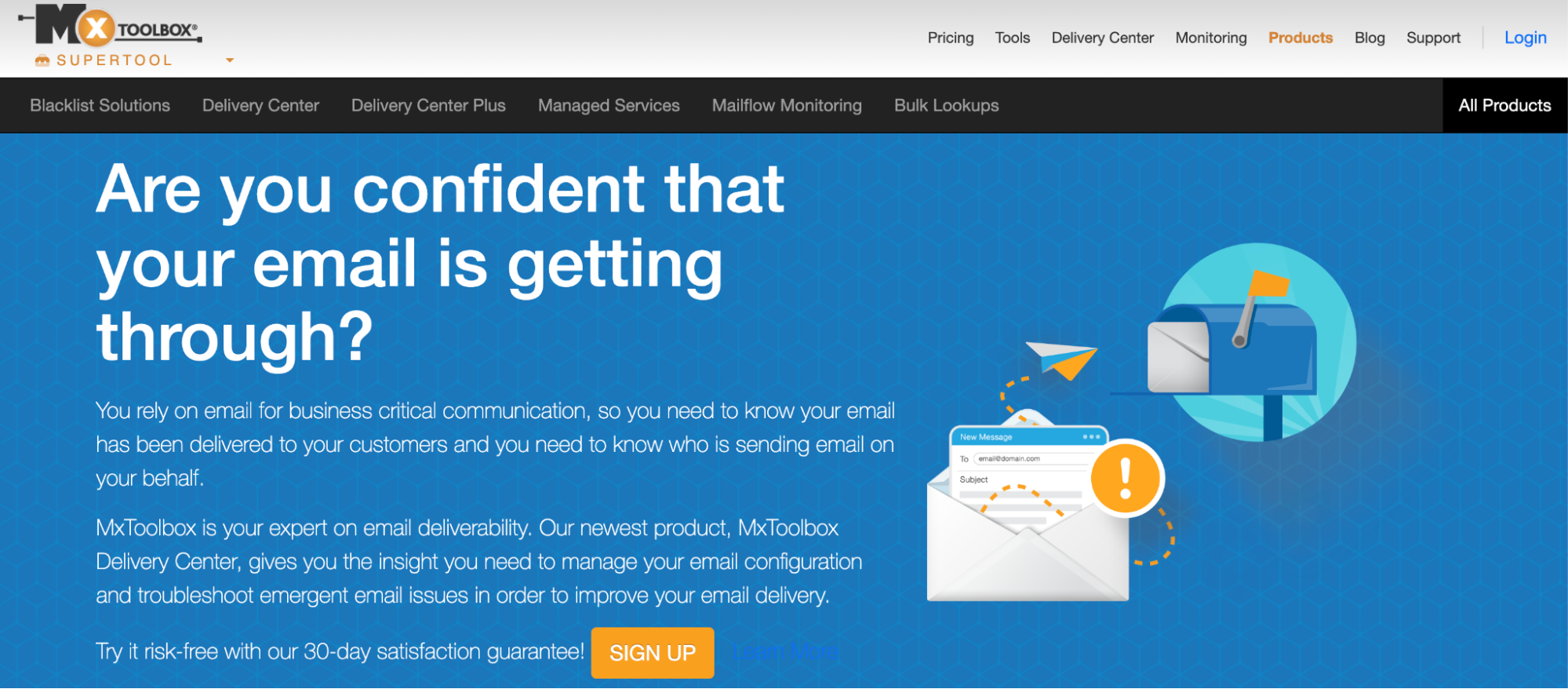
MXtoolbox is an online diagnostics tool and email deliverability platform founded in 1999 that helps users run DNS-based validation checks. Key capabilities include assisting domain owners, IT professionals, organizations, and enterprises in running DNS record and blacklist monitoring checks, generating and implementing email authentication records, and monitoring email deliverability.
MXtoolbox positions itself as a quick and instant diagnostic tool with a simple, no-nonsense interface. It provides an array of free tools on its website, including A, AAA, PTR, DMARC, SPF, and DKIM record generators and checkers.
Target Audience
MXtoolbox is best suited for small businesses and beginners in email security due to ease-of-use, simplicity, and user-friendliness. It can be a good choice for IT professionals who want to quickly implement or validate DNS records. Enterprises and MSPs, however, may benefit from a more holistic solution that assembles email authentication, domain security, and threat intelligence insights like PowerDMARC.
MXToolbox Pricing & Plans
First-Hand Experience with MXtoolbox
Onboarding and Setup
Onboarding on MXtoolbox is simple and requires you to input your name, company, title, email, and phone. The free plan provides one monitor with weekly blacklist checks against the top 30 RBLs. You can configure email alert preferences per category (blacklisting, DMARC, and DNS changes) and can enable 2-factor authentication under account settings.
Delivery Centre Onboarding (Paid Tier)
For $129, you get entry to the delivery centre, which, unlike the free plan, offers an automated setup wizard. You start by registering your domain and moving on to the DMARC integration setup, wherein the platform urges you to host your DMARC policy via CNAME delegation or TXT record publishing.
The wizard guides users through SPF, DKIM, and DMARC configuration; however, some report that familiarizing users with these concepts prior to setup would have been beneficial, as many may not be technically sound.
SuperTool for Comprehensive Diagnostics
The SuperTool is a free feature on the MXtoolbox website that helps users instantly look up MX records, A/AAAA records, SPF, DKIM, and DMARC checks, as well as blacklist scanning by selecting the desired lookup category. The results are organized in tables for ease of understanding.
Main Features
Email Header Analysis: This tool allows users to paste raw email headers from their email client to analyze the delivery path, anti-spam scores, SPF, DKIM, DMARC results, and hop intervals.
Blacklist checker: To check if a mail server IP address is present in 100+ RBLs.
SMTP Diagnostics: This tool establishes an SMTP connection with a mail server to run a basic open relay check and confirm the presence of a reverse DNS (PTR) record. It also evaluates the mail server’s response time.
Email Health: This tool runs multiple checks across your domain, email, and network to assess system status and performance.
MXToolbox Pros & Cons
On analyzing MXtoolbox’s feature-set, platform, real user experiences, and capabilities, these are some of the pros and cons:
Pros
A broad collection of DNS record validation tools
Simple, hassle-free interface
Well-suited IT admins for quick diagnostics
Blacklist scanning across 100+ RBLs and reputation scoring
SMTP diagnostics to test live mail server connectivity and open relay status
API access with SIEM integration
Detailed email header analysis
Cons
Difficulty scaling: the tool is good for 1 domain usage; however, for complex multi-domain environments, it may not be the best choice.
Lack of modern UI: the dashboard retains a utilitarian design that hasn’t meaningfully changed in years, which can be disorienting for users accustomed to modern SaaS platforms.
Steep learning curve: the SuperTool requires users to already know which record type they’re looking for, with no guided workflow for beginners.
Limited analytics depth: DMARC aggregate reports lack per-sender breakdowns, historical trend charts, and the forensic-level visibility available on dedicated platforms.
Hosted MTA-STS, and TLS-TPT are not available
Lack of MSP support: A clear gap in MSP-specific support, such as white labeling and multi-tenancy
MXToolbox User Reviews & Ratings
Based on publicly-listed reviews collected from authorized review platforms.
★★★★★
“It identifies all of the behind-the-scenes information about my domain, DNS, etc. There is no need to install anything…and it is free.”
Source: G2.com
★★★★★
“The ease of setup and useful dashboards make MX Toolbox a must-have for any email marketing professional. Great highlights include the configuration analysis, blacklist delisting, MXReputation score, and overall reporting.
Source: Capterra.com
★★★★☆
“For the non-technical user, there is no easy interface for some quick checks. You really need to know your acronyms and have enough technical knowledge to use the tools effectively.”
Source: G2.com
★★★★☆
“The tools are all separated on the site, and it would be nice to have an all-in-one dashboard view of the tools and analysis results.”
Source: G2.com
MXToolbox vs PowerDMARC
PowerDMARC G2 Rating: 4.9/5 (239 reviews)
MXtoolbox G2 Rating: 4.1/5 (29 reviews)
Where MXtoolbox Leads
Blacklist scanning across 100+ RBLs, which is the broadest coverage available
Live SMTP diagnostics connects to mail servers in real time, tests open relay
Email header analysis with full delivery path breakdown
Where PowerDMARC Leads
Full hosted stack: DMARC, SPF (with macros), DKIM, BIMI, MTA-STS, TLS-RPT, all managed
AI-powered threat intelligence: detects spoofing and phishing attempts automatically
White-label multi-tenancy: built for MSPs managing hundreds of client domains
SOC2 Type 2, ISO 27001, GDPR certified, enterprise compliance-ready
11-language support suitable for global deployments
Support rated 9.8/10 vs 7.8/10, 24/7 availability with active guidance
Explore Other MXToolbox Alternatives
PowerDMARC Vs MXtoolbox: Feature Comparison
Final Verdict
Best for: IT admins and sysadmins needing fast, free DNS diagnostics. Small businesses running basic blacklist monitoring. Teams that want a no-setup lookup tool without a subscription.
Not ideal for: Organizations that need automated DMARC enforcement, hosted records, multi-domain management, or AI-assisted threat intelligence.
MXtoolbox is fundamentally a diagnostic tool, best-suited for quick troubleshooting, instant DNS-level lookups, and validation requirements. If your goal with email authentication is more long-term, dedicated domain security management platforms like PowerDMARC are the way to go.
Whether you are looking to fully automate your DMARC journey or want a partner in domain security who will act as a guide every step of the way, you can contact us today or sign up for a free trial!
Frequently Asked Questions
1. Is MXtoolbox free?
It has a free tier covering 1 domain and weekly blacklist checks; paid plans start at $129/month.
2. What does MXtoolbox check?
It checks MX, A, AAAA, PTR, SPF, DKIM, DMARC, blacklists across 100+ RBLs, SMTP connectivity, and email headers.
3. Is MXtoolbox good for DMARC?
It is adequate for basic lookup and validation, but lacks hosted DMARC, forensic reports, and enforcement workflows.
4. What is the difference between MXtoolbox and PowerDMARC?
MXtoolbox is primarily a diagnostics tool; PowerDMARC is a full DMARC management platform with hosted records, AI threat intelligence, and multi-domain management.
Latest posts by Ahona Rudra (see all)
The post MXtoolbox Review: Features, User Experiences, Pros & Cons (2026) appeared first on PowerDMARC.
*** This is a Security Bloggers Network syndicated blog from PowerDMARC authored by Ahona Rudra. Read the original post at: https://powerdmarc.com/mxtoolbox-review/
About Author