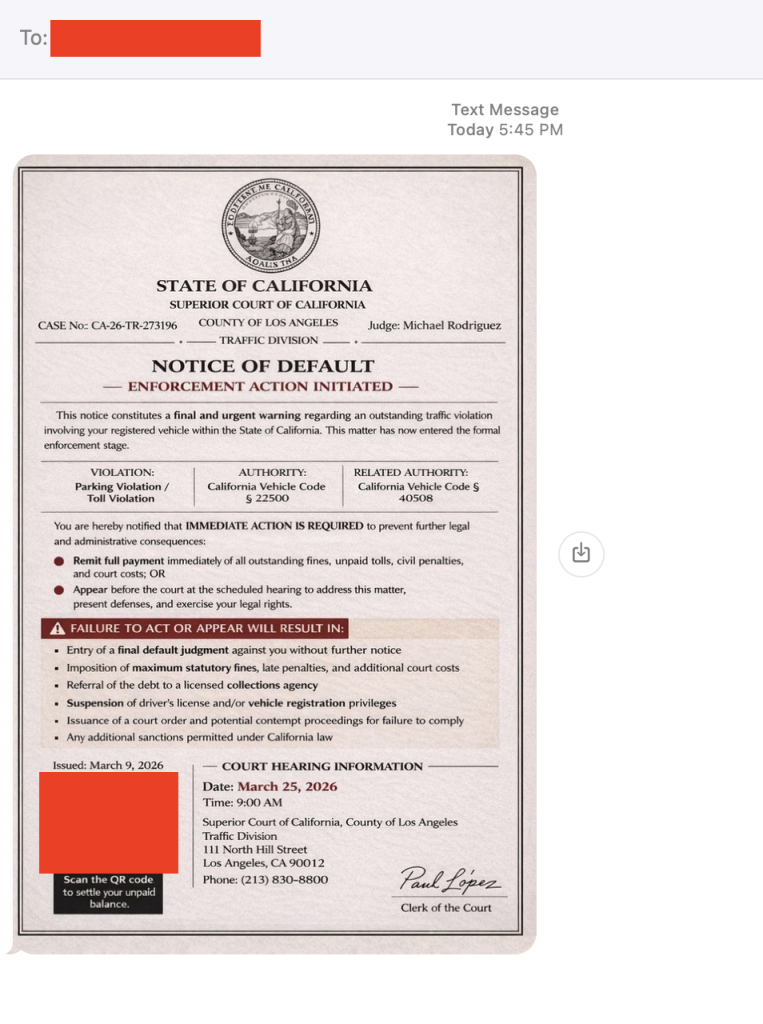
A text that looks like it came straight from a courthouse is making the rounds across the U.S. And yes, I got it too.
First things first, that’s a scam. And to be clear: DON’T SCAN THAT QR CODE.
It’s the same playbook as last year’s toll road scams, just dressed up with a little more authority and a lot more pressure.
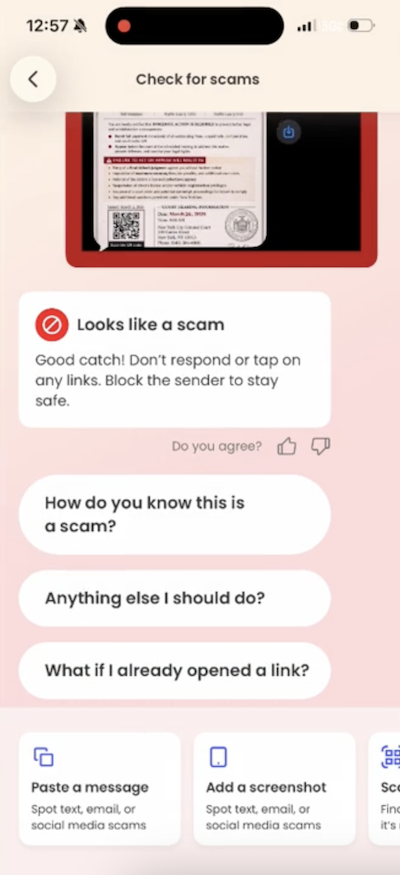
Before doing anything, our team ran it through McAfee’s Scam Detector. It immediately flagged the message as suspicious, and that’s exactly the kind of moment this tool is built for. When something feels just real enough to second guess, it gives you a clear signal before you click, scan, or spiral.
How the scam works
The text claims you’ve missed a payment, violated a law, or have some kind of outstanding “case.” It then pushes you to scan a QR code or click a link to resolve it quickly.
From there, one of two things usually happens:
- You’re taken to a fake payment page designed to steal your money, or
- You’re prompted to download something that gives scammers access to your device or data
Either way, the goal is the same: get you to act fast before you have time to question it.
The red flags in this message
- Urgent, threatening language about fines, penalties, or legal action
- Vague accusations with no real details about what you supposedly did
- Official-looking formatting like case numbers, clerk signatures, and judge names
- Copy-paste consistency across states: McAfee employees in New York and California received nearly identical messages with the same names
There are reports of this scam popping up nationwide, but the rule is simple: law enforcement does not text you to demand payment or resolve legal issues.
What to do if you scanned the QR code
First, don’t panic. Then:
- Do not pay anything or enter personal information
- Do not delete apps you were told to install (this can make it harder to detect what happened)
- Run a device scan using a trusted security tool like McAfee’s free antivirus
- Keep an eye on your financial accounts and logins for unusual activity
And that, my friends, is scam number one in this week’s This Week in Scams (new format, we’re experimenting a little).
Let’s get into what else is on our radar.
What to Know About an Alleged Crunchyroll Breach
Anime streaming platform Crunchyroll is investigating claims of a data breach involving customer support ticket data, potentially impacting millions of users.
According to TechCrunch, access appears to involve a third-party vendor system, a reminder that even strong security setups still rely on people and partners, which can introduce risk in everyday moments.
Even if you’ve never entered your credit card into a support form, these tickets can still include:
- Email addresses
- Usernames
- Screenshots or account details
- Conversations that reveal habits, subscriptions, or personal context
That’s more than enough for scammers to build highly believable follow-ups.
Why this matters right now
When breaches like this surface, scammers don’t wait. They use the moment to send emails and messages that feel timely, relevant, and legitimate.
For example, scammers might send messages pretending to be Crunchyroll and suggesting you “click this link to secure your account” after the breach. In reality, that “security check” exposes your information.
This is where tools like Scam Detector come back into play, flagging suspicious links and messages even when they reference real companies or real events.
What to do if you have a Crunchyroll account
- Change your password, especially if you’ve reused it elsewhere
- Turn on two-factor authentication
- Be cautious of emails referencing the breach or asking you to “secure your account”
- Avoid clicking links and go directly to the official site instead
How McAfee Helps You Stay Ahead of Scams and Breaches
McAfee+ Advanced gives you multiple layers working together so you’re not left figuring it out in the moment:
- Scam Detector flags suspicious texts, emails, links, and even deepfake videos before you engage
- Safe Browsing helps block risky sites if you do click or scan
- Device Security helps detect and remove malicious apps or downloads
- Identity Monitoring alerts you if your personal info shows up where it shouldn’t, so you can act fast
- Personal Data Cleanup helps remove your information from data broker sites, making you a harder target in the first place
- Secure VPN keeps your data private, especially on public Wi-Fi
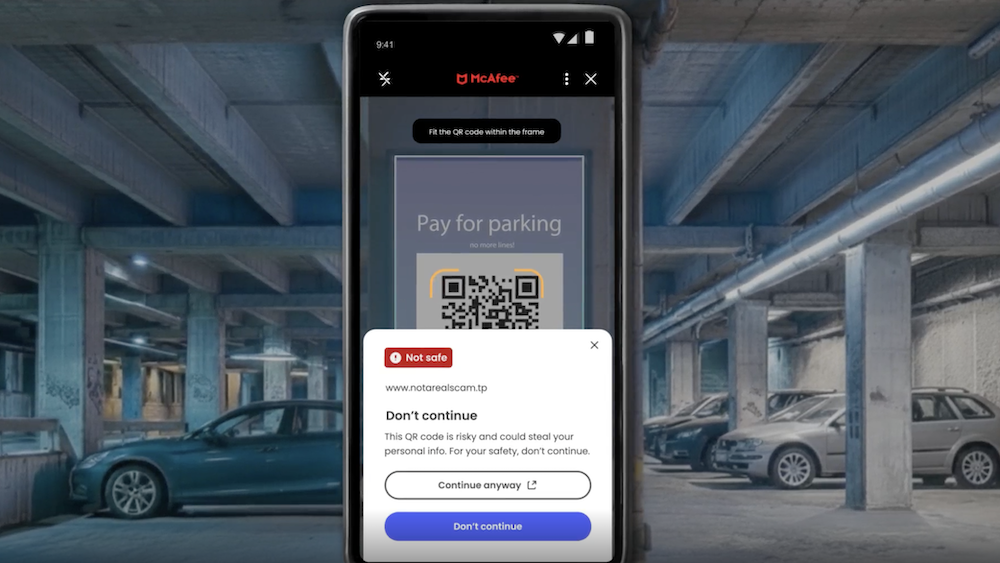
Plus our instant QR code scam checks will flag suspicious QR codes before you scan them.
Safety tips to carry into next week
- Slow down when a message creates urgency. That’s the hook
- Don’t scan QR codes or click links from unexpected texts
- Go directly to official websites instead of using links sent to you
- Use tools that flag scams in real time so you don’t have to guess
The reality is, these scams are designed to look normal. You shouldn’t have to be an expert to spot them. That’s why McAfee’s here to help.
We’ll be back next week with more scams making headlines.
The post Got a “Court Notice” Text? Ignore It. Plus, the Crunchyroll Breach: This Week in Scams appeared first on McAfee Blog.
About Author