If 1Password didn’t quite meet your needs, whether due to a previous bad experience or simply wanting to explore other options, there are several alternative password management tools available.
EXPLORE: Are Password Managers Safe to Use? (TechRepublic)
You’re in luck as we have identified a selection of alternative password managers for you to consider. In this guide, we delve into the top five competitors and substitutes for 1Password in 2024.
Comparison of Top Alternatives to 1Password
While most contemporary password management tools come equipped with password generators and secure storage, they vary in terms of features such as availability of free versions and additional layers of security.
| 1Password | |||||
| NordPass | |||||
| Bitwarden | |||||
| Dashlane | |||||
| Keeper | |||||
| KeePass |
NordPass: A Prime Replacement for 1Password
Our rating: 4.6 out of 5 stars

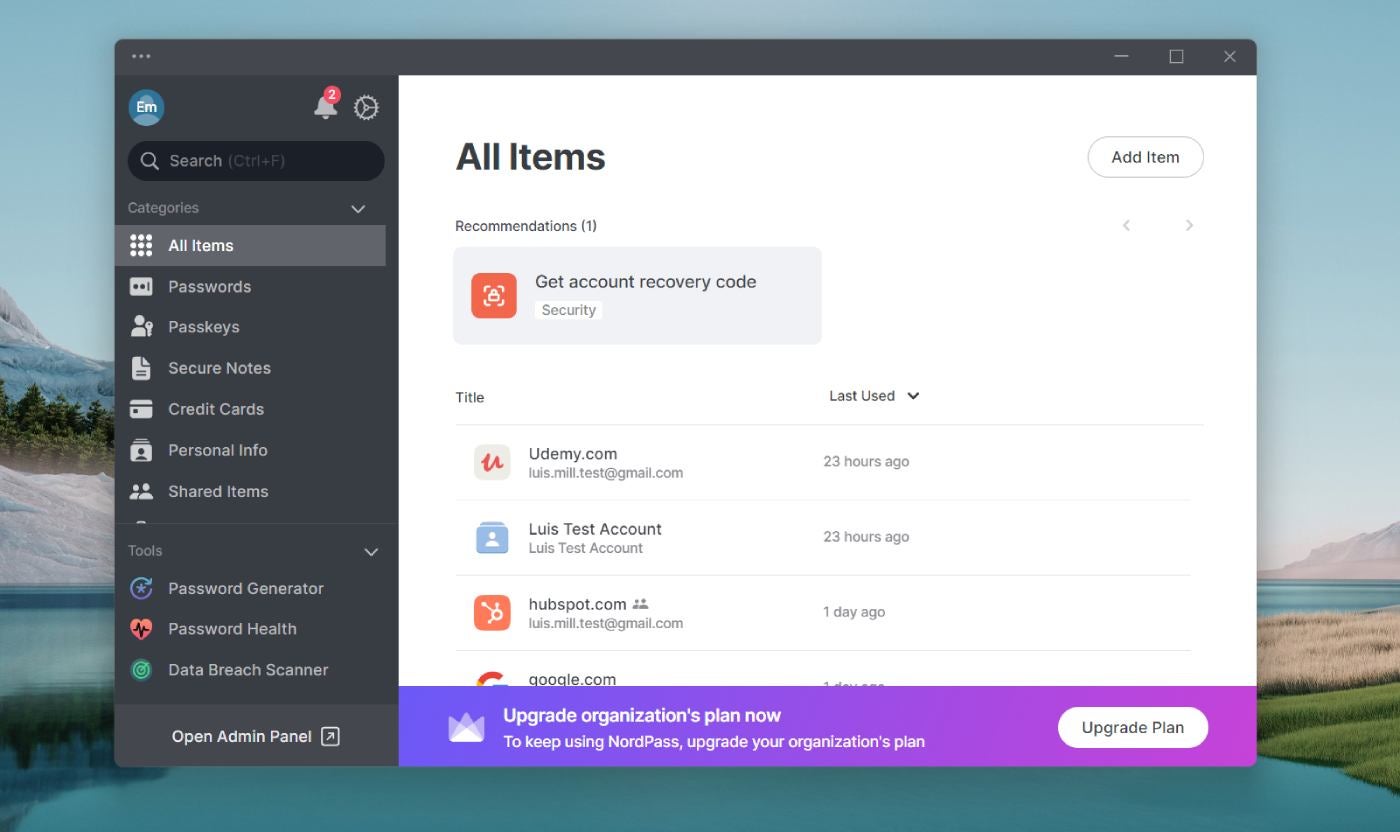
Developed by the team behind NordVPN, NordPass offers a comprehensive password management solution. In the spirit of NordVPN, NordPass endeavors to deliver a seamless blend of security, user-friendliness, and additional privacy-enhancing features. It supports a wide range of operating systems including Windows, macOS, Linux, Android, and iOS. NordPass features a data breach scanner and innovative email masking functionality.
Standing out with its use of the XChaCha20 encryption standard instead of AES 256, NordPass positions itself as a forward-looking option.
Reasons for Choosing NordPass
I selected NordPass as the top alternative due to its similarity to 1Password in providing a comprehensive password management experience. Former 1Password users are likely to find NordPass instantly familiar thanks to its intuitive and straightforward desktop app. Additionally, NordPass offers useful extras like a password health dashboard, breach scanning, and secure note storage.
For further insights, you can read our complete NordPass review and compare it with our NordPass vs 1Password review.
Price Points
NordPass provides two subscription categories: Personal & Family and Business, each offering 1-year and 2-year subscription plans. Below is a brief overview of NordPass pricing:
NordPass Personal & Family
- Premium 1-year plan: $1.99 per month.
- Family 1-year plan: $3.69 per month for 6 user accounts.
- Premium 2-year plan: $1.69 per month.
- Family 2-year plan: $2.79 per month for 6 user accounts.
NordPass Business
- Teams 1-year plan: $1.99 per user per month; 10 user accounts.
- Business 1-year plan: $3.99
- Monthly plan per user: $0.99 – $1.99; for 5 to 250 users.
- 2-year plan for Teams: $1.79 per user per month; includes 10 user accounts.
- 2-year plan for Business: $3.59 per user per month; for a range of 5 to 250 users.
Key Features
- Secure storage for passwords, passkeys, and credit card information.
- Insights and dashboard for password health.
- Scanning for data breaches.
- Integration with Google Workspace SSO for Business plans.
Advantages and disadvantages
| Pros | Cons |
|---|---|
|
|
Bitwarden: The Top Free Password Manager
Our rating: 4.3 out of 5 stars

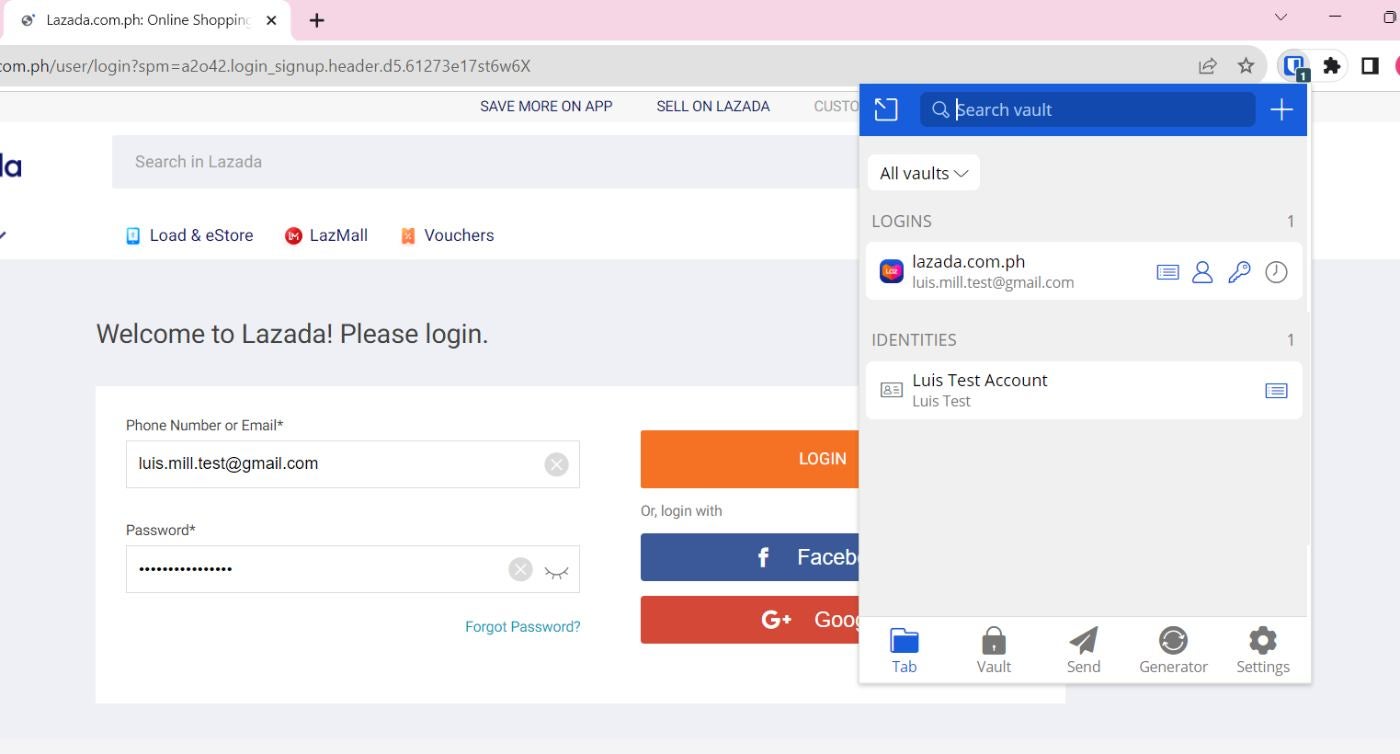
For those who value open-source tools, Bitwarden comes highly recommended. Its source code has been available for review since 2016, making it a favorite among users who appreciate transparency. Bitwarden’s zero-knowledge encryption ensures that only users have access to their passwords and vaults.
In my opinion, Bitwarden offers one of the best free versions in the market, providing unlimited password storage compared to competitors like Dashlane or McAfee True Key which impose restrictions on saved logins.
Reasons for Choosing Bitwarden
Bitwarden stood out due to its incredibly generous free version, allowing unlimited password storage and multi-device access. This sets it apart from other free password managers that have limitations on storage or device access. The extensive features of Bitwarden’s free version make it a standout choice.
For more detailed information, read our complete review of Bitwarden and check out our comparison of Bitwarden and 1Password.
Subscription Pricing
Similar to NordPass, Bitwarden offers Personal and Business plans. Here’s a summary of their pricing:
Bitwarden Personal
- Free: Includes unlimited devices and core password management features.
- Premium: $0.83 per month; features integrated authenticator and emergency access.
- Families: $3.33 per month; covers up to 6 users with unlimited sharing.
Bitwarden Business
- Teams: $4 per user per month; includes event log monitoring and directory integration.
- Enterprise: $6 per user per month; offers passwordless SSO and account recovery.
- Contact the sales team for a quote: Personalized pricing and integration options.
Key Features
- Utilizes open-source software.
- Offers a generous free version.
- Implements zero-knowledge encryption.
- Allows unlimited device access and password storage.
Advantages and drawbacks
| Advantages | Drawbacks |
|---|---|
|
|
Dashlane: Ideal for simplicity
Our rating: 4.6 out of 5 stars

If user experience is a top priority, I recommend Dashlane. It provides an easy-to-grasp desktop application that’s both intuitive and exceptionally well-crafted. Additionally, Dashlane enforces robust security with its zero-knowledge structure, implements high-level encryption, and offers passwordless log-in capabilities. Its business tier also features useful extras including unrestricted group sharing, SSO integration, and advanced policies.
Reasons for choosing Dashlane
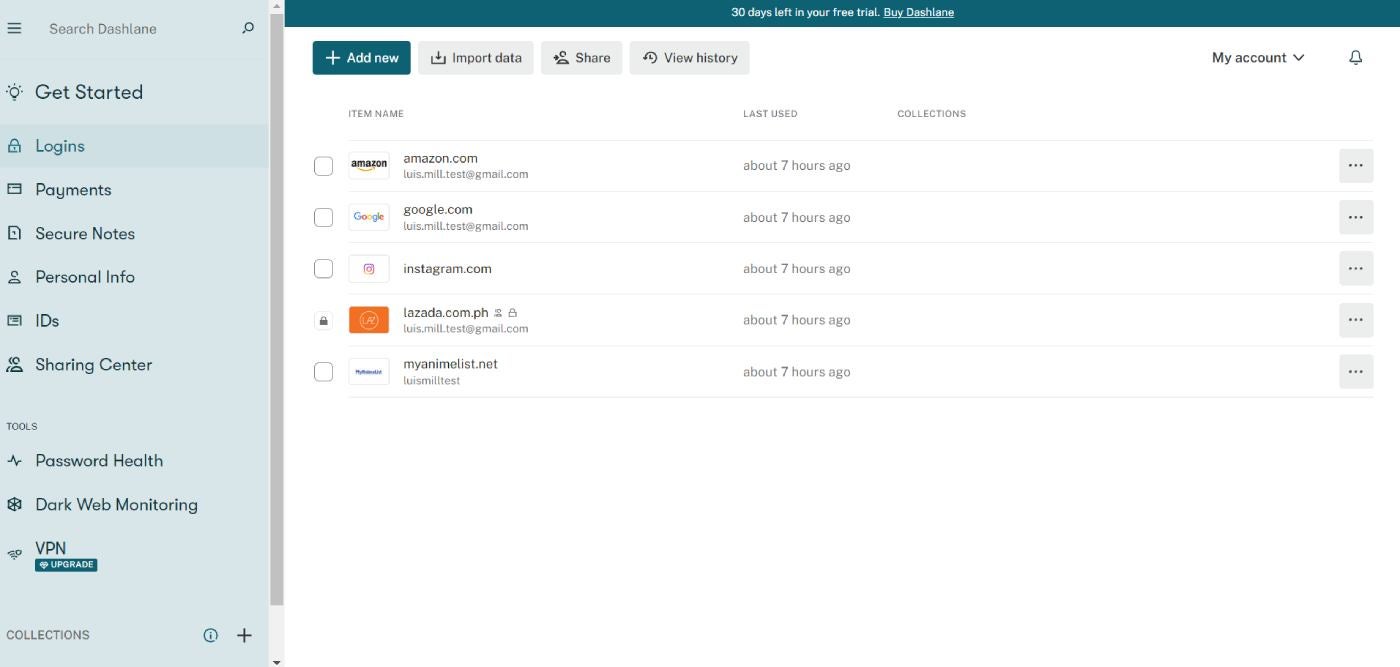
I opted for Dashlane due to its refined desktop application and enjoyable user experience. In my opinion, Dashlane boasts the most aesthetically pleasing and well-crafted password manager interface in this selection.
Personally, I believe that ease of use is an overlooked facet of password managers as it helps alleviate the complexity of password management for novices or non-tech-savvy users. Such a beginner-friendly user experience, consequently, ensures that more passwords are securely stored in appropriate channels.
To delve deeper, you can read my comprehensive Dashlane review and check out our Dashlane vs 1Password comparison.
Pricing
Dashlane offers four subscription packages catering to various user segments. Here’s a brief summary of Dashlane’s paid plans and features:
- Premium: $4.99 per month; unlimited devices, unlimited passwords, and VPN.
- Family: $7.49 per month; 10 accounts; all Premium features except for VPN.
- Business: $8 per user per month; unrestricted seats, SSO integration, and a complimentary Family plan for all Business users.
Characteristics
- Unlimited passwords and passkeys.
- Dark web monitoring.
- Built-in VPN.
- SIEM and SSO integration with Business plan.
Advantages and drawbacks
| Advantages | Drawbacks |
|---|---|
Premium plan includes built-in VPN. |
|
Keeper: Optimal for enterprises
Our rating: 4.4 out of 5 stars

For IT overseers or administrators searching for an enterprise password management solution, I believe Keeper is a strong selection. It’s constructed on zero-trust principles and presents potent management-centered features tailored toward sizeable organizations. Particularly, its integrated admin console permits the formation of precise user roles and teams, which is vital for larger org structures or enterprises. It also encompasses collaboration capabilities like shareable team folders and password sharing for effortless management of credentials across teams.
Reasons for Choosing Keeper
I have placed Keeper on this list for its substantial emphasis on enterprise functionality, like its folder and subfolder system or its shareable team folder feature. I also consider Keeper provides robust third-party test and compliance outcomes, which is critical for significant enterprises that handle a vast amount of data. Specifically, Keeper is GDPR, CCPA, and HIPAA compliant as well as ISO 27001, 27017, and 27018 certified, amid others.
If you wish to explore more, peruse our comprehensive Keeper review.
Pricing
Keeper has two subscription tiers: Personal and Business. For Personal, we find Personal and Family schemes. Meanwhile, Keeper’s Business tier proffers Business Starter, Business, and Enterprise. Here is a summary of pricing for each:
Keeper Personal
- Personal: $2.92 per month; infinite devices and sync and emergency access.
- Family: $6.25 per month; 5 vaults/users, shared folders, and manage permissions.
Keeper Business
- Business Starter: $2 per user per month; up to 10 users.
- Business: $3.75 per user per month; caters to small-to-medium sized businesses.
- Enterprise: Contact Keeper sales team for a price quotation.
Characteristics
- Infinite devices and synchronizing.
- Identity and payments information storage.
- One-Time Share feature for freelance or contract workers.
- Shareable folder system.
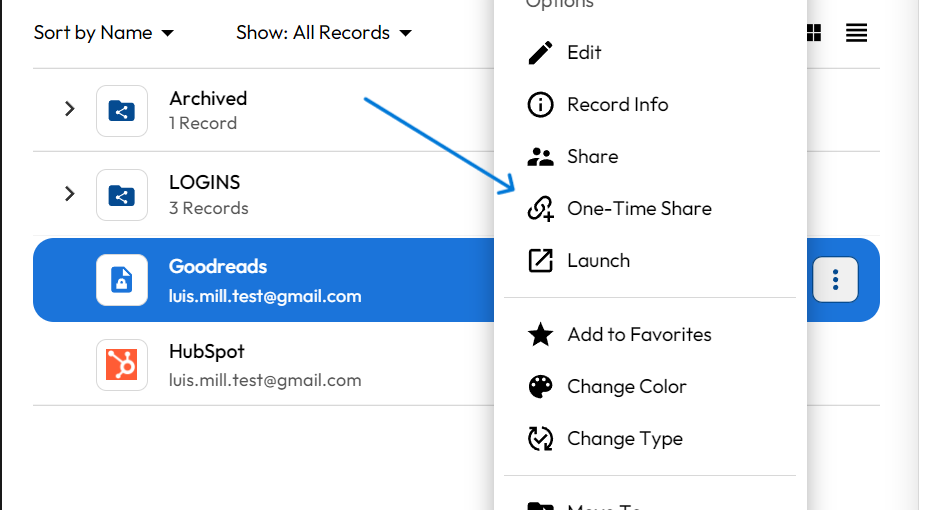
Advantages and drawbacks
| Pros | Cons |
|---|---|
|
|
KeePass: Optimal for personalization
Our rating: 3.2 out of 5 stars
For power users and tinkerers, I highly recommend KeePass. A prevalent choice since its debut in 2003, KeePass is a totally offline and open-source password administrator that grants users abundant control. It’s entirely free and permits users to stockpile their credentials locally or on their chosen device, overcoming the danger cloud password administrators encounter with data breaches or hacking.
SEE: 5 Best Free Password Managers for 2024 (TechRepublic)
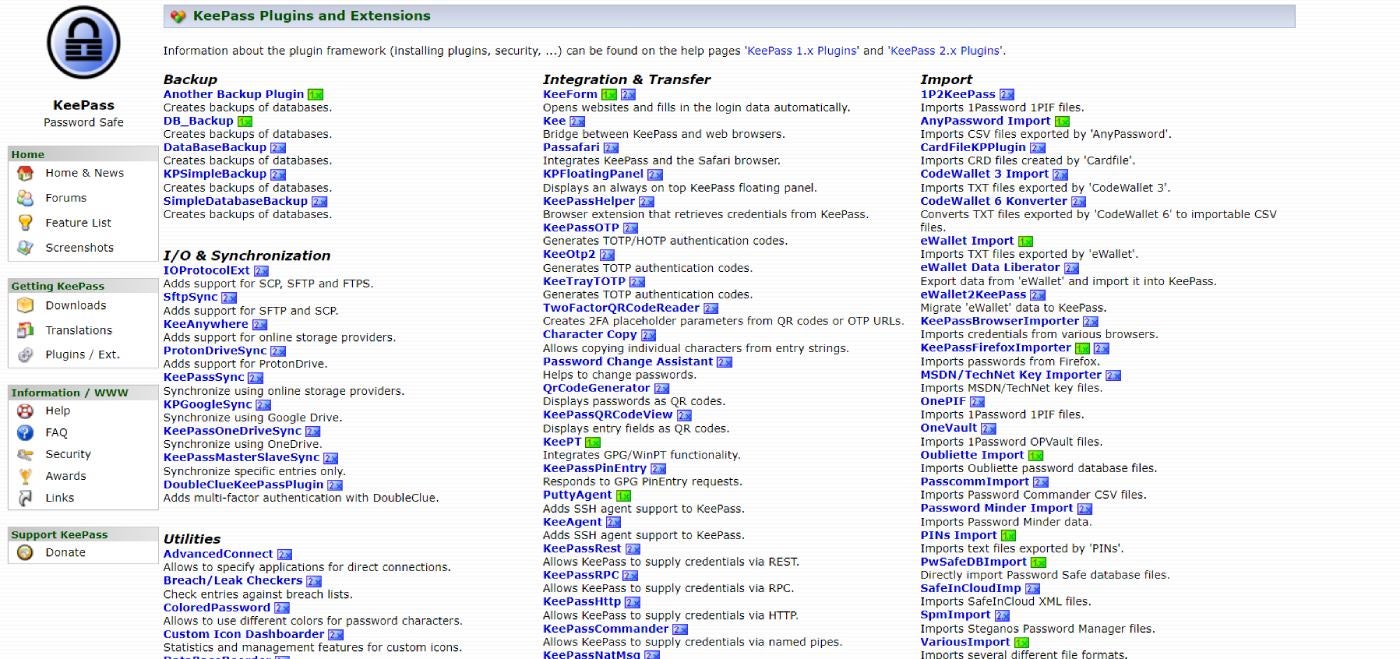
Personally, the highlight feature of KeePass for me is its expansive database of downloadable add-ons and extensions. KeePass enables users to grab user-generated plugins that append more features to the existing service. This is great for users who fancy tailoring their software and security tools exactly to their liking.
Reasons for Choosing KeePass
I picked KeePass for its elevated level of personalization through its assortment of downloadable add-ons and extensions. It’s also a robust selection for users or small enterprises that desire all their sensitive logins kept locally rather than in the cloud. I consider KeePass to be a robust resolution for users who desire a vast amount of control over where and how their passwords are stored.
If you desire to dig deeper, peruse our comprehensive KeePass review.
Pricing
- Free: KeePass isa completely free open-source passphrase manager that doesn’t necessitate any paid membership to unlock its primary attributes.
Characteristics
- Fully offline passphrase manager.
- Open-source.
- Downloadable addons and expansions.
- AES-256 encoding.
- Auto-fill capabilities.
Advantages and disadvantages
| Advantages | Disadvantages |
|---|---|
|
|
Do you require a substitute for 1Password?
To 1Password’s merit, it continues to stand as one of the superior passphrase managers available. It employs leading-edge encryption, has been independently examined and confirmed to be secure, and offers an overall user-friendly application.
If you desire more thorough details regarding 1Password, I strongly recommend perusing our comprehensive 1Password appraisal.
In spite of 1Password’s robust passphrase management service, there are valid grounds why you may wish to experiment with a rival instead.
Possibly the most evident is 1Password’s absence of a dedicated no-cost version. This can be crucial for individuals or small teams lacking the financial resources or strong inclination for a paid passphrase management service.
SEE: Enpass vs 1Password (2024): Which Passphrase Manager Is Safer to Employ? (TechRepublic)
Another scenario could be if a former user encountered a disagreeable situation with 1Password, for one reason or another. This might pertain to the service itself in terms of glitches or dependability, or related to customer assistance.
Ultimately, users seeking alternatives may have thoroughly tested 1Password and simply found it unsuitable for their organization’s or business’ requirements.
Irrespective of the circumstances, I have confidence that our aforementioned list will aid you and your business in securely managing and storing your most valuable passphrases and credentials.
Methodology
In crafting this summary of the optimal 1Password stand-ins, I gave precedence to searching for products with a strong blend of passphrase management features, value, and real-world efficiency.
All the passphrase managers enumerated above have undergone our comprehensive evaluation process, ensuring our endorsements are rooted in extensive investigation and practical testing.
SEE: How to Initiate a Career in Cybersecurity (TechRepublic Premium)
With this catalog in particular, I also deliberated on why users might be scoping out 1Password alternatives and subsequently tailored my scrutiny to accommodate these potential reasons. This entailed examining solutions that both resemble and differ from 1Password to cover a diverse array of users and use scenarios.
About Author