Encryption ensures data security by converting it into code that is unintelligible to unauthorized individuals. Access to this data is controlled through passwords, credentials, or other forms of authentication. While encryption can potentially be breached, strong encryption methods are highly secure.
SEE: Best Encryption Key Management Software (TechRepublic)
Implementing encryption for both data at rest and data in transit is a crucial aspect of any organization’s cybersecurity strategy. There is a multitude of encryption solutions available. Here are our top recommendations.
Comparison table of Leading Encryption Solutions
| Product | Cost | Customer Support | Password Manager | Real-time Deciphering | High-Grade Encryption |
|---|---|---|---|---|---|
| VeraCrypt | Free | No | No | Yes | No |
| BitLocker | Free with Windows OS | Yes | Unknown | No | Yes |
| AxCrypt Premium | $12.00 per month, per user for AxCrypt Business plan | Yes | Yes | Yes | Yes |
| Trend Micro Endpoint Encryption | Contact vendor but a license supporting 251 to 500 endpoints averages about $77-$83 per month | Yes | No | No | Yes |
| NordLocker | NordLocker Business for 1-year 2TB is priced at $29.99 per month | Yes | No | Yes | Yes |
| Advanced Encryption Package | Fully unlocked version: one-time fee of $49.95 | No | No | Yes | Yes |
| ESET PROTECT Complete | Contact vendor but can start at $462.16 for 5 devices, 1 year. | Yes | No | Yes | Yes |
Leading Encryption Solutions
VeraCrypt: Top Pick
My selection for the top encryption solution is VeraCrypt. This software, which is free of charge, provides disk encryption features for Linux, macOS, and Windows systems. Additionally, as an open-source platform branching from the TrueCrypt project, VeraCrypt includes enhancements to safeguard confidentiality.
VeraCrypt stands out as the premium choice for individuals passionate about privacy and technology. I have a specific preference for VeraCrypt because of its open-source nature, enabling the public scrutiny of its source code to identify potential vulnerabilities and areas for enhancement. Businesses that value transparency and periodic code reviews in their encryption solutions should highly consider VeraCrypt.
Reasons for Choosing VeraCrypt
The primary reason I favor VeraCrypt is its ability to discreetly encrypt data, enhancing the security of internal data against unauthorized access. Moreover, it employs popular encryption algorithms and offers extensive compatibility across various platforms.
BitLocker: Optimal for Windows Environments
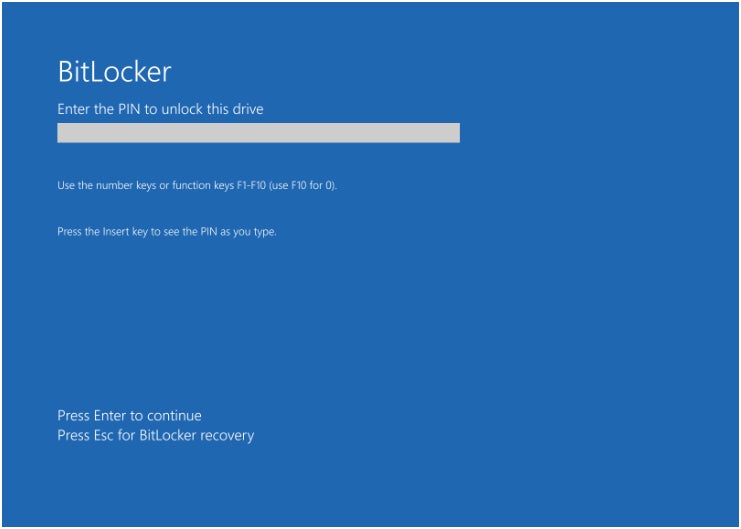
For businesses centered around Windows, I suggest BitLocker. Available on server and business editions, BitLocker offers a range of encryption tools. This solution from Redmond focuses on encrypting files and drives right from the device’s outset. I value the capacity to configure recovery keys for data retrieval in case of firmware issues or errors. In my opinion, BitLocker stands as an outstanding choice among encryption software solutions for Windows.
To use BitLocker, typically, a Microsoft account or a linked device to a Windows domain is required. Group Policy settings can be employed to configure BitLocker for corporate environments, allowing control over drive encryption and key distribution (certificates).
Furthermore, the device must have a Trusted Platform Module supporting the encryption process.
Reasons for Choosing BitLocker
I selected BitLocker due to its seamless integration with Windows environments, complemented by a user-friendly interface and comprehensive disk encryption capabilities. For users entrenched in the Windows ecosystem or transitioning into a Windows-centric setup, BitLocker is my prime recommendation.
Pricing
No cost.
Characteristics
- Enables creation of encrypted containers.
- Facilitates hiding encrypted data conveniently.
- Supports nested encryption.
- Automatically secures files.
BitLocker Advantages and Disadvantages
|
|
AxCrypt Premium: Top Choice for securing local storage
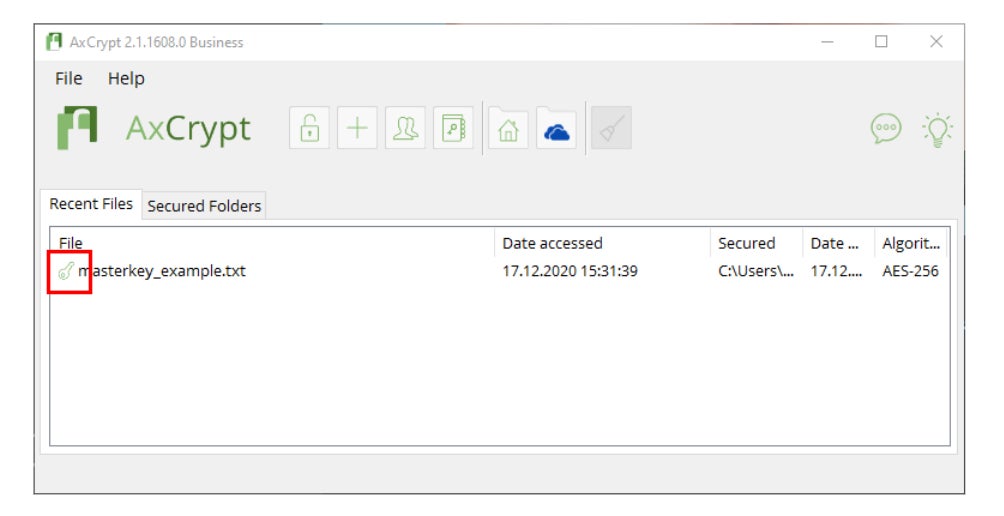
If you wish to encrypt data locally, I recommend giving AxCrypt Premium a try. AxCrypt Premium enables users to encrypt files locally utilizing the AES-256 encryption protocol. It supports sharing with its key-sharing option. The platform safeguards confidential and sensitive data and offers access to a master password generator.
VIEW: Asymmetric vs Symmetric Encryption: What’s the Distinction? (TechRepublic)
Reasons for Choosing AxCrypt
I have opted for AxCrypt for users prioritizing local storage encryption above other features. I also appreciate its utilization of the AES-256 encryption standard, support for file and key-sharing, and compatibility with leading operating systems and platforms.
Pricing
There is a trial period of one month available for its Password Manager, Premium, and Corporate plans. However, for companies and enterprises, the AxCrypt Business subscription is set at $12.00 per month, per user. Nevertheless, customers can enjoy a 20% discount, bringing it down to $10.42 per user per month, with annual payment.
Notable Features
- Enables file and key sharing.
- Supports file encryption and decryption on Android and iOS devices.
- Provides master password administration.
Positives and Negatives of AxCrypt
|
|
Pricing
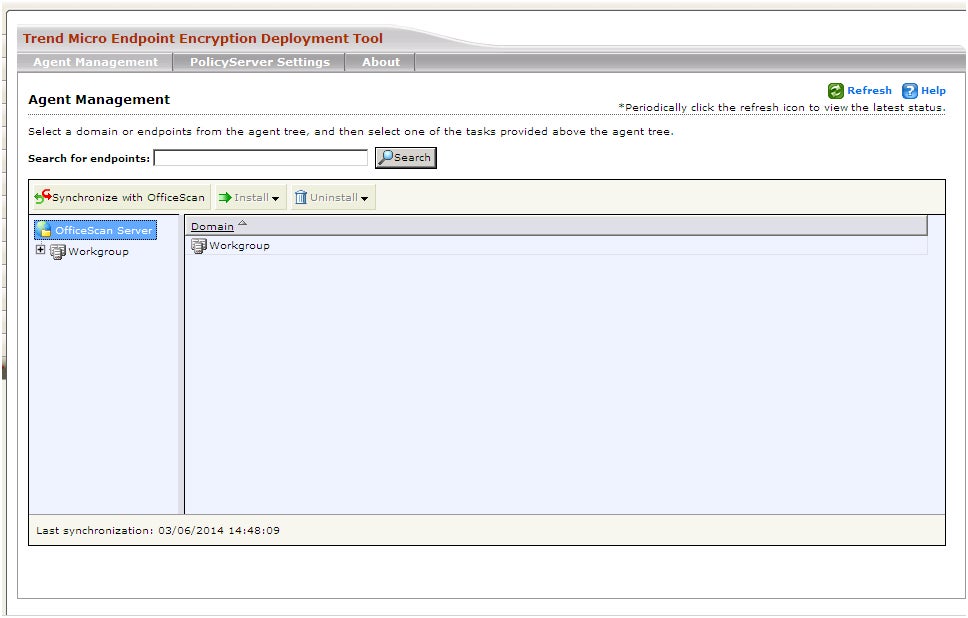
For a license covering 251 to 500 endpoints, the average cost per month is around $77-$83.
Noteworthy Features
- Folder Lock permits remote locking in cases of device theft or loss.
- Offers transparent key management.
- Centralized encryption management.
- Automatic enforcement of policy-based encryption.
Pros and Cons of Trend Micro Endpoint Encryption
|
|
NordLocker: Optimal for comprehensive encrypted data storage

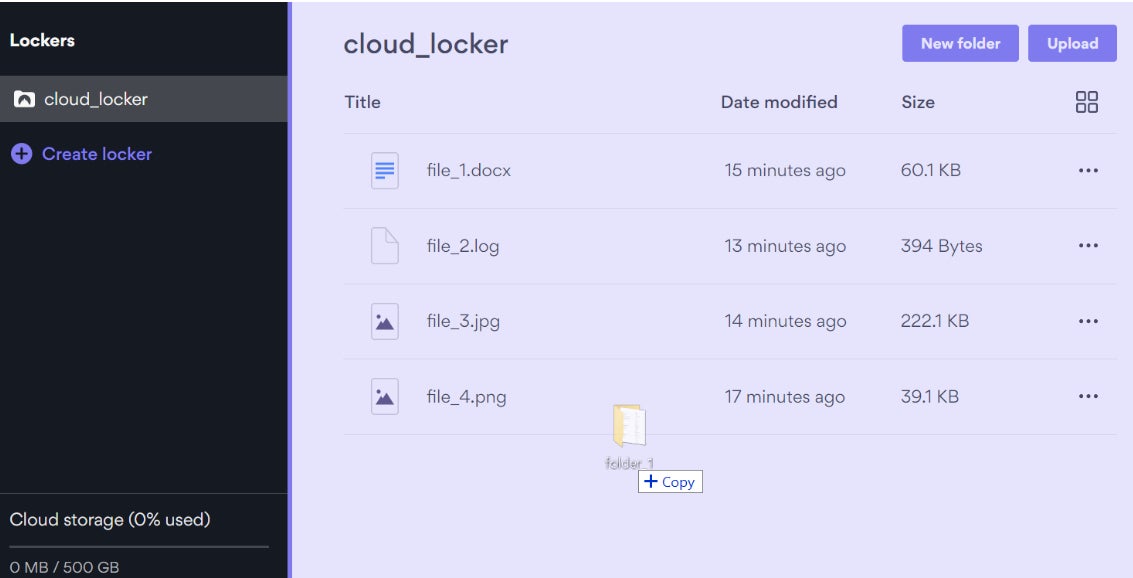
If you’re seeking an all-encompassing encryption solution, my suggestion is NordLocker. Produced by the renowned security company Nord Security, NordLocker provides encrypted file storage along with data syncing, secure file-sharing, and effective file management across various devices.
Considering it operates in the cloud, it’s quite convenient for businesses to access their files easily on both computers and mobile devices. Fans of other Nord Security products, like NordVPN and NordPass, should definitely contemplate NordLocker as a viable encryption choice.
The Reason behind Choosing NordLocker
NordLocker secures its place on this list due to its role as an all-in-one encryption storage solution. Businesses and individuals looking for a secure and user-friendly method to protect their data will find NordLocker to be an excellent option.
Pricing Details
NordLocker offers two plans: Personal and Business. The Personal plan provides three subscription choices with monthly and annual options. Here’s a breakdown of the 1-year plans:
- Personal 1-year 3GB: Free.
- Personal 1-year 500GB: $2.99 per month.
- Personal 1-year 2TB: $6.99 per month.
For NordLocker Business, there’s a single yearly plan available:
- Business 1-year 2TB: $29.99 per month.
Key Features
- Utilizes zero-knowledge architecture.
- Supports folder locking feature.
- Provides drag-and-drop auto encryption.
- Allows secure file sharing.
- Enables on-the-go decryption and updates.
Advantages and Disadvantages of NordLocker
|
|
Advanced Encryption Package: Ideal for effortless data encryption
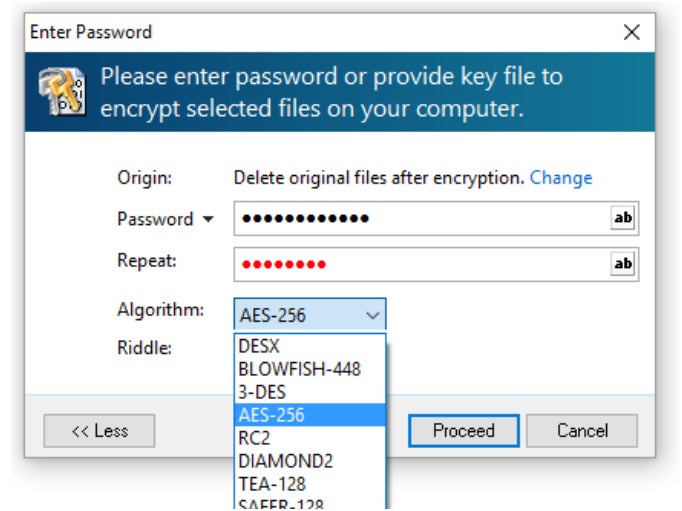
When it comes to uncomplicated encryption tasks and users with less technical proficiency, Advanced Encryption Package emerges as a top choice. It provides users with a selection of 20 proven encryption algorithms to safeguard their data, including industry-standard options like AES, Blowfish, Serpent, GOST, Twofish, among others.
SEE: The Importance of Cybersecurity Awareness Training for Your Business (TechRepublic Premium)
This solution, designed for Windows 10 and 11, makes data encryption a straightforward process, allowing users to set up a password for file access and pick their encryption algorithm.
Reasons for Choosing Advanced Encryption Package
Advanced Encryption Package stands out for its simplicity in choosing encryption algorithms for specific files and folders. Its focus on user-friendliness is a significant advantage in the realm of encryption software, a domain that can be daunting for many users.
Price Breakdown
- Full access version: one-time payment of $49.95.
- License bundle for 2 PCs: $39 for each device, totaling $78.
Characteristics
- Provides secure file removal.
- Supports 20 encryption techniques.
- Encrypts text while copying to and from the clipboard.
- Includes command-line administration.
Advantages and Drawbacks of Advanced Encryption Package
|
|
ESET PROTECT Complete: Ideal for Integrated Endpoint Protection
For individuals seeking an endpoint security solution combined with encryption, my recommendation is ESET PROTECT Complete. It offers a multi-layered service encompassing endpoint protection, a unified console, and vulnerability and patch management.
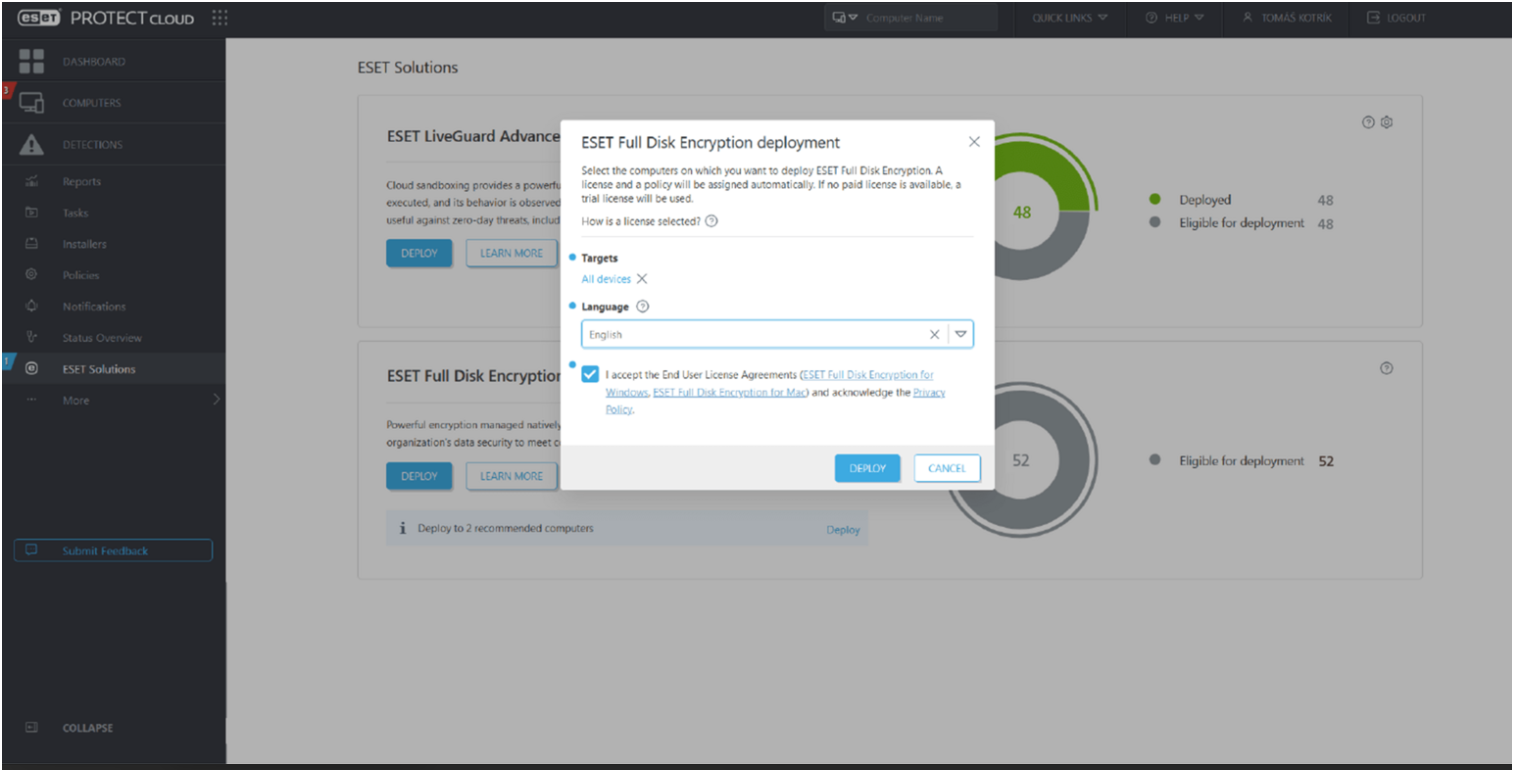
Concerning encryption, ESET provides full disk encryption that easily encrypts system disks, partitions, and devices. This feature can be crucial for businesses aiming to meet compliance requirements. I particularly like how ESET enables encryption and deployment in a single step.
Reasons for Selecting ESET PROTECT
I have included ESET PROTECT in this collection due to its comprehensive security solution capabilities, covering full disk encryption, endpoint protection, and advanced threat defense — all in a single service. Additionally, I appreciate its broad platform support, being compatible with Windows, macOS, Ubuntu, Android, iOS, mail and file servers, among others.
Cost
The pricing of ESET PROTECT Complete is contingent on your agreement duration and the number of devices covered. Here is a quick overview of the pricing:
- 1 year; 5 devices: $462.16 annually.
- 1 year; 10 devices: $924.32 annually.
- 2 years; 5 devices: $813.67 annually.
- 2 years; 10 devices: $1,663 annually.
Characteristics
- Centralized management within the ESET PROTECT console.
- IPS 140-2 validated with 256-bit AES encryption.
- Safeguards endpoints, cloud applications, and email communications.
Advantages and Disadvantages of ESET
|
|
Enhanced cloud security coverage
Essential characteristics of encryption utilities
While selecting encryption tools, I suggest emphasizing these essential characteristics:
Interface
Prioritize an intuitive interface to effortlessly manage and access encrypted data. Encryption software might be intimidating for inexperienced users, but a user-friendly interface will promote data encryption and enhance security.
Automated Backup
Ideally, encryption tools should have automatic backup features for encrypted files. Ensuring data is not lost after a system failure or data wipe adds an extra layer of protection.
Encryption Algorithms
It is advisable for encryption software to support the Advanced Encryption Standard (AES) 256-bit algorithm for robust security. This widely acknowledged algorithm is considered one of the strongest worldwide, utilized by various institutions for heightened protection. Other algorithms include RSA, Blowfish, Twofish, and DES.
SEE: Data Encryption Policy (TechRepublic Premium)
Flexible device compatibility
Encryption software should be compatible with a broad array of devices and platforms. Organizations with diverse device usage and OS preferences can benefit from encryption that supports a variety of devices.
Broad device compatibility enhances encryption software adoption and strengthens security measures within a business.
Customer Support Services
Comprehensive customer support is crucial. Encryption software providers should offer various support options to assist users unfamiliar with product implementations.
This may include online guides, forums, support tickets, email and phone support, among other channels. Offering diverse customer support enhances user experience and satisfaction.
Methodology
Market research was utilized to identify leading encryption software. This process involved examining industry rankings, discussions, and product evaluations. The selection criteria considered factors such as data protection efficacy, integration capabilities, and pricing relative to features offered.
Choosing optimal encryption software for your business
Among the listed products, there are bundled options, free alternatives, and trial versions. Experimenting with several options will help identify the most suitable file encryption program.
For extensive network encryption without a steep learning curve, BitLocker may be preferable. VeraCrypt and AxCrypt are ideal for safeguarding individual files without sharing. Trend Micro caters more to enterprise needs with its feature-rich offerings. NordLocker and AEP are user-friendly options suitable for less tech-savvy users or organizations.
Furthermore, prioritize vendors with transparent pricing and free trial options.
About Author