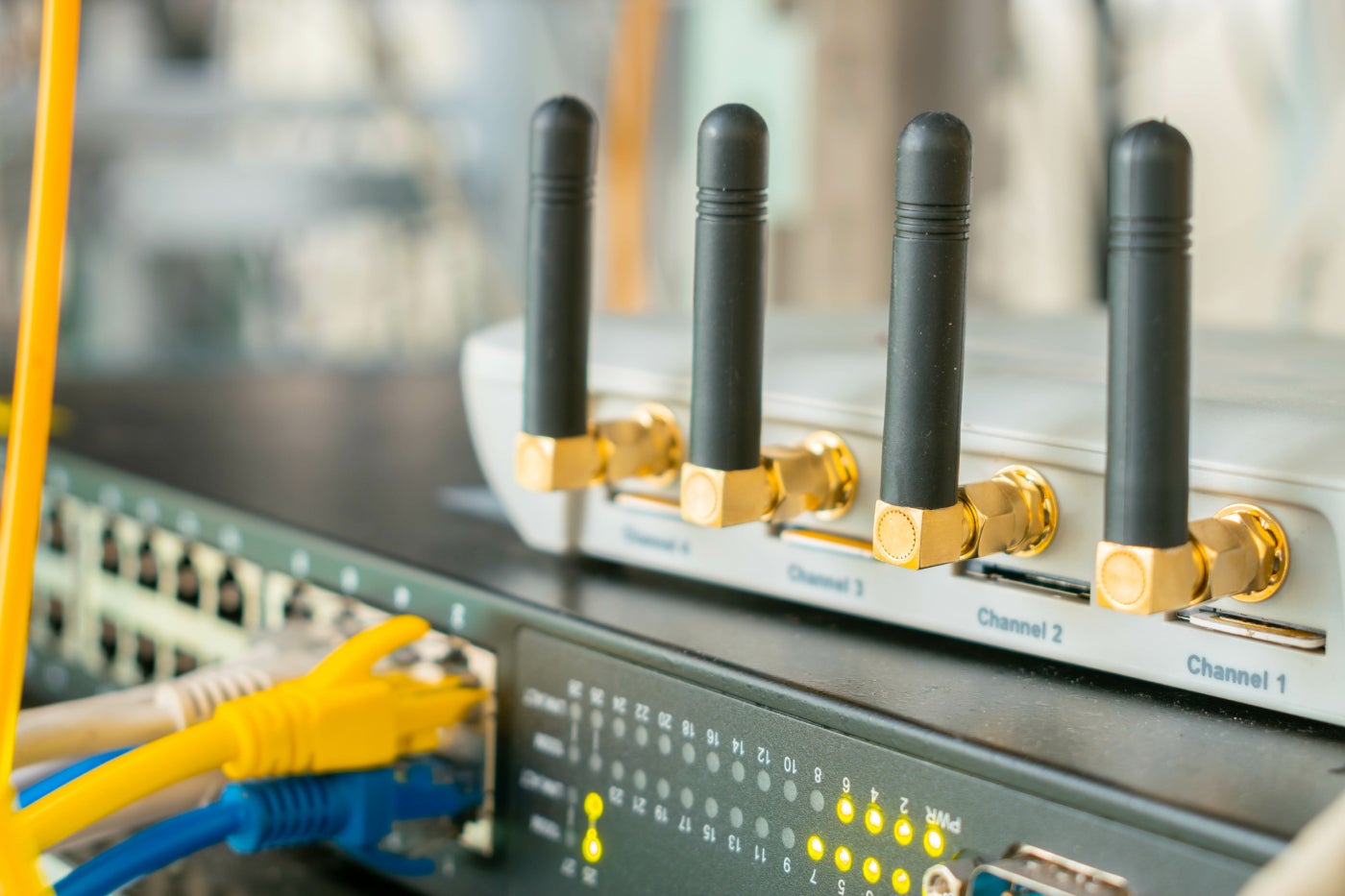
Your average user may not require in-depth knowledge about how gateways function or their specifications. A standard gateway should perform exceptionally well out of the box for tasks like VoIP, streaming, and video calls.
However, for businesses, choosing a VoIP gateway necessitates a thorough evaluation of features such as QoS (Quality of Service) for call prioritization, security measures to safeguard against VoIP-specific threats, and integrated support for failover or load balancing to ensure continuous uptime and efficiency.
Top VoIP gateway comparison
Refer to the table below for a quick comparison of technical aspects such as connection type, ports, coverage, and data transfer rates for the best VoIP gateways currently on the market.
| Ideal for | Starting cost | Kind | Maximum throughput | Ports | |
|---|---|---|---|---|---|
| Asus RT-AX88U Pro | Best overall | $269.99 | Wireless, 2.5GHz + 5 GHz | 6,000 Mbps | 4 LAN, 1 2.5 Gbps WAN, 1 2.5 Gbps LAN, USB 3.2 |
| TP-Link ER605 | Ideal for small enterprises | $59.99 | Wired | 1,000 Mbps | 1 WAN, 2 WAN/LAN, 2 LAN, 1 USB 2.0 |
| Nighthawk Tri-Band Wi-Fi 6E | Ideal for extensive office setups | $599.99 | Wireless, 2.5GHz + 5GHz + 6GHz | 10,800 Mbps | 1 WAN, 1 WAN/LAN, 2 LAN, 1 2.5G LAN, 2 USB 3.0 |
| TP-Link ER7206 | Optimal VPN gateway | $139.99 | Wired | 1,000 Mbps, 290 Mbps for VPN traffic | Dual WAN, 2 WAN/LAN, 2 LAN |
| UniFi Dream Machine Pro | Best comprehensive SMB network solution | $379 | Wired | 3,500 Mbps | Dual WAN, 8 LAN, 1 SFP+ |
Asus RT-AX88U Pro: Best VoIP gateway overall
If you’re looking for an all-encompassing VoIP gateway with incorporated Wi-Fi and 2.5G Ethernet ports, the Asus RT-AX88U is an excellent pick. It utilizes Wi-Fi 6 technology (802.11ax), enhancing network efficiency and performance, particularly in environments with numerous devices vying for bandwidth.
Reasons for selecting the Asus RT-AX88U Pro
The 2.5G Ethernet ports offer speedier and more consistent wired connections, reducing voice transmission delays. This guarantees clear calls and minimizes dropped call occurrences. It features Quality of Service (QoS) controls for voice traffic prioritization, ensuring dependable calls even during peak network loads.
Incorporated Wi-Fi negates the necessity for standalone access points, while signal-boosting technology spans up to 3,000 square feet. For most businesses, this configuration provides ample robustness without necessitating a mesh network, contributing to a trustworthy and future-ready VoIP telephony setup.
Pricing
You can purchase the Asus RT-AX88U Pro from a variety of retailers such as Amazon, Best Buy, and Asus. Asus retails it at $269.99, though pricing may fluctuate across different vendors.
Attributes
- Cutting-edge Wi-Fi 6 with a maximum throughput of up to 6,000 Mbps.
- Dual 2.5G ports and capacity to combine WAN connections.
- Adaptable Quality of Service (QoS) for prioritizing VoIP traffic.
- Parental controls for restricting websites and mobile apps.
- Supports AiMesh for expanded coverage if needed.
- Built-in bandwidth and traffic supervision.
- 1GB RAM, 256MB Flash.
- Conventional VPN functionalities.
Advantages and disadvantages
| Pros | Cons |
|---|---|
| Comprehensive tools for enabling, managing, and supervising your VoIP system. | Not the most economical choice. |
| Enterprise-level network security. | May be excessive for very small businesses. |
| Dual WAN allowing separation of VoIP traffic from standard internet usage. | Advanced functions may require expertise to configure. |
| Effortless prioritization of VoIP calls. | |
| Operates on the latest technology. |
TP-Link ER605: Optimal for small enterprises
If you run a smaller business and seek a more budget-friendly VoIP gateway, the TP-Link ER605 is my top suggestion. It excels with wired connections but can be paired effortlessly with a separate access point for wireless functionality if required.
Despite the lower price point, you won’t compromise on stability, reliability, or essential VoIP features. You’ll even gain access to some features typically found in pricier models.
Reasons for selecting the TP-Link ER605
Primarily, the TP-Link ER605 is straightforward to configure. It offers zero-touch provisioning and cloud management through a web browser or mobile app, allowing you to oversee users and configure settings from anywhere with internet access. It encompasses all necessary functionalities to support enterprise-grade VoIP communications, including VLAN backing, up to 20Virtual Private Network (VPN) connections, and Quality of Service (QoS) supervision for prioritizing voice data.
It also provides three WAN connections and a USB port for cellular broadband, allowing the establishment of a fully redundant setup with automatic switching between multiple networks. Such a high number of connections is uncommon in routers that are easy on the pocket.
While it doesn’t utilize the most recent Wi-Fi technology, it stands as a dependable choice for small businesses giving priority to call clarity.
Pricing
This router is priced at less than half the cost of every other alternative on my list. It is accessible from numerous prominent sellers such as TP-Link, Amazon, Lenovo, Walmart, and Dell starting at $59.99.
Characteristics
- Support for up to three WAN connections + one USB port.
- VLAN backing for segregating virtual traffic.
- Maximum throughput of up to 1,000Mbps.
- Settings for QoS to prioritize VoIP communications.
- Facility for handling up to 20 VPN connections.
- Straightforward web-based interface for convenient configuration.
- Built-in protection against Denial of Service (DoS) attacks and filtering based on IP/MAC address/URL.
- Controls for regulating internet access by employees.
- User-friendly mobile application.
Advantages and disadvantages
| Advantages | Drawbacks |
|---|---|
| Most economical choice on the list. | Necessitates an access point for wireless connections. |
| Great value for the price. | Lower maximum throughput compared to others. |
| Robust security features. | Absence of W-Fi 6 support. |
| Multiple WAN and USB ports for redundancy. | |
| Capability to prioritize VoIP traffic. | |
| Effortless cloud-based administration. |
Nighthawk Tri-Band Wi-Fi 6E: Top choice for extensive office areas
Expansive office areas requiring wireless connectivity often necessitate multiple points to cover the entire structure. The Nighthawk Tri-Band Wi-Fi 6E is an extensible mesh-compatible Wi-Fi router with an impressive range of 3,500 square feet by itself — reducing the need for numerous points to cover your space completely.
Powered by Wi-Fi 6E, it delivers high speeds and effective performance, irrespective of the number of active users.
Reason for selecting the Nighthawk Tri-Band Wi-Fi 6E
By introducing a third band (6GHz), the Nighthawk Tri-Band Wi-Fi 6E provides remarkable performance in crowded environments. It allows for linking two Gigabit WAN connections, combining two LAN ports for higher capacity, and utilizing the 2.5G port to deliver even more power to your network.
Furthermore, it features beamforming for extended coverage, along with one year of complimentary threat prevention. For substantial VoIP setups, this translates to minimal latency, congestion-free networking, assurance, and crystal-clear call quality under all circumstances.
Despite the higher price, it could end up being more cost-effective than purchasing three, four, or even five less potent nodes.
Pricing
This marks the priciest router on the list by far. As one of the few currently supporting Wi-Fi 6E, its extensive reach and reliable coverage throughout that range justify the price tag for vast areas.
You can procure the Nighthawk Tri-Band Wi-Fi 6E from Netgear, Amazon, Best Buy, Target, and other retailers starting from around $599.99.
Characteristics
- Wi-Fi 6E featuring tri-band support (2.5GHz, 5GHz, and 6Ghz).
- Exceptional maximum throughput of 10,800.
- Impressive 1.8GHz processor.
- Compatibility with mesh systems for extending coverage if required.
- Numerous options for network linking and aggregation.
- Pre-optimized antennas for both indoor and outdoor range.
- MU-MIMO (multi-user, multi-input, multi-output) for concurrent connections.
- Configurable mobile app for user-friendly setup.
- One year of complimentary security with NETGEAR Armor.
Advantages and disadvantages
| Advantages | Drawbacks |
|---|---|
| Cutting-edge Wi-Fi technology across 3,500+ square feet. | Most costly option on the list. |
| Exceptional speed and capacity in extensive areas. | Subsequent payment required for threat protection post the initial year. |
| Ability to link and combine networks. | |
| Two USB 3.0 ports for mobile broadband backup. | |
| Complimentary security software for the initial year. | |
| Elegant and futuristic design. |
TP-Link ER7206: Prime VPN support for remote teams
For organizations with remote staff requiring secure and encrypted VoIP services via a tunnel to the router, a robust VPN-supporting device like the TP-Link ER7206 is indispensable. It offers support for a multitude of VPN protocols, including IPSec, PPTP, L2TP, and OpenVPN, facilitating numerous users to connect simultaneously without performance compromises.
Why opt for the TP-Link ER7206
It can handle up to 100 concurrent IPSec connections or up to 50 OpenVPN, L2TP, and PPTP connections.
While other routers can cater to hundreds, even thousands of VPN connections, such as those from the Cisco Meraki or Fortinet FortiGate lines, the TP-Link ER7206 is an excellent choice for small to midsize remote teams seeking a streamlined solution. It also provides support for up to four WAN ports, centralized cloud management via the web or mobile app, multi-WAN load balancing, and an array of security features for added team protection.
Pricing
You can procure the TP-Link ER7206 from various retailers, including Amazon, TP-link, and Walmart. Prices commence around $139.99, subjected to the vendor.
Characteristics
- Support for up to 100 secure VPN connections concurrently.
- One-click automatic IPSec VPN setup.
- Virtual network segments for traffic segmentation.
- Compatibility with up to four WAN ports for load distribution and fallback actions.
- Built-in firewall and protection against Denial of Service (DoS) intrusions.
- Filtering based on URLs and keywords.
- Quality of Service (QoS) for prioritizing VoIP users.
- Straightforward cloud-based management.
Advantages and disadvantages
| Advantages | Drawbacks |
|---|---|
| Economical choice for compact to moderate remote teams. | Needs a connection point for Wi-Fi. |
| Sturdy, yet efficient VPN features. | Not a router of VPN grade for enterprises. |
| Easy management via the web or app. | Probably requires technical skills to set up and handle. |
| Options for load balancing and failover. | |
| Incorporated security aspects. |
UniFi Dream Machine Pro: Superior all-in-one SMB network solution
By amalgamating routing, firewall, and security gateway functions in a single device, the Ubiquiti UniFi Dream Machine Pro stands out as a top choice for small to medium-sized enterprises seeking a unified networking solution. Providing enterprise-level performance, this all-in-one package offers affordability.
This device simplifies the setup and management of an entire network, particularly beneficial for small IT teams composed of one or two members.
Reasons for selecting the Ubiquiti UniFi Dream Machine Pro
Through centralized network control facilitated by the UniFi Controller, routine tasks such as traffic prioritization, firewall policy management, and threat protection become more manageable for teams with limited resources.
Functioning as a VoIP router, it encompasses essential features such as redundant WAN ports for load balancing and failover, country-oriented QoS to prioritize VoIP traffic, outage alerts, VLAN traffic separation, diverse VPN connection support, and LTE backup alternatives.
Thus, you receive a comprehensive solution that serves as a potent VoIP router without the complexity of managing multiple tools.
Pricing
Accessible through multiple outlets like Walmart, Amazon, VoIP Supply, Ubiquiti, and other carriers, the Ubiquiti UniFi Dream Machine Pro is officially priced at $379 when purchased directly from Ubiquiti.
Features
- Maximum throughput of up to 3,500Mbps.
- Quad-core processor operating at 1.7GHz.
- 8-Gigabit LAN ports and 1 SFP+ port for fiber connections.
- Slot for a 3.5” hard drive to store security footage.
- QoS settings based on countries.
- Robust VPN controls and capabilities.
- Possibility to connect to the UniFi Power Backup power supply.
- Compact touchscreen for basic configuration and status monitoring.
Pros and cons
| Pros | Cons |
|---|---|
| Efficient network security alongside VoIP routing. | Mandates a separate UniFi access point for Wi-Fi. |
| High-grade features at a more economical rate. | Pricier in comparison to typical VoIP routers. |
| Superior scalability with business growth. | Likely excessive for small enterprises. |
| Incorporated touch screen for basic monitoring and configurations. | |
| More LAN ports than usual routers. | |
| QoS settings based on countries. |
How to pick the finest VoIP router for your enterprise?
To narrow down your search promptly, start by choosing between wired and wireless routers. While wired routers deliver better speeds and stability, they limit mobility since devices must be connected directly to the network. Nevertheless, you can incorporate an access point to enable Wi-Fi connectivity if necessary.
On the flip side, wireless routers offer flexibility and effortless setup but are susceptible to interference and limited range. Access points are also prone to these issues.
For larger establishments, mesh networks (a specific category of wireless routers) use multiple nodes to ensure seamless connectivity throughout the entire building.
In addition to the router type, consider the number of devices that will be connected to it. A router suitable for a dozen devices differs significantly from one that must support hundreds or thousands. Plan ahead for your current and anticipated requirements to avoid replacing the router shortly.
Subsequently, refine your search based on the necessary features and functionalities:
- Quality of Service (QoS): Essential for prioritizing various types of traffic, especially with slow connections or potential bandwidth constraints.
- VPN support: Enables remote workers to access your network securely.
- Dual or tri-band: Offers the capability to distribute traffic across multiple Wi-Fi bands.
- LAN ports: The number of LAN ports determines the number of devices that can be plugged in. Consider purchasing a network switch if you need to connect numerous devices without overwhelming your router.
- Failover options: Most routers come with dual WAN or USB ports for backup purposes.
The required functionality generally depends on the size of your business, though exceptions exist. Small enterprises in heavily regulated sectors might have more advanced security requirements, for instance.
If unsure of your needs, reputable VoIP phone service providers can assist, as can your internet service provider.
Methodology
The primary goal was to present a range of VoIP routers suitable for various business scenarios. Several factors were taken into account, particularly those directly impacting VoIP security and performance. Here’s a detailed look at the criteria considered while compiling this guide.
Network capacity
Routers with high capacity ensure consistent performance, even during peak usage periods. While some businesses require minimal capacity, others have hundreds or thousands of users on the network simultaneously. VoIP routers accommodating a broad range of needs were specifically selected.
Long-term scalability
Considering the future direction of your business is crucial to ensure your router can adapt alongside you. Failure to plan may lead to an inevitable replacement or reinforcement within a year.
Scalable routers facilitate seamless expansion, whether through additional LAN ports, enhanced bandwidth capabilities, or mesh networking.
Security features
Features such as firewalls, VPN support, monitoring, and intrusion detection are crucial for safeguarding sensitive VoIP communications and user data. Some VoIP routers include built-in security measures, while others do not. Preference was given to those offering built-in tools to protect businesses lacking the resources to handle security independently.
Quality of Service (QoS)
QoS enables varying types of traffic to be prioritized. Prioritizing VoIP communications ensures optimal call quality. Activities like web browsing, downloading files, or streaming content can be relegated to lower priority.
As speed and capacity increase, the need to prioritize traffic diminishes, making it optional rather than mandatory.
Management and ease of use
Routers featuring streamlined cloud-based interfaces for configuration, management, and monitoring were specifically chosen.
Redundancy options
Dual or multi-WAN support and USB ports (for mobile broadband) allow setting up a backup in case the primary network fails, ensuring uninterrupted VoIP services.
Price
Ultimately, the search focused on routers striking a balance between functionality, capacity, features, and price.
About Author