Have you ever needed to establish a Security Operations Center (SOC) in just two days? This significant task was encountered by Cisco technicians at various events and conventions worldwide throughout the year. You might wonder, “How can a fully functional SOC be set up with only two days of preparation?” The secret to accomplishing the nearly unattainable is our specialized “SOC in a Box”. It essentially consists of a portable case, equipped with the necessary hardware for a SOC, that can be packed up and transported to any destination. In this article, I will walk you through the stages of preparing the kit from conception in San Jose to deployment at the RSA Conference in San Francisco.
Stage 1: Reviving the Setup
Upon arriving at the Cisco headquarters in San Jose, California, and stepping into the lab on Monday morning one week before RSAC, it was a nostalgic experience. It brought back memories of my time as a TAC (Cisco Support team) engineer conducting customer “recreates” in the lab. A multi-story office building entirely devoted to lab space was truly a sight to behold!
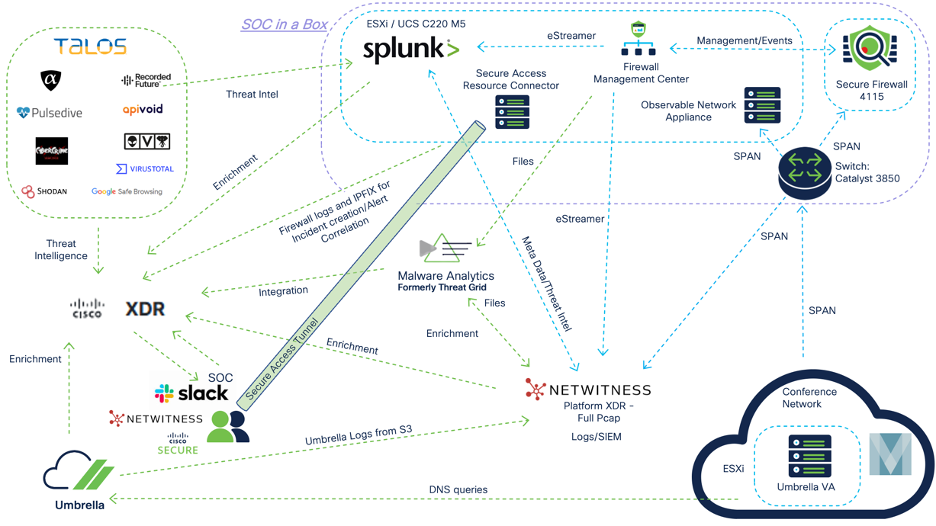
Upon locating our equipment, the case appeared dusty… as if it had not been touched in a year (because it hadn’t). Essentially, the case just needed some care. Our initial step was creating a blueprint of the setup we intended to build: In the illustration, the internet cloud represents the Moscone Center network and is not managed or secured by RSA.

Most of this phase involved cleaning the case, eliminating any unnecessary hardware, properly securing the remaining hardware with appropriate rackmounts and screws, and utilizing zip ties for managing power cables.
Next, we had to reimage the UCS C220 M5 and install ESXi 8.0, a sturdy, bare-metal hypervisor that installs directly onto your physical server. This is where the challenges kicked in! After setting up a bootable USB thumb drive, we encountered an issue with the server failing to acknowledge the drive. Special thanks to Robert Harris for configuring CIMC and using the browser-based KVM to upload the ISO file.
Once the server was sorted out, it was time to proceed with the switch. After a “write erase” of the configuration, we observed that the switch only had two 10G interfaces, posing another challenge as we required a minimum of four 10G interfaces. Post lunch, we made a brief visit to the Cisco “repot depot” storefront in Building 9 to acquire an “nm-4-10g” network module for the Catalyst 3850. After troubleshooting some networking Layer 1 issues, we realized that the switch was not recognizing the network module. We attempted reimaging the switch from rommon and installing the latest software, but that did not resolve the problem. Kudos to Matt Vander Horst, who assisted us in overcoming this obstacle by referencing the spec sheet and discovering that the 24-port Catalyst 3850 does not support the 4x10G network module, indicating the necessity of a 48-port Catalyst 3850.
With the switch on hold, we proceeded to focus on the Cisco Firepower 4125 Firewall. In the RSAC SOC, we prefer to operate the most up-to-date software releases to showcase new features and test our Cisco security tools in a sophisticated, real-world setting. This firewall required an FXOS upgrade to run FTD 7.4.1. While FXOS 2.14 was installed successfully, we encountered a snag when an issue with one of the disks in the chassis was detected. Dinkar Sharma aided us with the disk problem, but even after initiating a TAC case and seeking help from Ravi Kiran Nagaraja, the problem persisted. Special mention to Justin Murphy and Shannon Wellington for promptly providing an 800 GB SSD drive from their lab as a last-ditch effort. Despite installing the new disk, the same error related to a failure in formatting the disk persisted, suggesting an issue with the chassis itself.
At this juncture, our “SOC in a Box” was on the verge of failure. The shipping deadline was rapidly approaching, and we were lacking the essential switch and a functional Firewall. Now that’s a significant setback!
Stage 2: Seek Assistance through Diplomacy
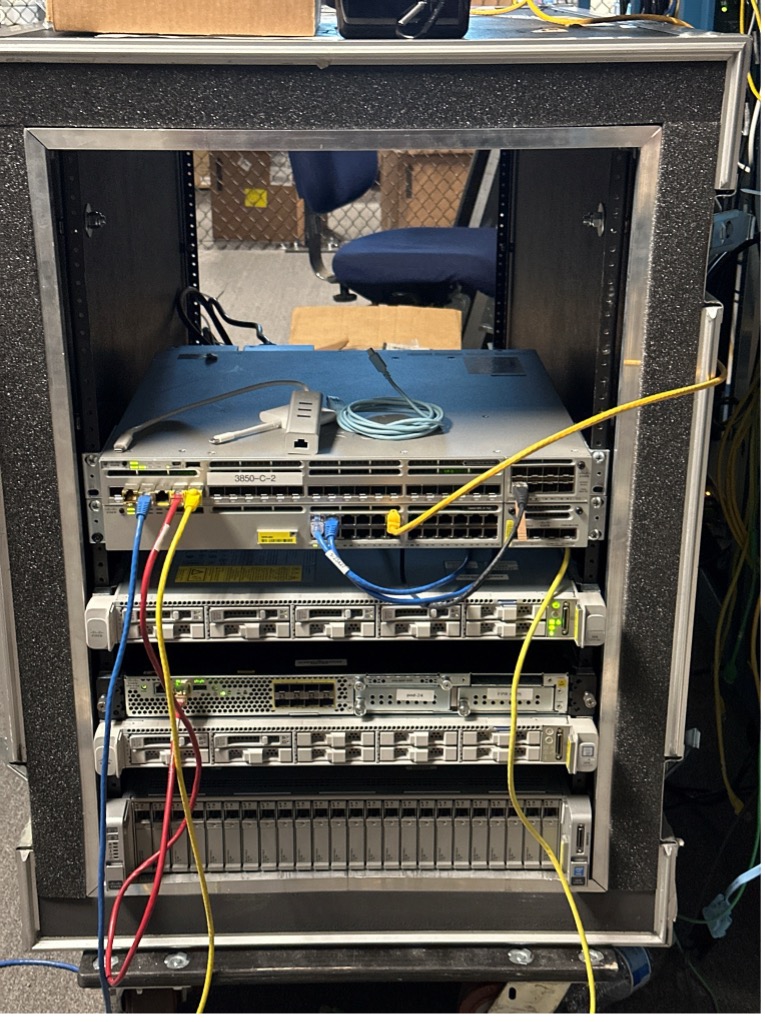
Following a brief interaction on Webex Teams, Zohreh Kehzri came to the rescue with a 48-port Catalyst 3850 equipped with eight 10G ports! After another reimage, we finally had a working switch, triumphing over this hurdle. After the challenges faced in stage 1, achieving this quick success was gratifying. With the new switch mounted in the case, it was time to hand over our customized unit for shipment before we proceeded to the Security Summit. Here is how our “SOC in a Box” appeared just before shipment.
During the Security Summit, I encountered Eric Kostlan, the firewall expert. Aware of our urgent need for a hardware firewall, I opted for the “seek assistance through diplomacy” strategy, requesting Eric’s aid. In a not-so-surprising manner, he inspected his lab environment and located a spare firewall. Understanding our challenges with the other chassis, he went the extra mile to ensure the successful installation of FXOS 2.14 and the healthy startup of the security engine, guiding us across yet another hurdle.
Once the Security Summit sessions concluded around 6:30 pm, we visited Eric’s lab and temporarily borrowed the firewall from his racks before heading out for dinner. The following day, I carried the new FTD 4115 into an Uber XL and initiated the journey to San Francisco to prepare for the conference. (An exciting moment for a network engineer to Uber a firewall from city to city!)
Now that we possess all pieces of the puzzle, it’s time to assemble them.
Stage 3: Activate and Connect
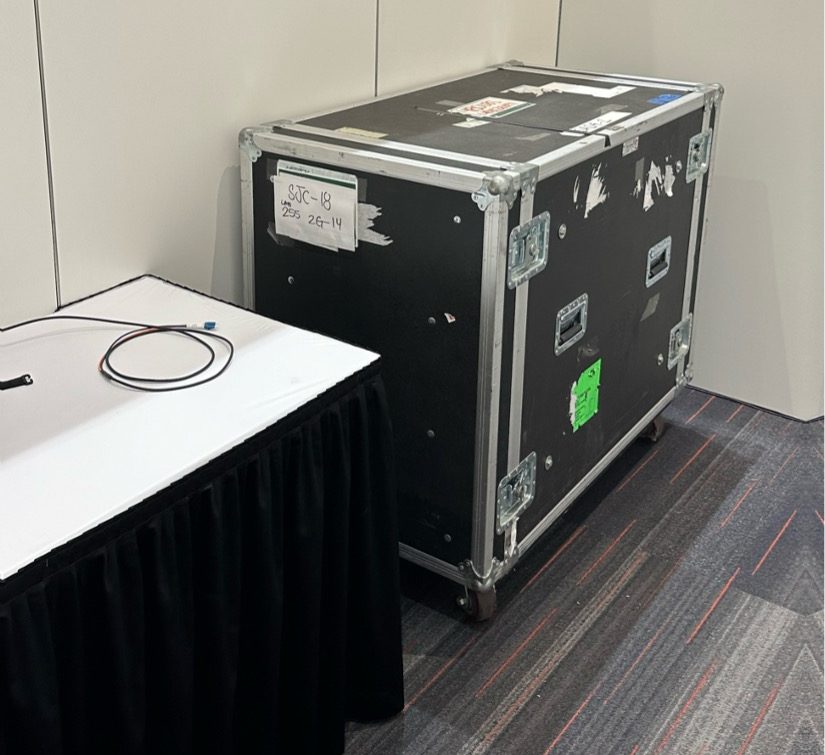
On Saturday morning, May 4, the Moscone Center in San Francisco was abuzz with conference arrangements. Witnessing the transformation of the show floor from an empty concrete space into a complete showcase within 48 hours was truly astounding. I grabbed my badge and wheeled the case to the South Expo. Here is how the case appeared next to the 10G fiber drop before initiating any setup.
The initial step involves powering up the hardware and connecting it to the internet, management interface, and the SPAN (Switched Port Analyzer acts as a dedicated port on a switch that mirrors network traffic to a destination) originating from Moscone Network Operations Center. Special thanks to Ryan Maclennan for collaborating with the on-site technicians to ensure Layer 1 on the 10G SPAN was functioning properly. We utilized a 24-port Catalyst 3850 for the SOC management network, operating on a subnet provided by the Moscone Center. After reconfiguring the management interfaces of all our devices, the foundation of the network was established online.
In such scenarios, adaptability is crucial. Given our uncertainty in altering the IP addresses of the Cisco Telemetry Broker (CTB) manager and CTB broker node, we swiftly shifted to the Observable Network Appliance (ONA), which had the capability to achieve the same objective of transforming the SPAN to IPFIX (Internet Protocol Flow Information Export) for transmission to Cisco XDR.
Furthermore, we completed the installation of the Firewall logical device and connected the SPAN to a passive interface, while finalizing the remainder of the fundamental setup from the Cisco Secure Firewall Management Center (FMC). Subsequently, we installed Splunk Enterprise Security (ES) on an Ubuntu machine and configured the Splunk Technical Add-ons (TAs) for Cisco XDR integration, eStreamer log ingestion, and Firewall dashboard creation. Special acknowledgement to Seyed Khadem-Djahaghi for the custom dark mode dashboard he crafted on the Splunk console.
Displayed below is the appearance of our custom “SOC in the Box” wired up and fully operational, connected to the Moscone NOC and NetWitness Platform. There is space for NetWitness appliances and their 140TB storage capacity for storing network packets.

Phase 4 – Significant Presence on Large Screens
With our “SOC in a Box” fully operational and all our tools online, the next step included the final touches of displaying captivating dashboards on large screens. During Sunday afternoon, we accessed the Cisco Security tools and exhibited them on the “SOC Dashboard” publicly located between North and South Expo. At this juncture, it felt like we had effectively completed the endeavor and overcame all obstacles. Here is a preview of the pre-show environment featuring Cisco Secure Cloud Analytics, Cisco XDR, Splunk ES, and FMC displayed on the large screens.
Throughout the show hours, we received numerous visitors who thoroughly examined the SOC Dashboard.
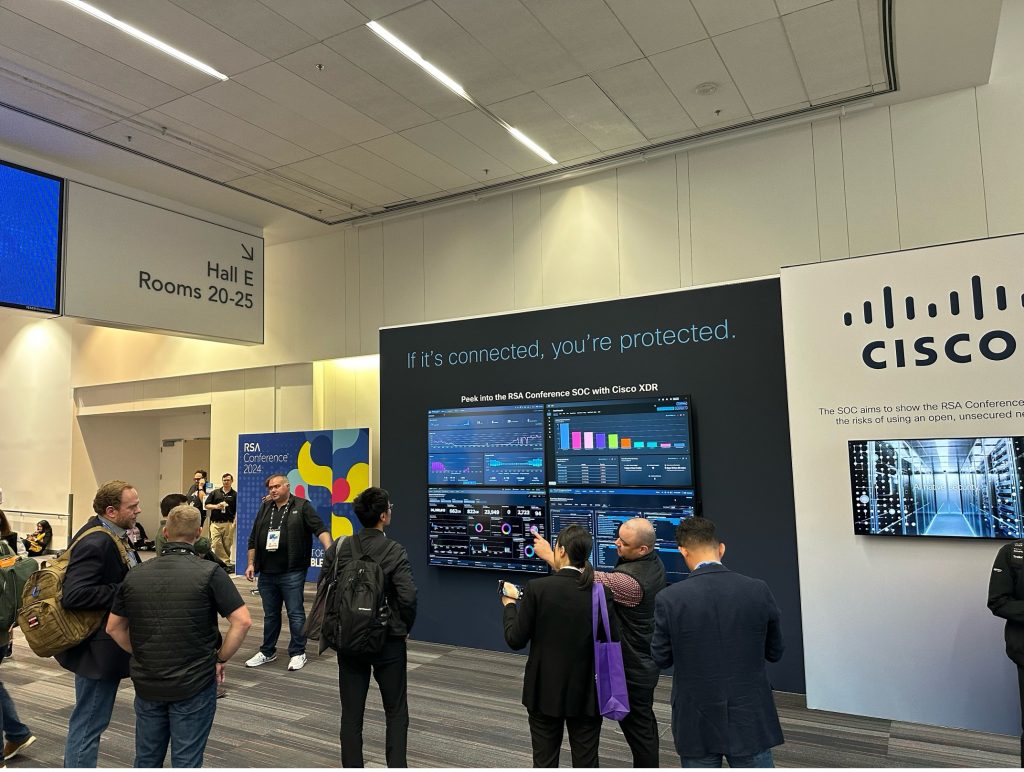
Upon arriving at the SOC on Tuesday morning, we encountered an unexpected obstacle – Splunk was down! Upon investigating the command line interface, it was discovered that the disk space had been exhausted – the initial 2TB allocation had been utilized. Fortunately, within our “SOC in a Box”, we had a spare UCS C240 M4 with 18TB storage capacity. To address this issue, we borrowed a VGA monitor and USB keyboard from the RSA A/V team, enabling us to quickly power up the server and allocate additional storage to Splunk ES. With this hurdle overcome, we smoothly concluded the venture.
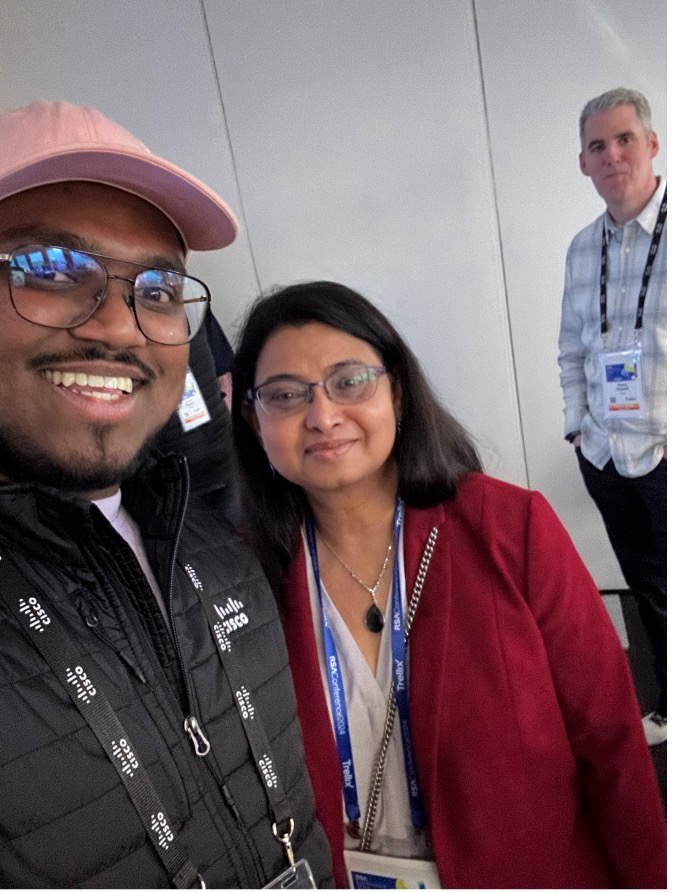
During our tours of the SOC, we elucidated to the conference attendees (including our very own Engineering SVP, Shaila Shankar) the usage of our tools for threat detection and incident response! (The image above is one among several selfies captured with Shaila.)
Components Utilized:
- Switch: Catalyst 3850 (24 port)
- Switch: Catalyst 3850 with 10G SFP+ (48 port)
- Firewall: Secure Firewall 4115
- Server: UCS C220 M5
- Server: UCS C240 M4
In the topology detailed above, the purple box representsin our on-prem solution known as “SOC in a Crate”. Embarking from the lower right corner, the Umbrella Virtual devices are rolled out in the Moscone Network Operations Center. The act of designating these virtual devices as the primary DNS servers within the DHCP scope ensures that all DNS queries across the network are accessible to the Cisco Umbrella – User Safeguard Suite.
Then, the SPAN feature is utilized to direct all conference network traffic to the Catalyst 3850, essentially turning it into a SPAN copier. The SPAN traffic is then channeled to a Secure Firewall 4115 running in Intrusion Detection mode for intricate packet scrutiny, an On-prem network tool (ONA) to collect IPFIX (Internet Protocol Flow Information Export) data for XDR, and to NetWitness, where the comprehensive pcap (packet capture) is archived.
The Firewall Management Center (FMC) leverages eStreamer to relay detection and connection data to Splunk and NetWitness. Files are shared with Malware Analytics from both FMC and Netwitness. Cisco XDR cooperates with Umbrella, Secure Firewall, Malware Analytics, NetWitness, Splunk, and several threat intelligence sources for proactive threat detection and incident handling.
One of the fresh additions to our SOC ecosystem this year was Cisco Secure Reach. By putting the resource linkup in our ESXi, the on-prem hardware becomes reachable from any location following successful authentication. Our specialized “SOC in a Crate” was a notable attraction during the SOC exhibitions and solicited quite a buzz around Cisco Security!
Farewell RSAC 2024!! We will return next year!
To delve deeper:
Kudos to:
- Robert Harris
- Matt Vander Horst
- Dinkar Sharma
- Eric Kostlan
- Ryan Maclennan
- Seyed Khadem-Djahaghi
- The RSA Conference crew
- The Moscone Network Operations Center crew
- And the entire Cisco and NetWitness RSAC SOC squad
We are keen on hearing your thoughts. Pose a Query, Leave a Comment, and Keep in Touch with Cisco Security on social media!
Cisco Security on Social Media
Instagram
Facebook
Twitter
LinkedIn
About Author