
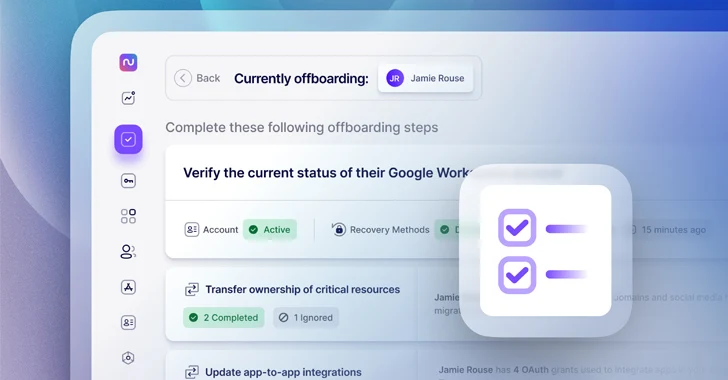
Recent studies on staff offboarding indicate that 70% of IT experts have encountered the adverse outcomes of unfinished IT offboarding. This includes security incidents related to unprovisioned accounts, unexpected bills for unused resources, or missed handovers of vital assets. Despite spending an average of five hours per departing employee on tasks like locating and deprovisioning SaaS accounts, the growing SaaS presence in organizations makes it progressively challenging (and time-consuming) to ensure complete access removal or transfer when an employee departs.
How Nudge Security can provide assistance
Nudge Security offers a SaaS management platform designed for modern IT governance and security. It identifies all cloud and SaaS accounts created within your organization, including AI-driven apps, providing a central reference point for accounts and OAuth grants belonging to departing users that need deprovisioning, revocation, or transfer.
Furthermore, a predefined playbook guides you through a detailed checklist for IT offboarding aligned with industry best practices from Google and Microsoft. This playbook streamlines the offboarding process by automating time-consuming tasks like OAuth grant revocation and password resets for non-SSO accounts, potentially reducing offboarding efforts by up to 90%.
Let’s delve into how Nudge Security streamlines each process to ensure comprehensive offboarding of SaaS accounts.
1. Disable access to Google Workspace or Microsoft 365
Once you’ve chosen the departing employee, the initial step is to verify the status of their Google or Microsoft account.
Initially, you should keep the employee’s account active while completing other offboarding tasks. However, you must ensure they can no longer access the account by resetting their password and deactivating any recovery methods they might have set. Nudge Security facilitates monitoring each of these steps to confirm the access revocation.

2. Hand over control of essential assets.
Prior to deprovisioning the departing employee’s accounts, identify and transfer ownership of critical resources such as AWS root user accounts, corporate domains, and social media accounts.
Nudge Security automatically detects vital resources owned by the exiting employee and provides guidance on transferring ownership to other team members. For each resource, detailed instructions and links are offered, along with a summary of alternative users capable of assuming responsibility. As you progress through the list, you can confirm transfers or note resources that do not require transfer.

3. Assess and update app-to-app integrations.
App-to-app integrations and automation commonly utilize OAuth grants. Revoking a departing employee’s OAuth grants without review might disrupt daily operations.
Nudge Security displays all app-to-app OAuth grants and scopes for the exiting employee, allowing you to evaluate the potential business implications of each integration. You can decide whether to recreate integrations with another account and engage other users of the application accordingly. This stage of the offboarding process ensures that automated business functions continue smoothly post-employee departure.

4. Revoke managed SSO accounts.
With a simple click within the Nudge Security dashboard, you can revoke access to all accounts managed by your
A sole authentication provider for access control, such as Azure AD or Okta. Later in the process, the playbook will guide you through tidying up the contents of those accounts.


 SaaS sprawl can facilitate potential unauthorized access to crucial resources and data post-employee exit. Fortunately, Nudge Security also catalogs uncontrolled accounts that the employee might have established using their work email beyond standard IT or procurement protocols.
Aside from displaying the list of unmanaged apps, Nudge Security allows you to trigger automatic password resets from the platform itself to hinder future access by the departing employee. Without this automated process, manually conducting these steps could consume extensive time, assuming you’re even aware of the existence of such accounts initially.

 Kickstart your complimentary 14-day trial now.
About Author



