Google Cloud Enhances Backup Service With Impenetrable Vaults
Crucial in extreme scenarios impacting a company’s entire Google Cloud profile, backup and recovery gain significant importance. Introducing an invulnerable, logically isolated version provides an extra layer of confidence for crucial data.
Google Cloud bolstered its backup and disaster recovery services on September 10 by introducing an unchangeable vault.
While the service is still in preview mode, Google Cloud customers in selected parts of the U.S., certain regions in Europe, and Taiwan can expect access “in the upcoming months,” as stated by the tech leader.
Cutting-edge backup and recovery service features a logically air-gapped structure
The standout feature of the backup vault is its immutability, guaranteeing data integrity, and its indelibility, ensuring permanent storage. Data is securely stored in the vault, safeguarding against cyber threats or major errors. Exclusive access to the backup vault is restricted even to users within the parent organization.
Administrators have the option to set a fixed retention period during which the vault remains unmodifiable.
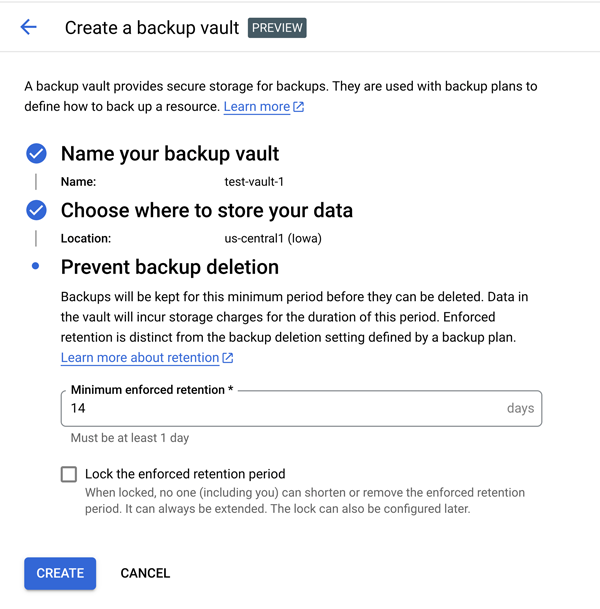
Entities utilizing Google’s Compute Engine VM can also secure their data within the new vault. These vaults are segregated from the source project and can be configured in Compute Engine VMs, VMware Engine VMs, Oracle databases, or SQL Server databases.
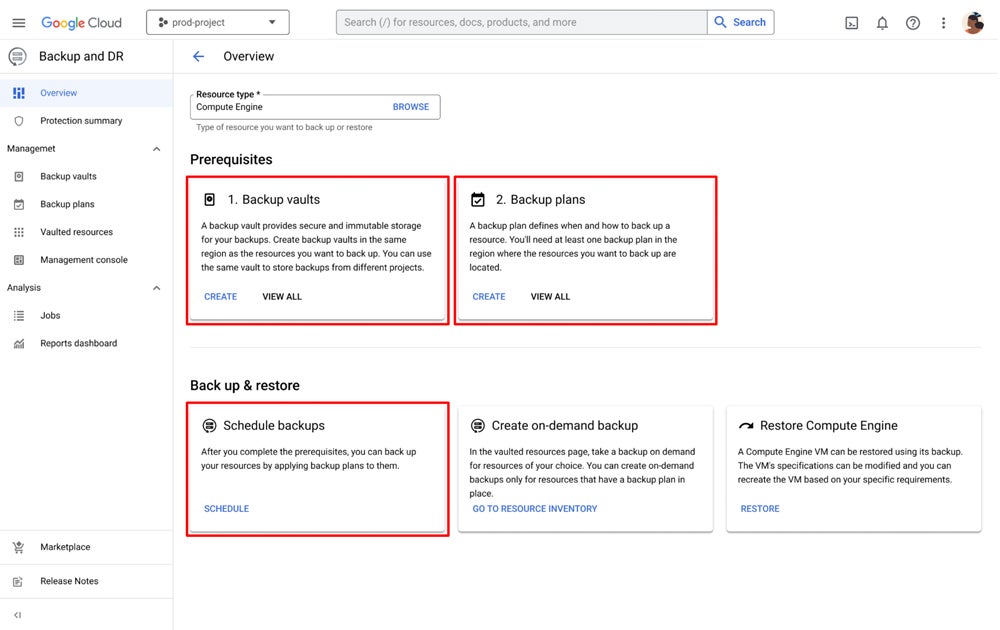
The procedure for backing up Compute Engine VMs can commence during their creation, seamlessly integrating with the VM provisioning process. This approach, in sync with Google Cloud Identity and Access Management protocols, streamlines the setup and fortifies security, notes Google.
READ: Microsoft Office 2024 will no longer support its legacy multimedia loader starting October due to ActiveX security loopholes.
Initiate and manage Google Compute Engine VMs
Administrators and application developers can manually oversee scheduled backup and restoration tasks, compile reports on failed or skipped tasks, and receive notifications for important backup-related incidents. To set up a backup with a Compute Engine VM, an administrator only needs to define a backup strategy within Google Cloud.
Another approach, rather than duplicating Google Cloud backups, is to opt for a multi-cloud system, offering its own set of advantages, exemplified by the UniSuper disruption triggered by the loss of their Google Cloud account and backups earlier this year.
About Author