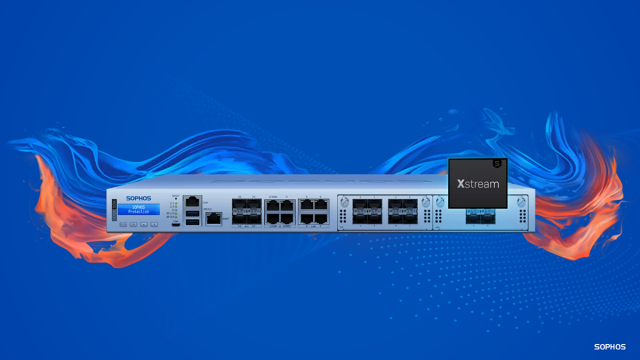
Many of our valued customers are seizing the opportunity to upgrade their XG Series firewall devices, which are nearing the end of their life cycle, to the cutting-edge XGS Series.
By renewing your hardware with XGS, you avail unmatched discounts on your hardware and software purchase. Additionally, you gain access to the latest Xstream architecture, delivering substantial performance enhancements, enhanced TLS inspection, and broader connectivity alternatives. Furthermore, the transition is seamless as your new firewall maintains the same user-friendly interface.
To facilitate a smooth upgrading process, we have recently introduced innovative tools designed to streamline and expedite the upgrade.
Take a moment to view this brief video for a concise overview, or continue reading for more details.
Moving your setup
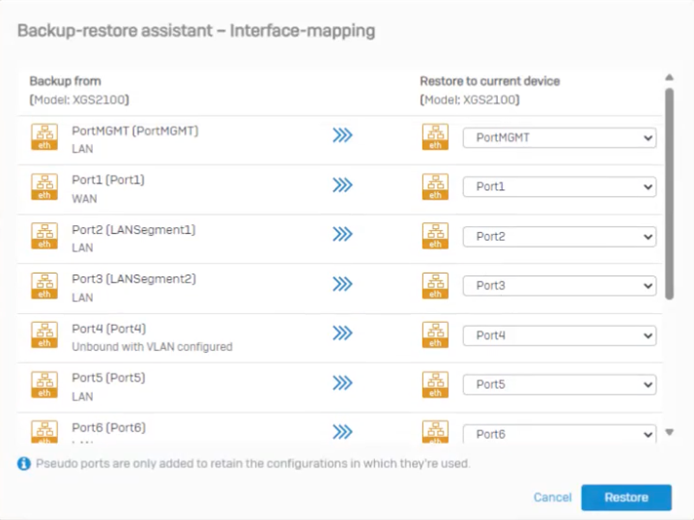 With our enhanced backup-restore feature, you can swiftly transfer your setup from your current XG Series firewall to the new XGS appliance in just a few clicks.
- We have eliminated previous constraints, allowing you to migrate setups across devices with varying port numbers, transfer wireless setups to non-wireless XGS Series devices, and more.
- You can effortlessly map your existing hardware ports to the new device using the port mapping assistant.
- If you have multiple firewalls to upgrade, you can utilize a single configuration template from a virtual appliance to deploy it across all new devices, irrespective of their form factor (hardware/virtual/software), significantly reducing deployment time.
Utilize the new upgrade compatibility tool to verify the compatibility of your specific upgrade.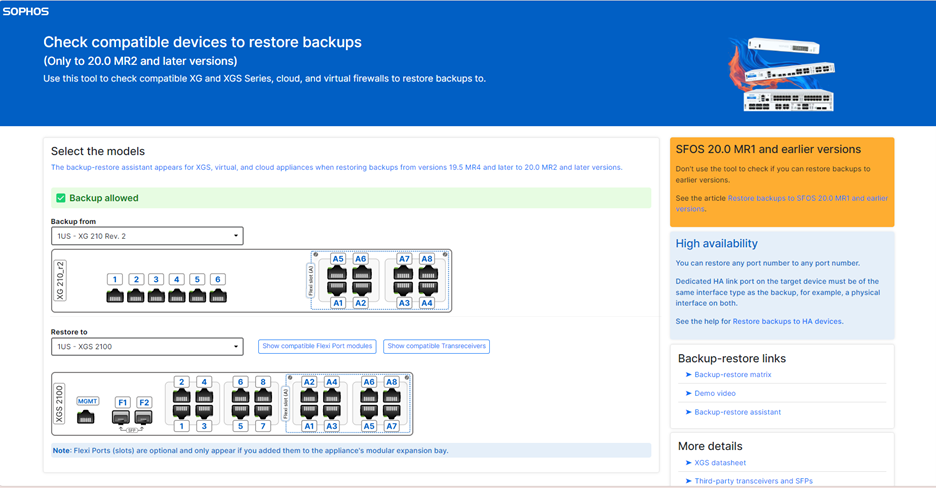
Refer to the detailed instructional video for the backup-restore assistant.
Comprehensive video guides
The Sophos TechVids team has crafted extensive step-by-step videos to guide you through the complete XG to XGS upgrade process, whether you have a standalone device or an HA configuration.
Transitioning from your old XG Series is as straightforward as clicking “Backup Now” on the old device to download a backup file containing the complete firewall configuration.
On your XGS Series, simply select your file, input the encryption key, and upload and restore the file to activate the new assistant with port mapping settings. That’s all it takes!
Watch the complete video for upgrading a single device.
For high availability setups, the process mirrors that of a single device, with the additional step of configuring the HA link, which must match the port type on both the old and new devices.
View the comprehensive video for upgrading an HA setup.
To delve deeper into the XGS Series and our special offers for XG customers, feel free to contact your local Sophos Partner or sales representative. An overview of XGS models is accessible at Sophos.com/Compare-XGS.
About Author