

When it comes to enhancing user security, two-factor authentication has become an essential tool for organizations. Both Duo and Microsoft Authenticator offer robust security features.
Duo employs various methods such as push notifications, one-time passwords, biometrics, and physical tokens for user verification. On the other hand, Microsoft Authenticator utilizes push notifications and one-time passcodes that seamlessly integrate with Microsoft 365 and Microsoft Entra ID (formerly Azure Active Directory).
Although these two-factor authentication options have similarities, distinct differences exist that may influence your selection between the two.
- Duo: Known for advanced security features like adaptive authentication, precise access policies, and threat detection.
- Microsoft Authenticator: Particularly ideal for Microsoft-focused environments seeking smooth integration with Microsoft Entra ID and other Windows services.
Comparison Table: Duo vs Microsoft Authenticator
| Features | ||
|---|---|---|
| Push notifications | ||
| Biometrics authentication | ||
| One-time passcodes | ||
| Integration with other services | ||
| Backup and restore | ||
| Pricing | ||
|
|
Pricing Details: Duo vs Microsoft Authenticator
Here’s a comparison between Duo and Microsoft Authenticator regarding their pricing.
Pricing of Duo
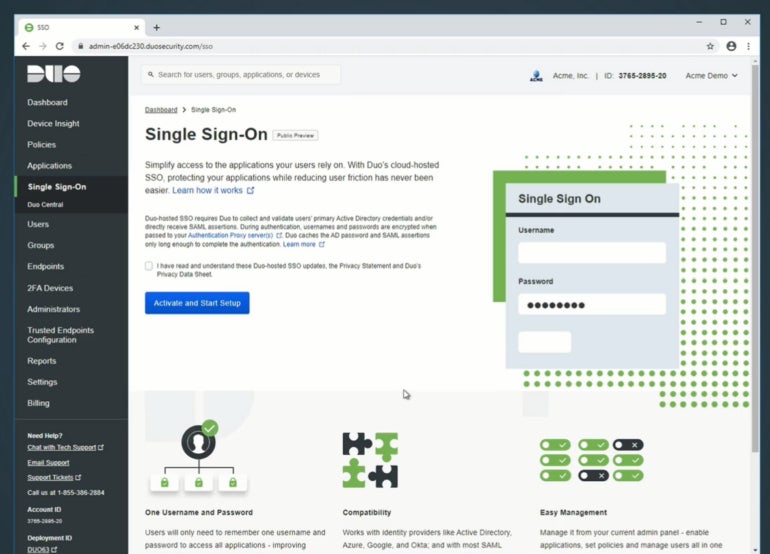
When it comes to pricing, Duo implements a structured system that varies depending on the included features and services. Currently, it provides four subscription tiers:
| Plan | Duo Free | Duo Essential | Duo Advantage | Duo Premier |
|---|---|---|---|---|
| Price | Free | $3 per user, per month | $6 per user, per month | $9 per user, per month |
| Differences in Features | Supports 1-10 users; offers MFA, integrations, and a free authenticator app | Includes all features in the Free plan and adds Single Sign-On, passwordless authentication, and user group policies | Comprises all Essential plan features along with Duo Passport, risk-based authentication, Cisco Identity Intelligence, and threat detection | Encompasses all Advantage features plus VPN-less remote access to private resources, endpoint protection check, and zero trust access |
Pricing of Microsoft Authenticator
Microsoft Authenticator is offered at no cost and is included with all Microsoft Entra ID (Azure Active Directory) and 365 Business accounts.
To explore a comprehensive list of prices and features, please refer to our articles on Microsoft 365 and Microsoft Entra ID (Azure Active Directory).
Feature comparison: Duo vs Microsoft Authenticator
Both Duo and Microsoft Authenticator present outstanding features to users. Here’s a direct comparison of their features:
Integration of Application Programming Interfaces
For most businesses considering Duo or Microsoft Authenticator, the integration of these applications with existing or custom software and server applications is crucial.
Duo facilitates limitless application integrations across all available editions through its platform.
In contrast, while Microsoft Authenticator integrates with other third-party products and services, it seamlessly integrates with Microsoft-supported services since it is already bundled with some of them.
Security Aspects
Both Duo and Microsoft Authenticator emphasize security and provide strong features to safeguard user accounts. Duo offers adaptive authentication, which evaluates the risk of each login attempt and requests additional verification when necessary. It also gives administrators the ability to define specific authentication requirements based on user roles and conditions.
Microsoft Authenticator utilizes Microsoft Entra ID (Azure Active Directory) to offer advanced security features such as conditional access policies, risk-based authentication, and seamless single sign-on experiences across applications. Additionally, it supports hardware-backed security keys for enhanced protection against phishing attacks.
Authentication Methods
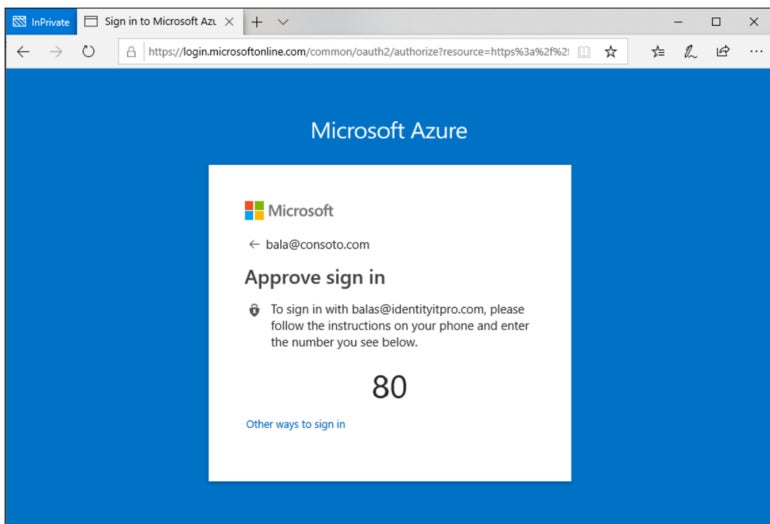
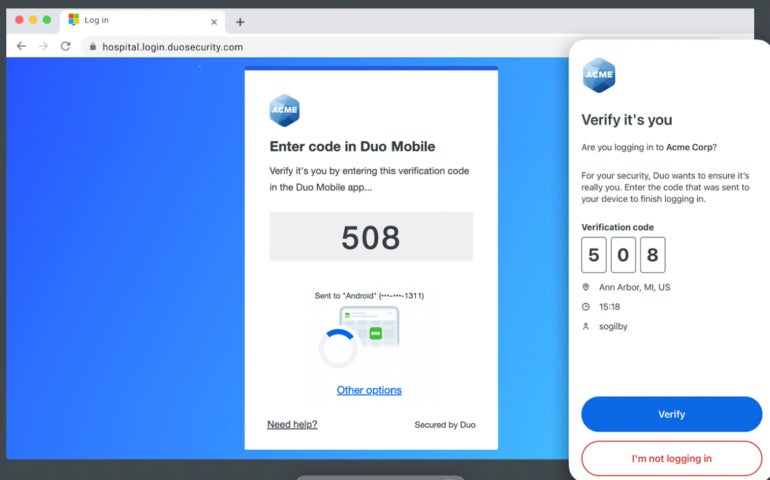
Both Duo and Microsoft Authenticator offer multiple authentication methods. Duo provides a diverse range of authentication choices, including push notifications, WebAuthn and biometrics, tokens, passcodes, and hardware security keys.
Contrastingly, Microsoft Authenticator supports push notifications, OTPs, and biometric authentication (fingerprint, facial recognition) on compatible devices.
Backup and Restore
Duo’s Restore functionality enables users to back up Duo-protected accounts and third-party OTP accounts for recovery on the same or a new device. This feature allows you to store your Duo accounts on cloud platforms like iCloud and Google Drive.
Similarly, Microsoft Authenticator provides backup and recovery features that permit users to securely save their accounts and settings in the cloud, facilitating effortless account reinstatement on new devices or in case of device loss.
Client assistance
Regarding client assistance, both providers offer a substantial range of choices.
For Duo, there exists a dedicated support page featuring an online information base organized for Duo clients and administrators, facilitating the process of obtaining help for both sets of users.
They also possess a blog, documentation portal, and chatbot capability. Apart from these, you can initiate a support case, connect with a live representative via phone, or contact the Duo support team via email.
In contrast, support for Microsoft Authenticator is encompassed within the overall support services provided by Microsoft. You can reach out to Microsoft’s support representatives through their official support page, place a phone call to one of their regional support lines, or engage in live discussions on their Microsoft Community forum.
They also maintain a thorough FAQs page for Microsoft Authenticator, offering documentation spanning from setup to resolving common issues.
Duo advantages and drawbacks
Despite offering numerous advantages to users, Duo also has its own challenges. Here is an overview of the benefits and drawbacks.
Advantages
- Unified login.
- Password-free functionality.
- Various authentication methods.
- Push Phishing Protection.
- Detection of threats.
- Data backup and recovery.
Drawbacks
- Duo Free accounts have a limitation of up to 10 users.
- User interface is slightly cluttered in specific areas due to the wide selection of authentication alternatives.
- Security notifications can at times be delayed beyond expected durations.
Microsoft Authenticator advantages and disadvantages
Microsoft Authenticator offers robust two-factor authentication features, yet some users have reported encountering a few drawbacks while utilizing the product. Below are some positives and negatives.
Advantages
- Passwordless sign-in.
- Mobile app notifications via push alerts.
- The authenticator application serves as a software token.
- Support for data backup and recovery.
Disadvantages
- The multi-factor report option is exclusively available in the premium plans.
- The pricing model may pose challenges for some users to comprehend.
- May not be well-suited for organizations lacking a Microsoft ecosystem.
Should your organization opt for Duo or Microsoft Authenticator?
Deciding between one 2FA software and another can be complex, especially with many remarkable similarities tying the products together. For Duo and Microsoft Authenticator, the primary aspect to consider when selecting between them should be your overall tech stack, ease of use, and pricing.
If your reliance is significantly on Microsoft products like Microsoft Entra ID (Azure Active Directory), Microsoft 365, and other Microsoft offerings, Microsoft Authenticator might offer a more seamless and consolidated experience.
Conversely, if your platforms and applications are diverse, Duo’s extensive compatibility and profound integration abilities make it a more adaptable selection. Duo effortlessly integrates with services such as Slack, Atlassian, Salesforce, Dropbox, and more.
You should also evaluate the pricing structures and how they align with your business needs and financial plans. Duo’s pricing varies depending on the chosen features and level of support, while Microsoft Authenticator is typically packaged with Microsoft Entra ID and Microsoft 365 subscriptions.
Duo’s pricing offers more comprehensive and transparent options, unlike Microsoft’s, which can be more intricate due to its bundling with Microsoft subscriptions. Take the time to assess your organization’s specific requirements and weigh the associated costs when comparing the pricing models of these solutions.
Lastly, delve into the user experience and ease of use of each service. Both Duo and Microsoft Authenticator provide seamless user experiences, yet preferences may vary based on your organization’s tech stack, user base, and their familiarity with each platform.
Utilize the free versions offered by each solution to gain practical experience with both products. When testing, scrutinize aspects such as setup simplicity, the intuitiveness of the authentication process, and any supplementary features that boost usability.
Consider conducting a preliminary trial with both solutions to assess their performance and compatibility within your business environment. This will allow you to amass firsthand experiences and feedback from your users and administrators before reaching a final verdict.
For a more comprehensive evaluation of two-factor authentication based on security impact and strategic business initiative, check out this two-factor authentication evaluation guide.
SEE: Securing Linux Policy (TechRepublic Premium)
Research Method
To provide a fair contrast between Duo and Microsoft Authenticator, we commenced by reviewing the documentation pages of each product, where we assimilated information on their key characteristics and integration capacities. We also consulted user feedback from credible third-party review platforms to obtain viewpoints from verified users. The writer is also an active user of Microsoft Authenticator, facilitating discussions on the product based on firsthand experience. These channels furnished adequate insights to shape our evaluation.
This article was initially penned by Franklin Okeke in August 2023 and was revised by Luis Millares in January 2025 to reflect feature and product modifications, like Azure Active Directory’s name change to Microsoft Entra ID.
About Author



