
With the continuous rise in the number of applications and online accounts being used daily, the complexity of passwords has also increased. Gone are the days when jotting down passwords on paper was considered safe. Nowadays, these practices can jeopardize your security and create inefficiencies in managing all your login credentials.
Enter password management tools like Bitwarden and LastPass — specialized software crafted to securely store, encrypt, and organize your passwords and other login information. Additionally, they offer extra functionalities like password generation and multi-factor authentication.
This comparative analysis delves into Bitwarden and LastPass to help you decide which suits your needs best, whether as an individual or for your organization.
Bitwarden vs LastPass: Feature Comparison – A Closer Look
| Our Evaluation (scale of 5) | ||
| Initial Cost | $10 annually or $0.83 monthly | $3.00 per month (billed annually) |
| Security Protocol | ||
| Incident of Data Breach | ||
| Open-source Approach | ||
| Multi-factor Authentication Choices | Authenticator apps, email, FIDO2 WebAuthn, Duo Security, YubiKey OTP | Authenticator apps, LastPass MFA, Duo Security, YubiKey USB, fingerprint scanners, RSA SecurID, Symantec VIP, SecureAth |
Pricing Comparison: Bitwarden vs LastPass
Bitwarden Price Breakdown
Bitwarden offers two subscription tiers: Individual and Corporate. The Individal tier comprises of Free, Premium, and Family plans. Conversely, Bitwarden Business brings forth Teams, Enterprise, and a Customized option.
Among these options, Bitwarden Families, Teams, and Enterprise plans offer a trial period of seven days. Here’s a quick overview of the pricing and feature distinctions for each.
Bitwarden Individual:
- Free: Forever free. Unlimited passwords, use on one device.
- Premium: $0.83 monthly; limitless devices, integrated authenticator, security summaries, and additional features.
- Families: $3.33 monthly; supports up to 6 users, with unrestricted sharing; incorporates all Premium perks.
Bitwarden Business:
- Teams: $4 monthly per user; data exchange, directory integration, and event log monitoring.
- Enterprise: $6 monthly per user; corporate policies and passwordless SSO.
- Personalized Estimate: Reach out to sales for a personalized quote.
LastPass Pricing Overview
LastPass offers two subscription tiers: “Individual Users and Families” and “Enterprise.” All paid packages by LastPass come with trial periods, with Premium and Families offering 30 days and Teams and Business with a 14-day trial.
The following elucidates each plan along with their respective pricing:
LastPass Individual Users and Families tier:
- Free: Perpetually free plan; access on a single device exclusively.
- Premium: $3.00 monthly for one user, billed annually; boundless device flexibility, file storage, and advanced MFA.
- Families: $4.00 monthly for up to six users, billed annually; includes all Premium attributes.
LastPass Enterprise tier:
- Teams: Billed annually at $4.00 per user, per month, for a maximum of 50 users.
- Enterprise: Billed annually at $7.00 per user, per month, adaptable for an unrestricted number of users.
Feature Clash: Bitwarden vs LastPass
Zero-knowledge Policy and Overall Safety
Champion: Bitwarden
While both password managers advocate for zero-knowledge policies, LastPass encountered two significant data breaches in 2022. These security incidents led to unauthorized access to customer data and their theft from LastPass and its users.
LastPass disclosed that malevolent actors managed to infringe upon customer data, compromising encrypted details like website logins and passwords, secure notes, and form inputs, as well as unencrypted information like website URLs. Such occurrences are undesirable in software engineered to safeguard user credentials and sensitive data.
Aside from saving passwords, Bitwarden and LastPass allow users to store additional vital data. In Bitwarden’s vault, users can keep identity information, payment details, and freeform textual notes. Conversely, the LastPass vault permits storage of notes, payment cards, and bank account information.
Options for Multi-factor authentication
Champion: LastPass
When it comes to multi-factor authentication (MFA), LastPass offers a wide range of options, inclusive of authentication applications like Google Authenticator and Microsoft Authenticator, LastPass MFA, Duo Security, and YubiKey USB.
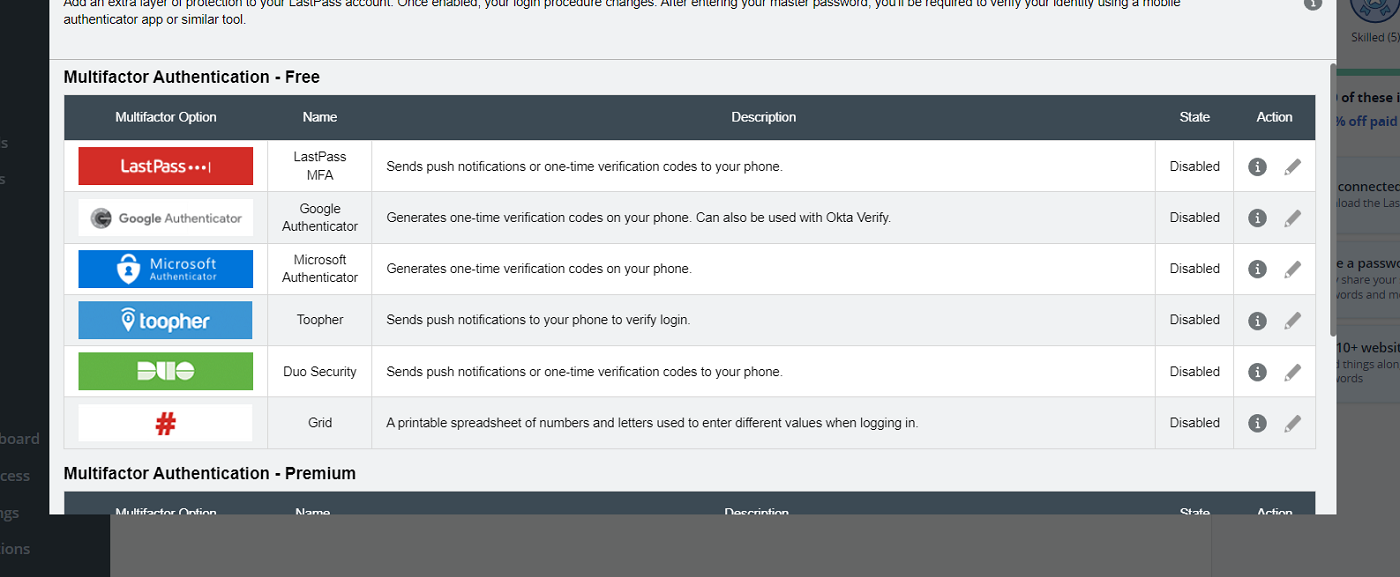
Additionally, it supports RSA SecurID, Symantec VIP, and SecureAuth authentication for a more robust and enterprise-level MFA experience.
While Bitwarden also supports two-factor authentication (2FA) with options like authenticator apps, email, FIDO2 WebAuthn credentials, YubiKey, and Duo Security for two-step logins, the free version of Bitwarden only offers the first three 2FA methods mentioned.
If having a broad array of MFA choices is crucial to your security, LastPass offers greater flexibility in authentication methods.
Compatibility Across Platforms
Champion: Bitwarden
Both Bitwarden and LastPass are compatible with major platforms, including Windows, MacOS, Linux, Android, iOS, Chrome, Firefox, Safari, Edge, and Opera.
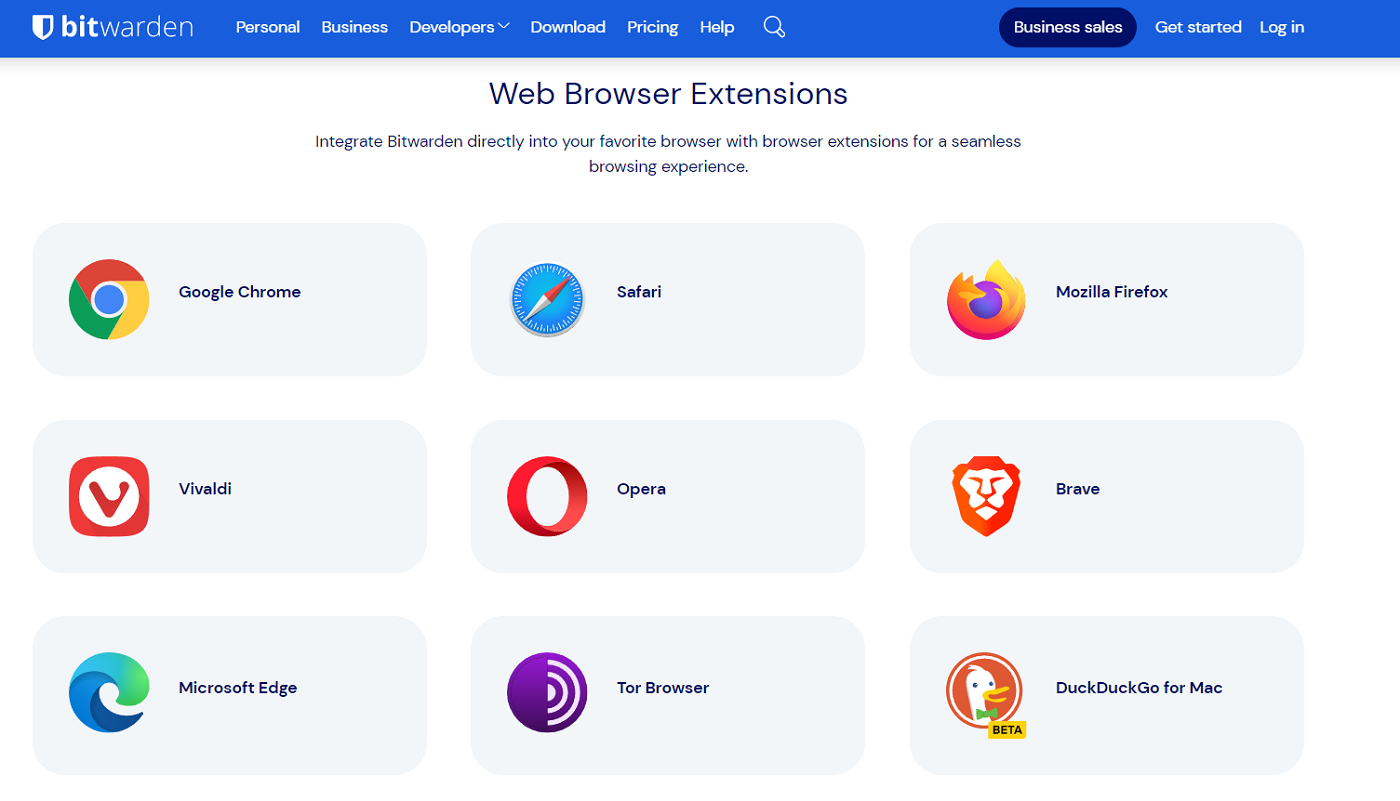
However, Bitwarden extends its support to more browsers, such as Vivaldi, Brave, Arc, Edge, Tor Browser, and DuckDuckGo for Mac.
Free Versions
Champion: Bitwarden
Both Bitwarden and LastPass’ free editions offer unlimited password storage and a password generator, making them viable options for users seeking a dedicated free solution.
I recommend choosing Bitwarden’s free version over LastPass as it allows access on an unlimited number of devices, enabling you to reach your Bitwarden vault on multiple computers, phones, or browsers without restrictions. LastPass Free limits usage to one device type at a time.
If you intend to solely use a free password manager long-term, Bitwarden’s free version is more practical due to its unrestricted device support.
Additional Features
Champion: Tie
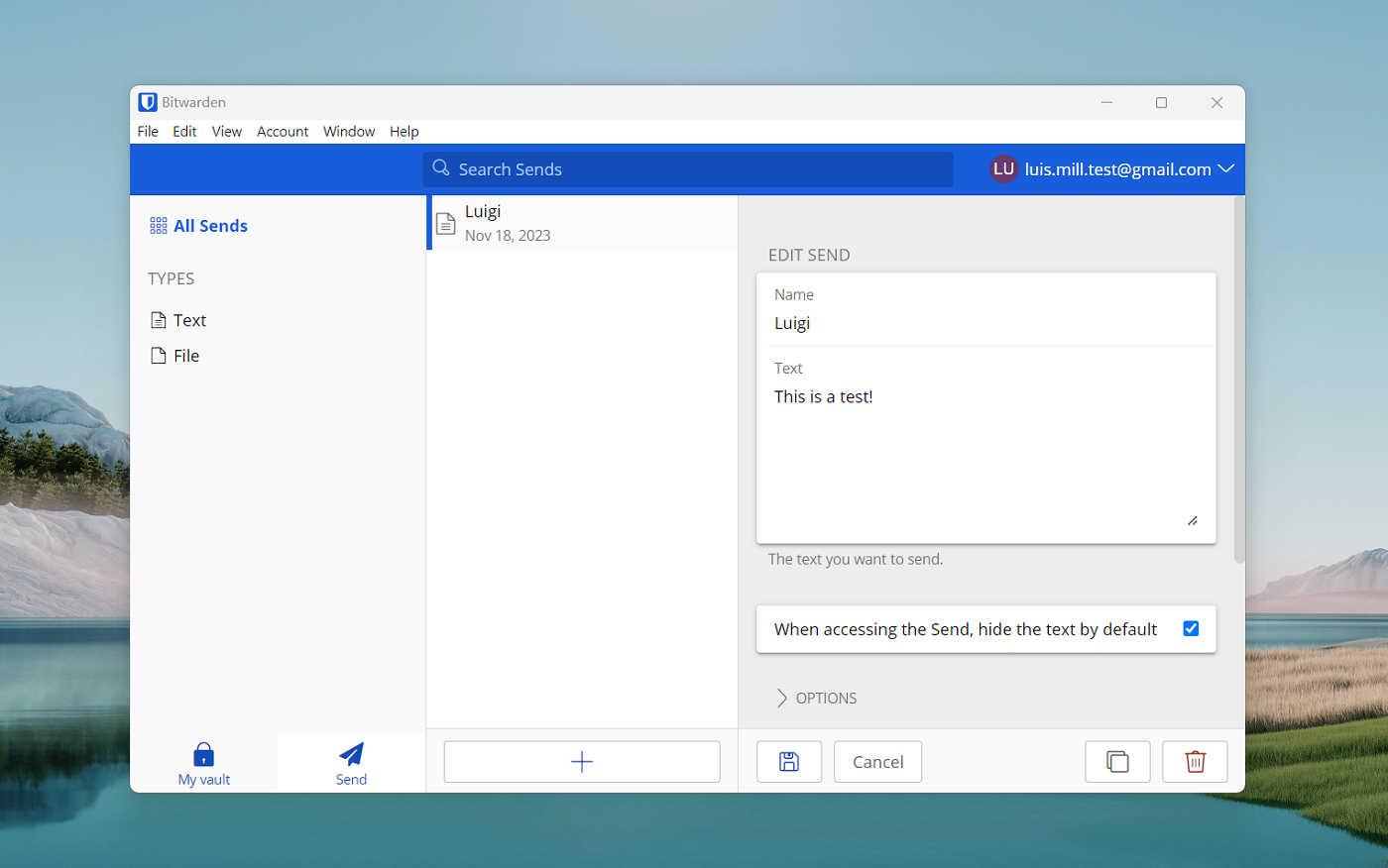
Bitwarden offers Bitwarden Send, its securely encrypted system for sharing files and text. It can transfer textof a maximum of 1,000 encoded characters or documents of up to 500 MB.
If you frequently share confidential paperwork such as agreements or contracts, Bitwarden Send provides a significant enhancement to contemplate.
Contrastingly, LastPass is equipped with a practical One-Time Password feature, allowing you to generate temporary passwords as an alternative to your master password. This can be utilized to enter your vault when using a public computer in a hotel or a desktop in an internet café, thereby safeguarding your password from potential theft by keyloggers and malware on such untrusted devices.
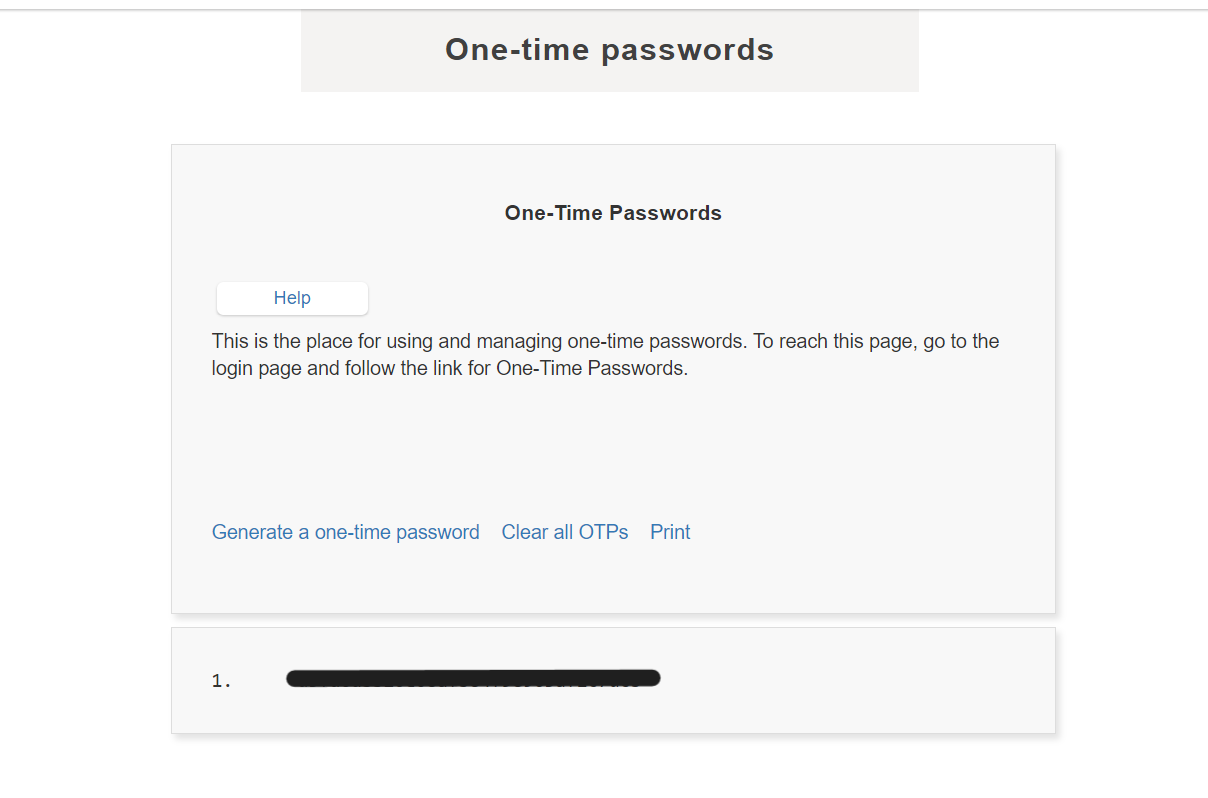
LastPass’ OTPs prove advantageous for remote workers who frequent internet cafés or individuals who travel often without their primary computer.
SEE: IT Leader’s Guide to Cybersecurity Awareness Training (TechRepublic Premium)
Bitwarden advantages and disadvantages
Advantages of Bitwarden
- Complimentary version with limitless storage and device accessibility.
- Premium packages are more cost-effective than many rivals.
- User-friendly emergency access capability.
- Protected file-sharing system.
- Open source.
- Solid security standing.
Disadvantages of Bitwarden
- Desktop user interface lacks intuitiveness.
- Auto-fill functionality could be enhanced.
LastPass advantages and disadvantages
Advantages of LastPass
- Provides multiple MFA choices.
- Straightforward user interface.
- Valuable OTP functionality.
- Country restriction feature.
Disadvantages of LastPass
- Has encountered two significant data breaches in the previous year.
- Cumbersome web app experience.
- Outdated interface design.
Should your enterprise opt for Bitwarden or LastPass?
Opt for Bitwarden if:
- You desire a secure password manager without any history of breaches or cyber attacks.
- The availability of a free version with unlimited password storage and device accessibility is paramount.
- You lean towards utilizing open source software.
Opt for LastPass if:
- Only if you specifically require a broader array of multi-factor authentication options.
Bitwarden emerges as the superior and safer option, having no documented security incidents. With LastPass experiencing two major data breaches within the last two years, it is challenging to endorse it as a secure and dependable password management solution in 2025.
Bitwarden provides an impressive free offering, extensive support on various platforms, and a solid security reputation founded on open-source software. Moreover, it maintains highly competitive prices across all its subscription tiers. For those seeking a top-tier password manager on a budget, Bitwarden stands out as one of the finest choices available.
Methodology
Both Bitwarden and LastPass were evaluated concerning their password management features, security measures, and value proposition. This assessment involved a blend of hands-on testing, consultation of external reviews, and examination of genuine user feedback.
We have also performed comprehensive reviews of Bitwarden and LastPass separately. In our detailed Bitwarden evaluation, the open-source password manager garnered a rating of 4.6 stars out of 5. In contrast, LastPass scored 3.4 out of 5 in our comprehensive LastPass assessment.
This content was originally published in December 2023. Luis Millares updated it in March 2025.
About Author




