13M+ Emails Sent in Tech Support Scam Targeting Users, Organizations in Japan
Over roughly three months (February 26 – May 31, 2026), we confirmed 4,721 fake alert sites but only 11 distinct phone numbers displayed on them. A single number is reused across hundreds of sites. Blocking known scam phone numbers, or alerting users before a call is placed, can help disrupt the campaign by cutting off its primary path to victim engagement.
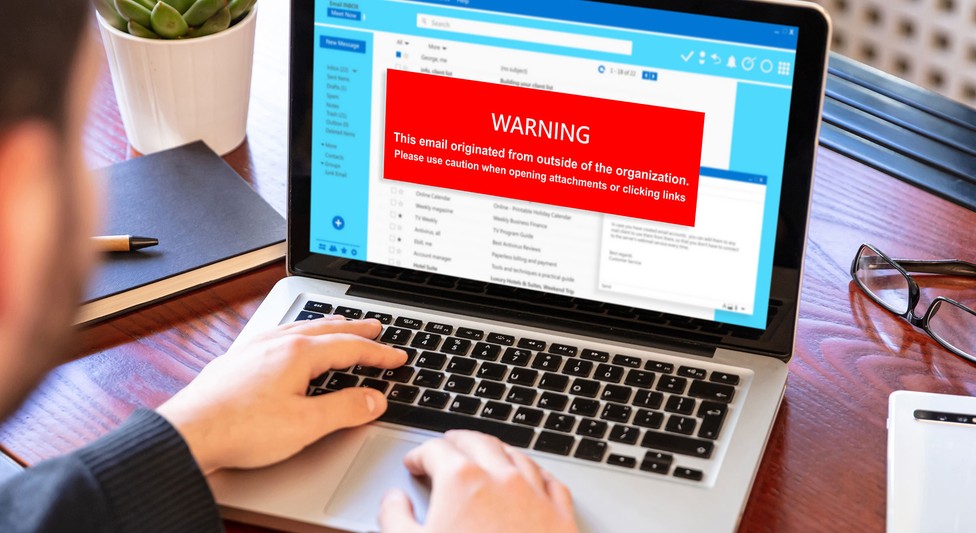
Tech support scams work by stoking the victims’ anxiety and fear to degrade their judgment, robbing them of time to think and opportunity to consult others. This campaign is no exception, combining multiple forms of psychological manipulation, including subject lines and warning screens engineered for urgency, disguising senders as legitimate services, and using fear like screen locking and alarm sounds.
Once users understand how the scam works, it becomes much easier to respond appropriately Users and organizations should adopt the following security best practices to recognize the warning signs, avoid engagement, and reduce the risk of financial loss:
- Treat any message demanding an immediate decision as a likely scam. Common to phishing as well as tech support scams, warnings that stoke urgency is a classic social engineering technique for robbing victims of their calm judgment.
- Separate a legitimate service’s “name” from its “actual contact channels”. Legitimate vendors as well as security products and platforms never display a phone number on a warning screen. Do not use phone numbers shown on screen or links inside emails, and always open the official website from your bookmarks to verify.
- Pause before taking action. Alarm sounds, screen locks, and seemingly urgent messages are theatrics designed to strip victims of their composure. Even if the screen appears frozen, calmly closing the web browser (or terminating it from Task Manager if necessary) resolves most cases.
- Identify trusted contacts in advance. Regularly discuss how tech support scams operate with family, colleagues, and trusted friends, and establish reliable points of contact, such as legitimate support desks, consumer affairs centers, or the organization’s security team. For users who might be especially vulnerable, such as an elderly family member, share information that can help them recognize warning signs.
- Focus on response, not blame. Scammers use highly convincing tactics and anyone can fall victim. If an incident occurs, the priority should be to contact the police, a consumer affairs center, or the relevant financial institution as soon as possible. Sharing the experience can also help prevent others from falling for the same tactics.
Because tech support scams rely on several points of engagement, users and organizations can reduce risk by blocking malicious emails and sites, avoiding suspicious links, limiting unauthorized remote access, and preparing people to recognize and report scam activity.
The following measures can help users:
- Use security products. Deploy products with features that block scam emails, sites, and phone numbers, which shut off the entry points automatically.
- Do not click links in emails directly. The more urgently an email presses users to take action, the more should they avoid clicking its links.
- Learn how to handle fake warning screens. Know how to exit a browser’s full-screen mode, such as long-pressing the Esc key or keying in Ctrl + Alt + Del.
Organizations and system administrators should adopt the following:
- Enforce sender domain authentication. SPF, DKIM, and DMARC can dramatically reduce the sender-address spoofing that is this campaign’s primary technique.
- Strengthen the email security gateway. Deploy security products that inspect message bodies, attachments, and URLs in multiple layers, and continuously update filters for brand-impersonation emails and phishing URLs.
- Restrict and monitor remote access software. Threat actors abuse legitimate remote-access software such as LogMeIn, UltraViewer, ScreenConnect, RustDesk, AnyDesk, and TeamViewer. Restrain unnecessary use through application control and monitor with extended detection and response (XDR).
- Monitor outbound international calls. Restricting or flagging outbound international calls at the private branch exchange (PBX) or similar telephone systems is an effective way to cut off the attack’s final stage.
- Regularly conduct employee education and phishing drills. Regularly share tech support scam tactics and real-world campaigns to help employees recognize and respond to threats. Build an open organizational culture where problems can be reported.
We will continuously observe and detect the emails, landing sites, and phone-number lures associated with this campaign.
TrendLife ScamCheck, an anti–scam mobile app, combines AI technologies to protect users from increasingly sophisticated scam threats. Its web threat protection blocks access to malicious websites including scam sites, while its scam call protection displays warnings for — and blocks — incoming and outgoing scam calls and international calls.
TrendLife Maximum Security blocks scam emails with its anti-scam email protection and blocks access to malicious websites with its web threat protection.
For enterprises, two effective measures are blocking the inflow of these suspicious emails and restraining the execution of unnecessary applications. On the email side, the correlated intelligence capability of TrendAI Vision One™ Email and Collaboration Security can reduce the inflow of malicious email through rules that weigh multiple conditions, such as how recently a URL’s domain was created, how rarely it has been observed, and whether the message body is written in Japanese. To restrain application execution, the application control capability of TrendAI Vision One™ Endpoint Security can suppress specific remote-access software by specifying the certificates that legitimate remote-access tools use.
The following is a list of phone numbers confirmed on tech support scam sites (as of June 12, 2026), with “010” as the international call prefix and also written as “+”. Note that the URLs for the sites are not included, as they are disposable and change frequently, making them of low value from a defensive standpoint:
- 01014788127410
- 01015015011324
- 01014156258206
- 01013479067411
- 01012076149424
- 01018774704156
- 01012083617998
- 01015513872525
- 01018146214182
- 01018082580290
- 01016189348316
- 01018444862853
About Author